Template details
Frances
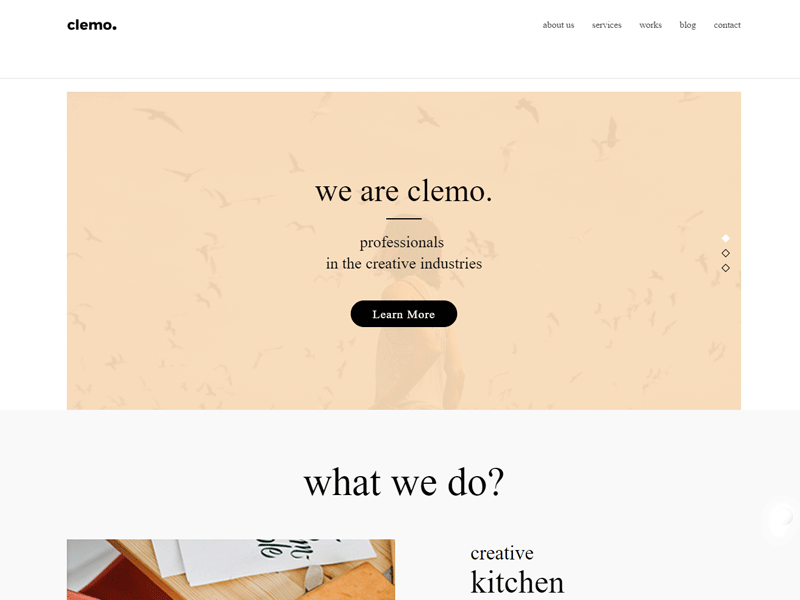
An expanding grid portfolio theme for Hugo, built with Bootstrap and inspired by painter Frances Hodgkins.
About this template
Frances is a portfolio theme for Hugo that presents projects in an expanding thumbnail grid, built with Bootstrap and based on Codrops' Thumbnail Grid Expanding Preview component.
What is Frances?
Frances is a free, open-source theme for the Hugo static site generator, designed specifically for portfolio websites. It takes a collection of projects or artworks and displays them as a grid of thumbnails that expand in place to reveal full details. The theme is named after New Zealand painter Frances Hodgkins, and its grid interaction is ported from the Codrops tutorial "Thumbnail Grid Expanding Preview." It uses Bootstrap for responsive layout and styling, and the source code is available on GitHub under the username mcrwfrd.
Key Features
- Expanding grid portfolio — A clickable thumbnail grid where each item expands to show a larger preview and description, based on the Codrops Thumbnail Grid Expanding Preview pattern.
- Built with Bootstrap — The theme relies on Bootstrap's grid system and components for responsive layout across devices.
- Hugo-native — Installed via
git cloneinto thethemesdirectory; configured by settingtheme = "frances"inconfig.toml. - Customizable contact details — The included
congif.toml(note the typo in the file name) is meant to be copied to the site root and edited to change the name and email address shown on the site. - Simple static output — As a Hugo theme, it generates a fast, static HTML site that can be deployed to any web server or CDN.
Who is it for?
- Visual artists and designers — To present a portfolio of paintings, illustrations, or design work in an interactive grid format.
- Photographers — To showcase photo series, using the expanding preview to show larger images without leaving the page.
- Freelancers — To build a personal portfolio site quickly, using Hugo's content management and the theme's ready-made structure.
What can you do with Frances?
- Create a project portfolio — Add each project as a Hugo content file; the theme aggregates them into the expanding grid layout.
- Customize the profile — Edit the copied configuration file to set your own name and email address for the site's contact area.
- Deploy a static site — Run
hugo serverlocally to test, then generate and host the static output anywhere.
How does Frances work?
First, clone the theme into your Hugo project's themes folder with git clone https://github.com/mcrwfrd/hugo-frances-theme.git frances. Then copy the provided congif.toml file to your site root and update the name and email fields. Add theme = "frances" to your own config.toml, and finally run hugo server to preview the site locally.
FAQ
Is Frances free?
Yes, Frances is an open-source Hugo theme distributed on GitHub, and its repository metadata describes it simply as a theme built with Bootstrap. It carries no stated license restrictions or pricing in the documentation provided.
How do I install Frances?
Clone the repository into your Hugo project's themes directory, copy the theme's congif.toml to your site root, set theme = "frances" in your site configuration, and run hugo server. Full commands are included in the theme's README.
What kind of sites is Frances for?
Frances is explicitly a portfolio theme. Its expanding grid layout suits visual portfolios — artists, photographers, and designers — though any Hugo user could adapt it to other content collections.
Does Frances support Bootstrap?
Yes, the theme is built with Bootstrap, meaning it inherits Bootstrap's responsive grid and utility classes. The theme's own description states it is "an expanding grid theme built with Bootstrap for Hugo."
Who made Frances?
The theme is maintained on GitHub by the user mcrwfrd, and its design is based on the Codrops Thumbnail Grid Expanding Preview tutorial. The README names the theme after painter Frances Hodgkins.