Template details
Frontend Starter
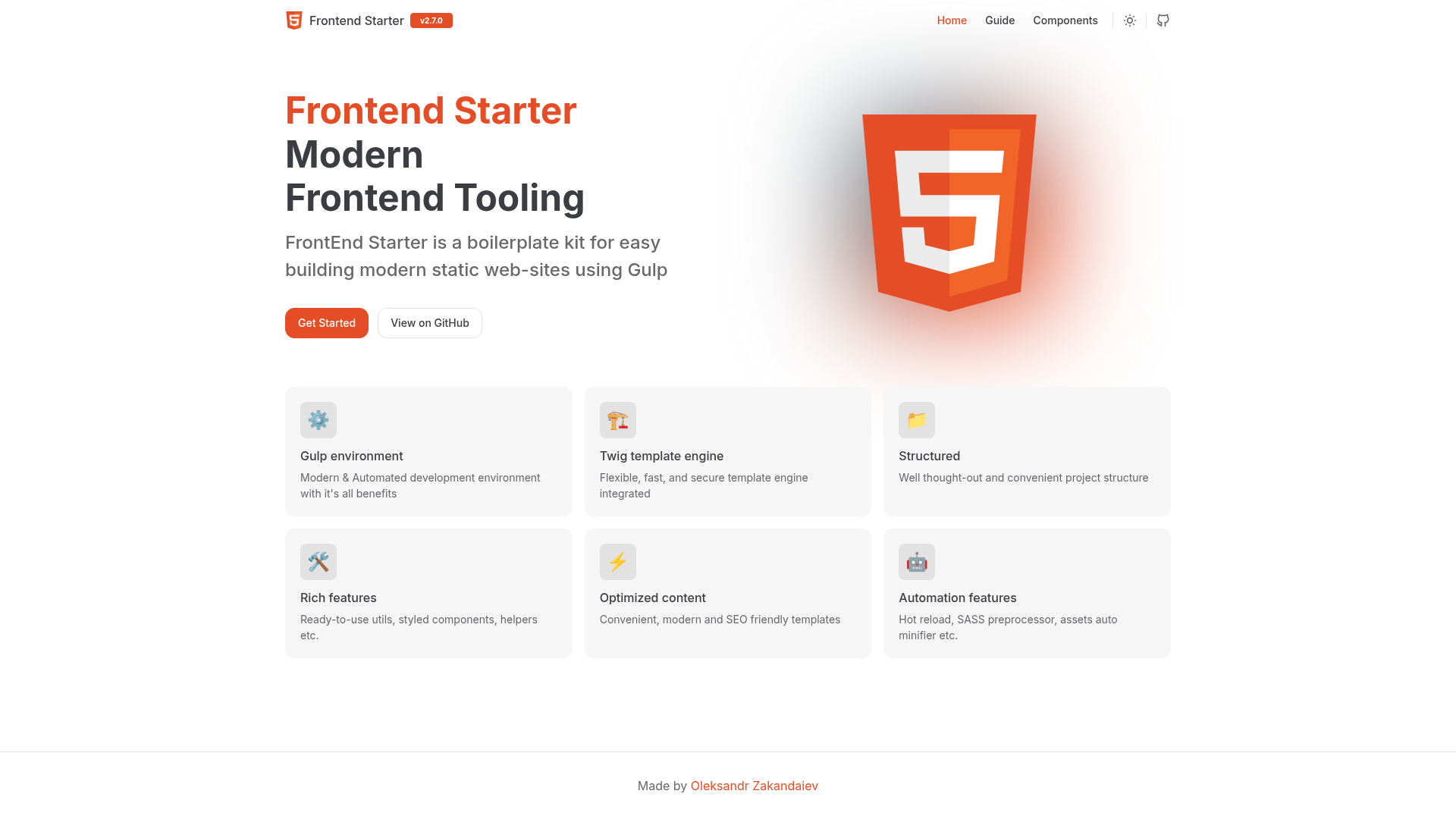
FrontEnd Starter is a Gulp-based boilerplate for building modern static websites with Twig, SCSS, and automated production builds.
About this template
Frontend Starter is a Gulp-based boilerplate kit that turns Twig, SCSS, and ES6 JavaScript source files into a production-ready static website.
What is Frontend Starter?
Frontend Starter is a Gulp-based boilerplate kit for building modern static websites. It takes source files written in Twig, SCSS, and ES6 JavaScript as input and outputs minified, autoprefixed HTML, CSS, and JS for production. The kit runs on Node.js (version 24 or higher) and is hosted on GitHub at zakandaiev/frontend-starter.
Key Features
- Twig template engine — Compose reusable page templates with Twig, keeping markup maintainable and DRY.
- SASS/SCSS preprocessor — Write styles in SCSS and get compiled CSS with Autoprefixer handling vendor prefixes.
- Live-server with hot-reload —
npm run devstarts a development server that auto-refreshes the browser on file changes. - Auto minification — Production builds minify HTML, CSS, JS, and images to reduce page weight.
- SEO-friendly defaults — Includes sitemap.xml, robots.txt, .htaccess, favicon, and a custom 404 page out of the box.
- Ready-to-use assets — Ships with JavaScript utilities, HTML styled components, CSS helpers, and SASS utilities.
- Linting setup — ESLint for JavaScript and StyleLint for CSS, with auto-fix commands (
lint:js:fixandlint:css:fix). - Backend emulation — A Fastify server (
backend.js) simulates a backend, useful for testing API interactions during development.
Who is it for?
- Frontend developers who want a preconfigured Gulp pipeline without manually setting up build tasks.
- Static site creators who prefer Twig templating and SCSS and need SEO-friendly output with sitemap and robots files.
- Agencies and freelancers building brochure-style sites, since the boilerplate includes a 404 page, favicon, and production settings.
What can you do with Frontend Starter?
- Develop with live reload — Run
npm run devto preview your site on a local server with hot reload. - Build for production — Run
npm run buildto generate optimized static files into thedistdirectory (customizable via--dist). - Preview builds — Use
npm run previewto serve the built site locally and check the final result. - Lint your code — Use
npm run lint:jsandnpm run lint:cssto check quality, plus the:fixversions to automatically fix issues. - Emulate a backend — Run
npm run backendto start the included Fastify server for API testing.
How does Frontend Starter work?
The workflow is standard: clone the repository, install dependencies with npm install, then use npm run dev for development or npm run build for production. Options allow you to set a custom port, base path, and dist folder, and there is a debug:sourcemap command for inspecting sourcemap files.
FAQ
Does Frontend Starter require Node.js?
Yes, Node.js version 24 or higher is required to run the Gulp build tasks and the development server.
How do I remove the original Git history?
After cloning, delete the .git directory: use rm -rf .git on Unix or Remove-Item .git -Recurse -Force on Windows.
What is the default output folder for builds?
The npm run build command outputs to the dist folder by default, but you can change it with the --dist option.
Can I change the port for the development server?
Yes, run npm run dev -- --port 3000 (or any other port number) to start the live server on a custom port.
Does the starter include SEO files?
It includes sitemap.xml, robots.txt, .htaccess, and a favicon, along with a custom 404 page to help with crawling and user experience.