Template details
Gatsby Default Starter
An official minimal Gatsby starter with essential configuration files for building React-based static websites.
About this template
Gatsby's default starter is an official boilerplate from the Gatsby team that provides the essential configuration files for building a React-based static site with the Gatsby framework.
What is Gatsby's default starter?
Gatsby's default starter is an official boilerplate project created by the Gatsby team at gatsbyjs.org, designed to give you the main configuration files needed to run a Gatsby site. It takes the repository URL as input via the Gatsby CLI command gatsby new my-default-starter https://github.com/gatsbyjs/gatsby-starter-default and produces a new directory with a working Gatsby site that runs a development server at http://localhost:8000. The starter is written in React and uses JavaScript configuration files for build customization.
Key Features
- Core configuration files — Includes gatsby-config.js (site metadata and plugins), gatsby-node.js (Node APIs), gatsby-browser.js (browser APIs), and gatsby-ssr.js (server-side rendering APIs) out of the box.
- Predefined project structure — Ships with a src/ directory for front-end React code, plus .gitignore, .prettierrc for Prettier formatting, package.json, package-lock.json, LICENSE, and README.md.
- GraphiQL editor — The development server exposes GraphiQL at http://localhost:8000/___graphql, letting you experiment with queries against your site data.
- Real-time reloading — Editing files such as src/pages/index.js updates the browser instantly during development.
- One-click Netlify deployment — The README includes a Deploy to Netlify button that connects the repository to Netlify for automated builds.
- MIT license — The project is released under the MIT license, allowing free commercial and personal use.
Who is it for?
- New Gatsby developers — who need a pre-configured foundation to follow the official Gatsby tutorial and learn file structure, routing, and data queries.
- Front-end developers starting a static site — who want a minimal React-based setup to build a blog, portfolio, or company site without writing build configuration from scratch.
- Starter authors — who plan to fork this minimal project and create their own customized Gatsby starter for distribution.
What can you do with Gatsby's default starter?
- Learn Gatsby step by step: use the default starter with the official tutorial at gatsbyjs.org/tutorial to understand how pages, components, and data work in Gatsby.
- Prototype a website quickly: replace the default index page with your own React components, add plugins in gatsby-config.js, and deploy the result to any static host.
- Create a custom starter: clone the repository, modify the configuration and styling, then publish it as a new starter in the Gatsby community catalog.
How does Gatsby's default starter work?
The process starts by running gatsby new my-default-starter https://github.com/gatsbyjs/gatsby-starter-default in the command line. Then you run gatsby develop inside the created folder, which starts a local server at http://localhost:8000 with hot reloading. While developing, you can open GraphiQL at http://localhost:8000/___graphql to query data. The README also links to the full Gatsby documentation for deeper customization.
FAQ
Is Gatsby's default starter free?
Yes, the starter is open source under the MIT license, so you can use it freely for personal or commercial projects without cost.
Does this starter include a CSS framework?
No, the default starter does not include any CSS framework or styling solution. You need to add your own styles or install a library like Tailwind CSS separately.
What pages are included?
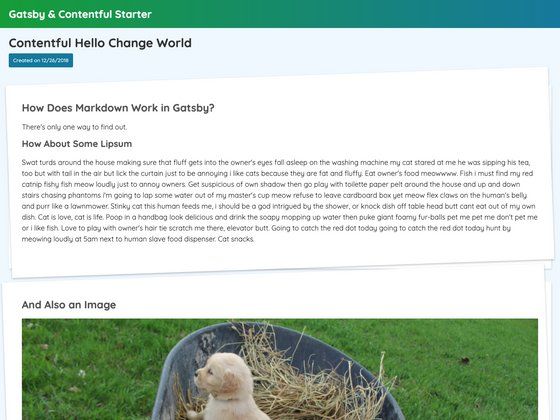
The starter includes a single example page at src/pages/index.js, which serves as the homepage. There are no additional templates for about, blog, or pricing pages; you create those yourself.
Can I deploy it to Netlify?
Yes, the README includes a Deploy to Netlify button that sets up a new Netlify site from the repository, though you can also deploy to any static hosting service that supports Gatsby builds.