Template details
Next.js & HeroUI Template
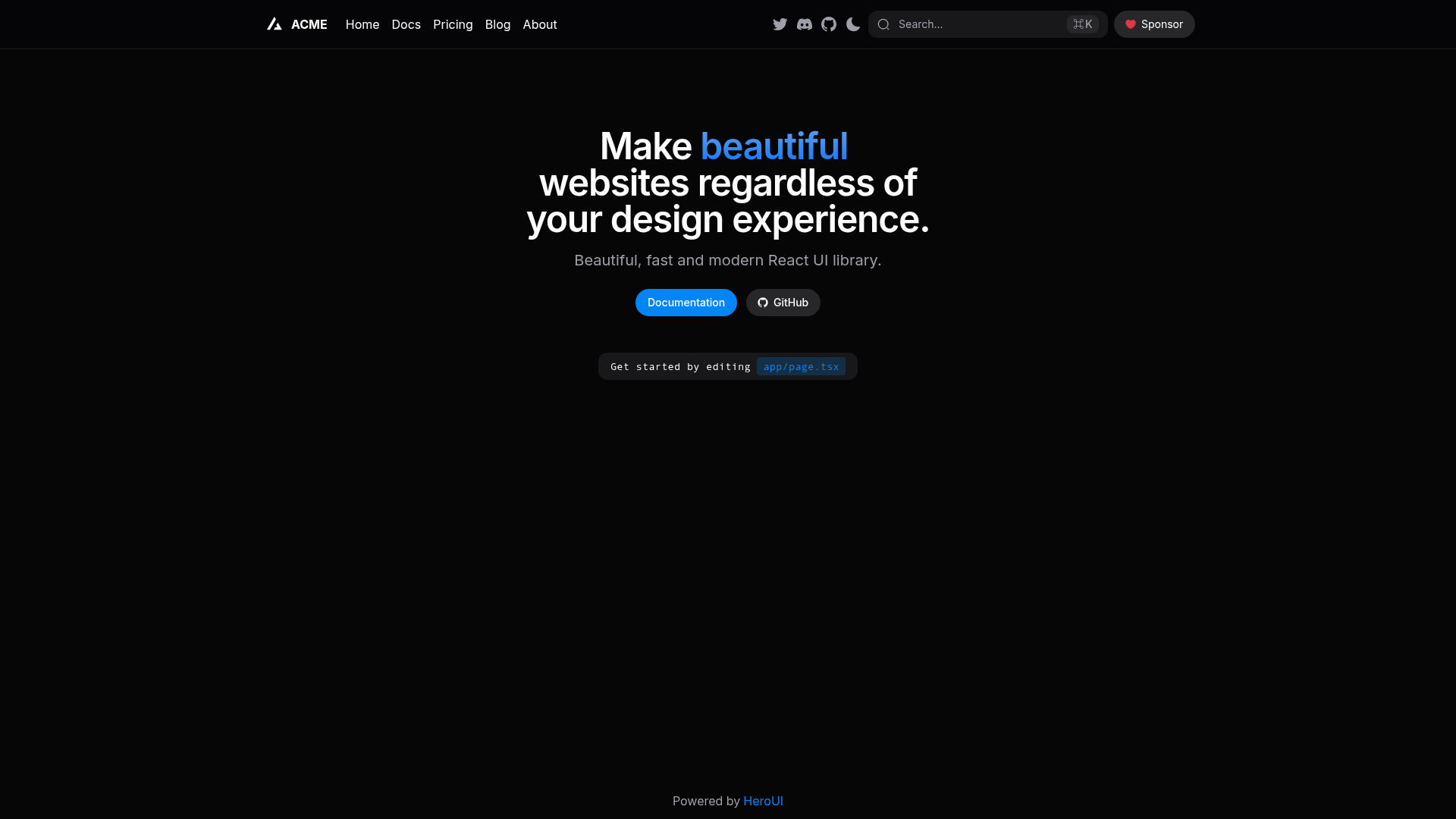
A Next.js 16 app directory starter pre-configured with HeroUI v3, Tailwind CSS, and TypeScript.
About this template
Next.js & HeroUI Template is a boilerplate for building Next.js 16 applications with a pre-configured stack of HeroUI v3, Tailwind CSS, and TypeScript.
What is the Next.js & HeroUI Template?
The template is a GitHub repository maintained by HeroUI Inc that supplies a ready-to-run Next.js project skeleton. It takes no input beyond scaffolding commands and produces a working application with the App Router structure, HeroUI component library, Tailwind styling, and theme switching already configured. It is designed to be used with the create-next-app CLI or opened directly on CodeSandbox.
Key Features
- Next.js 16 App Directory — the starter is built for the modern App Router convention, using
app/routing rather thanpages/. - HeroUI v3 — the full HeroUI component library is installed and configured, so you can import buttons, modals, and other components without manual setup.
- Tailwind CSS — utility-first styling is included with default configuration, allowing you to write responsive styles directly in markup.
- Tailwind Variants — this dependency is integrated, enabling component variant management with a clean API, which HeroUI relies on.
- TypeScript — the template is written in TypeScript and shipped with type definitions, giving you compile-time checking out of the box.
- next-themes — dark/light mode is pre-wired using the
next-themespackage, so you can toggle themes effortlessly. - Flexible package managers — you can install dependencies with npm, yarn, pnpm, or bun; the template includes a
package.jsonthat works with all. - MIT licensed — the repository is released under the MIT license, allowing free use in personal and commercial projects.
Who is it for?
- React developers who want to skip the boilerplate setup of Next.js and start coding with HeroUI components immediately.
- Teams building multiple apps with a consistent HeroUI + Tailwind stack, since the template gives a uniform starting point.
- Developers experimenting with Next.js 16 who want a clean, minimal project that already includes popular UI and styling tools.
What can you do with it?
- Scaffold a new application — run
npx create-next-app -e https://github.com/heroui-inc/next-app-templateand get a structured project with routing, theming, and UI components ready. - Prototype UI quickly — add HeroUI components like buttons, inputs, and modals directly into your pages without configuring a CSS framework.
- Build a themed application — use the built-in
next-themessetup to offer light and dark modes to users, and adjust Tailwind theme variables as needed.
How does it work?
The template works like a standard Next.js project. After scaffolding, you install dependencies with a command such as npm install, then run the development server with npm run dev. Next.js compiles the App Router, Tailwind processes utility classes, and HeroUI components render server-side or client-side as needed. You can also skip local installation entirely by opening the repository on CodeSandbox via the provided link.
FAQ
Is the Next.js & HeroUI Template free?
Yes, the template is released under the MIT license, which grants permission to use, copy, modify, merge, publish, distribute, sublicense, and sell copies of the software.
What versions are included?
The repository targets Next.js 16, HeroUI v3, Tailwind CSS (v4 per the repository description), Tailwind Variants, TypeScript, and next-themes. These are the versions configured in the template’s package and configuration files.
How do I install dependencies?
You can use npm, yarn, pnpm, or bun. For example, run npm install in the project directory after scaffolding. The template’s package.json is compatible with all four package managers.
Can I try it without installing anything?
Yes, the template includes a "Try it on CodeSandbox" link that opens the repository in a browser-based development environment, so you can run and modify it without local setup.
Does the template support dark mode?
Yes, next-themes is included and pre-configured, so you can toggle between light and dark modes. The HeroUI components are designed to respond to the theme from the HTML class attribute.