Template details
Gatsby Magazine Example
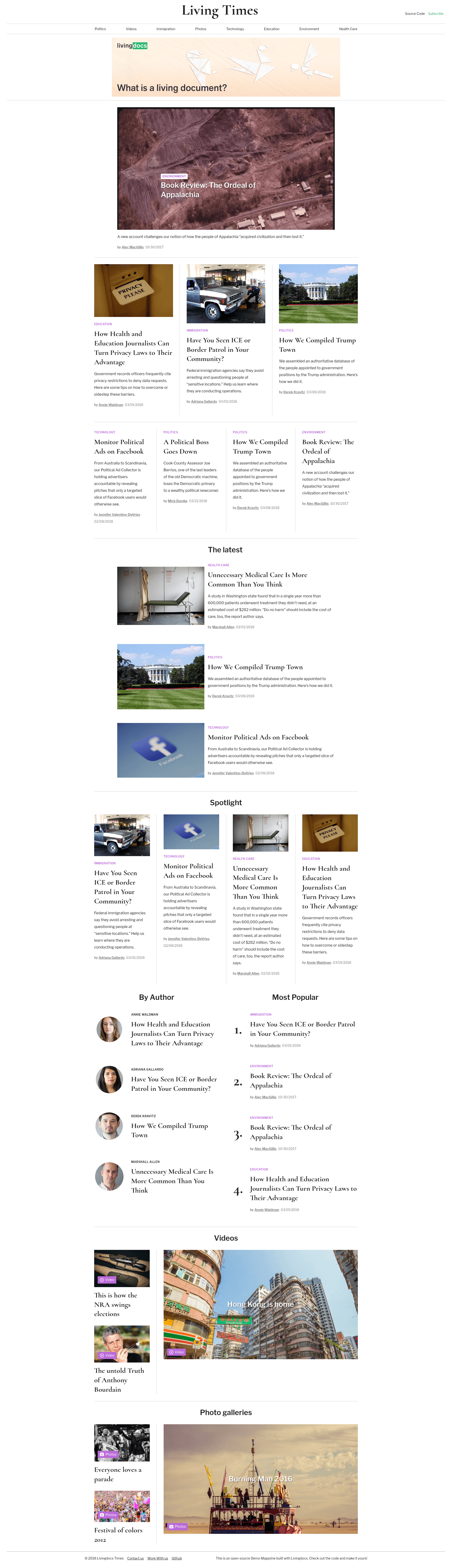
Open-source demo magazine starter built with Livingdocs headless CMS and Gatsby/React, ready to deploy to Netlify.
About this template
Gatsby Magazine Example is an open-source magazine starter built with Gatsby and React that connects to the Livingdocs headless CMS, pulling articles and author content into a static site via a GraphQL schema generated at build time. It gives you a pre-styled magazine front end with SEO metadata, sitemap, robots.txt, and PWA support, and it is designed for small setups of 100 to 5000 articles or proof-of-concept projects. The live demo runs at magazine-example.livingdocs.io.
What is the Gatsby Magazine Example?
Gatsby Magazine Example is a starter repository maintained by Livingdocs to demonstrate how to build a front end for a Livingdocs content project with Gatsby. It takes a Livingdocs project's public API token, and at build time the gatsby-source-livingdocs plugin requests content from Livingdocs and converts the returned JSON into a queryable GraphQL schema. Using that schema, gatsby-node.js programmatically creates article pages, author pages, and regular pages from templates in the src/templates directory. The starter assumes no custom Livingdocs configuration and uses the Livingdocs magazine-component library for the design.
Key Features
- Gatsby and React stack — the site is generated as a static Gatsby site, and all page templates are React components in src/templates.
- gatsby-source-livingdocs plugin — fetches content from the Livingdocs delivery API at build time and creates a GraphQL schema from the JSON response.
- Programmatic page creation — gatsby-node.js generates article pages with article.js, author pages with authorPage.js, and regular pages with pages.js.
- SEO-ready templates — layout.js and article.js set up metadata for Google, Facebook, and Twitter inside the head component, using titles, descriptions, and keywords entered in Livingdocs.
- Built-in Gatsby plugins — gatsby-plugin-react-helmet manages head metadata, gatsby-plugin-sitemap creates sitemap.xml, gatsby-plugin-robots-txt creates robots.txt, and gatsby-plugin-manifest generates a PWA manifest.
- Local development workflow — after cloning and installing dependencies, running gatsby develop serves the site at localhost:8000 and a GraphiQL explorer at localhost:8000/___graphql.
- Easy deployment to multiple hosts — gatsby build followed by gatsby serve previews locally at localhost:9000; a production build can be dropped onto Netlify or connected to a GitHub or GitLab repo for automatic redeploys, and services like ZEIT Now are also supported.
- Livingdocs branding included — the header, footer, and layout components contain Livingdocs links and example branding, easy to replace for your own magazine.
Who should use the Gatsby Magazine Example?
- Developers evaluating Livingdocs — use this starter to see how a Gatsby front end consumes Livingdocs content and to get a working setup without building from scratch.
- Small publishing teams — if you plan to manage 100 to 5000 articles in Livingdocs, this starter gives you a ready-made magazine site with author pages and SEO handling.
- Agencies and consultants — quickly spin up proof-of-concept magazine sites for clients, then deploy to Netlify or ZEIT Now to demonstrate the end result.
What can you do with the Gatsby Magazine Example?
- Launch a magazine site — edit content in Livingdocs, then run a Gatsby build to produce static HTML article pages, author pages, and regular pages.
- Implement SEO without extra work — the provided layout and article components emit meta tags for search engines and social platforms, so you only need to fill in meaningful titles and descriptions in Livingdocs.
- Set up continuous deployment — connect your repository to Netlify or a similar service and get automatic rebuilds on each commit; webhooks are being developed for public users, and incremental builds are possible for enterprise customers.
- Learn the Livingdocs-Gatsby integration — study the starter's file structure, including src/components/layout.js, src/templates/article.js, and gatsby-node.js, to understand how content flows from the CMS to rendered pages.
How does the Gatsby Magazine Example work?
Start by cloning the repository and installing dependencies with npm install, then swap the placeholder API key in gatsby-config.js for your own Livingdocs access token (typically set as an environment variable). Running gatsby develop starts a local server and a GraphiQL interface for querying the content. When you are ready, gatsby build creates a static site that you can preview with gatsby serve on localhost:9000 or deploy to a hosting service.
FAQ
Is the Gatsby Magazine Example free?
Yes, the repository is open-source and described in the repository metadata as an open-source demo magazine. The code is freely available to clone, modify, and deploy.
What Node.js version is required?
The README states that the starter has been tested with Node 8.12.0, so any recent Node.js release from that version onward should work for local development and builds.
What scale of site is this template intended for?
The documentation explicitly says the setup works well for small setups of 100 to 5000 articles or for proof of concepts where you want to see results quickly. For larger enterprise use cases, Livingdocs asks you to contact them.
Can I deploy to services other than Netlify?
Yes. The README mentions deployment is not limited to Netlify and works with services such as ZEIT Now. You can also do a manual deployment by dropping your public folder onto any static host.
Does this starter include SEO features?
Yes. The layout and article components set up all necessary data for Google, Facebook, and Twitter within the head component. The starter also includes gatsby-plugin-sitemap, gatsby-plugin-robots-txt, and gatsby-plugin-manifest to generate sitemap.xml, robots.txt, and a PWA manifest respectively.