Template details
Typography
An Astro blog theme built on Chinese typographic norms, offering fast, responsive, SEO-friendly blogging with i18n and dark mode.
About this template
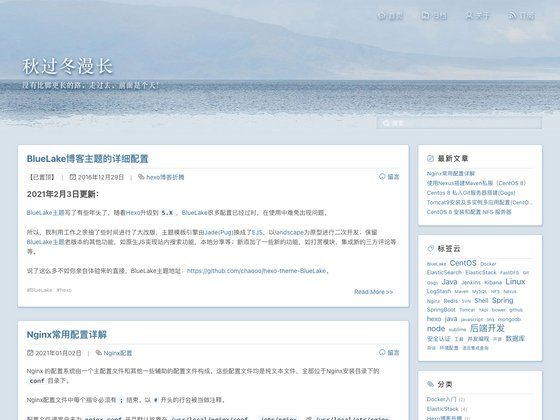
Typography is a minimal, responsive Astro blog theme optimized for Chinese typographic norms, designed to deliver a fast reading experience for static blogs. Built with Astro, TypeScript, and UnoCSS, it works as a modern rewrite of the popular hexo-theme-Typography and provides a clean, typography-first layout for content creators.
What is Typography?
Typography is an open-source blog theme created by moeyua, adapted from the Hexo theme of the same name to run on the Astro framework. It takes Markdown files with frontmatter metadata placed in src/content/posts and generates a static blog site with posts, archive, categories, and about pages. The theme uses Astro's build system and can be deployed to Vercel, Netlify, or any other static hosting platform that supports Astro.
Key Features
- Framework stack — Built with Astro, TypeScript, and UnoCSS for styling, resulting in a static site with minimal runtime JavaScript.
- Performance — Reports a 100% PageSpeed Score on desktop, as shown in the linked analysis for the live demo.
- Typography system — Derived from prevalent Chinese typographic norms and aims to provide an enhanced reading experience for website visitors.
- Responsive layout — Responsive and works well on all screen sizes, from mobile to desktop.
- Accessibility — A well thought out semantic and accessible content structure.
- SEO support — Open Graph and Twitter Cards support for social sharing, plus built-in sitemap and RSS feed generation.
- Internationalization — Built-in i18n support for English, Simplified Chinese, Traditional Chinese, Japanese, and Italian, configurable via the
localeoption. - Comment services — Supports Disqus, Giscus, and Twikoo; when multiple services are configured, only the first one is displayed.
- Dark mode — Supports light, dark, and system theme modes via the
themeStyleconfig, with light as the default.
Who is it for?
- Writers and bloggers who value Chinese typography and want a clean, readable layout for long-form articles, with a focus on content rather than visual clutter.
- Developers who want a fast, minimal Astro blog with a familiar markdown editing workflow and easy deployment to Vercel or Netlify via the provided deploy buttons.
- Multilingual bloggers who need a site that switches between languages like English, Japanese, or Traditional Chinese out of the box, or who want to add new locales by editing
src/i18n.ts. - Technical users who like to customize the theme's config file to add social links, navigation pages, and comment services without touching core templates.
What can you do with Typography?
- Personal blog: Create Markdown posts in
src/content/postswith frontmatter fields (title, pubDate, categories, description) and publish a static blog with archive, category, and about pages. - Reading notes: Use the theme's clean typographic layout to display essays, book notes, or a personal site, as demonstrated by the linked demo blogs like Unconventional Reading Notes.
- Localized site: Switch the site language to any of the five supported locales or extend the language list by editing
src/i18n.tsand adding a translation file. - Social integration: Enable comment services (Disqus, Giscus, Twikoo) and configure social media icon links from Material Design Icons via the
socialoption in the config file.
How does Typography work?
The project can be started by forking the repository and deploying directly to Vercel or Netlify via the one-click deploy buttons. To add content, either create a new Markdown file in src/content/posts with the required frontmatter or run pnpm theme:create in the terminal. After customizing settings in src/.config/user.ts, the site is built with Astro and kept up to date by syncing the fork with the upstream repository.
FAQ
Is Typography free to use?
Yes, Typography is publicly available on GitHub, so you can use and modify the code for free. The repository includes a live demo you can preview before starting, and there are no paid tiers or hidden fees.
How do I add a new post to Typography?
Create a Markdown file in src/content/posts with a frontmatter block containing title, pubDate, categories, and description. Alternatively, run pnpm theme:create in the terminal to generate a new post template automatically.
Which comment services does Typography support?
Typography supports Disqus, Giscus, and Twikoo. You enable them in the config file; if you fill in more than one service, only the first one will be displayed on the site, so choose your preferred provider.
Does Typography support dark mode?
Yes, dark mode is supported. Set the themeStyle option in the config file to light, dark, or system to control the theme, with light as the default behavior.
Can I deploy Typography to platforms other than Vercel?
Yes, Typography is an Astro project, so it can be deployed to any platform that supports static sites, including Netlify, GitHub Pages, and Cloudflare Pages. The README links to Astro's deployment documentation for additional options.