Template details
Mekyll
A Medium-style Jekyll theme for creating blogs and websites with a clean, reading-focused design.
About this template
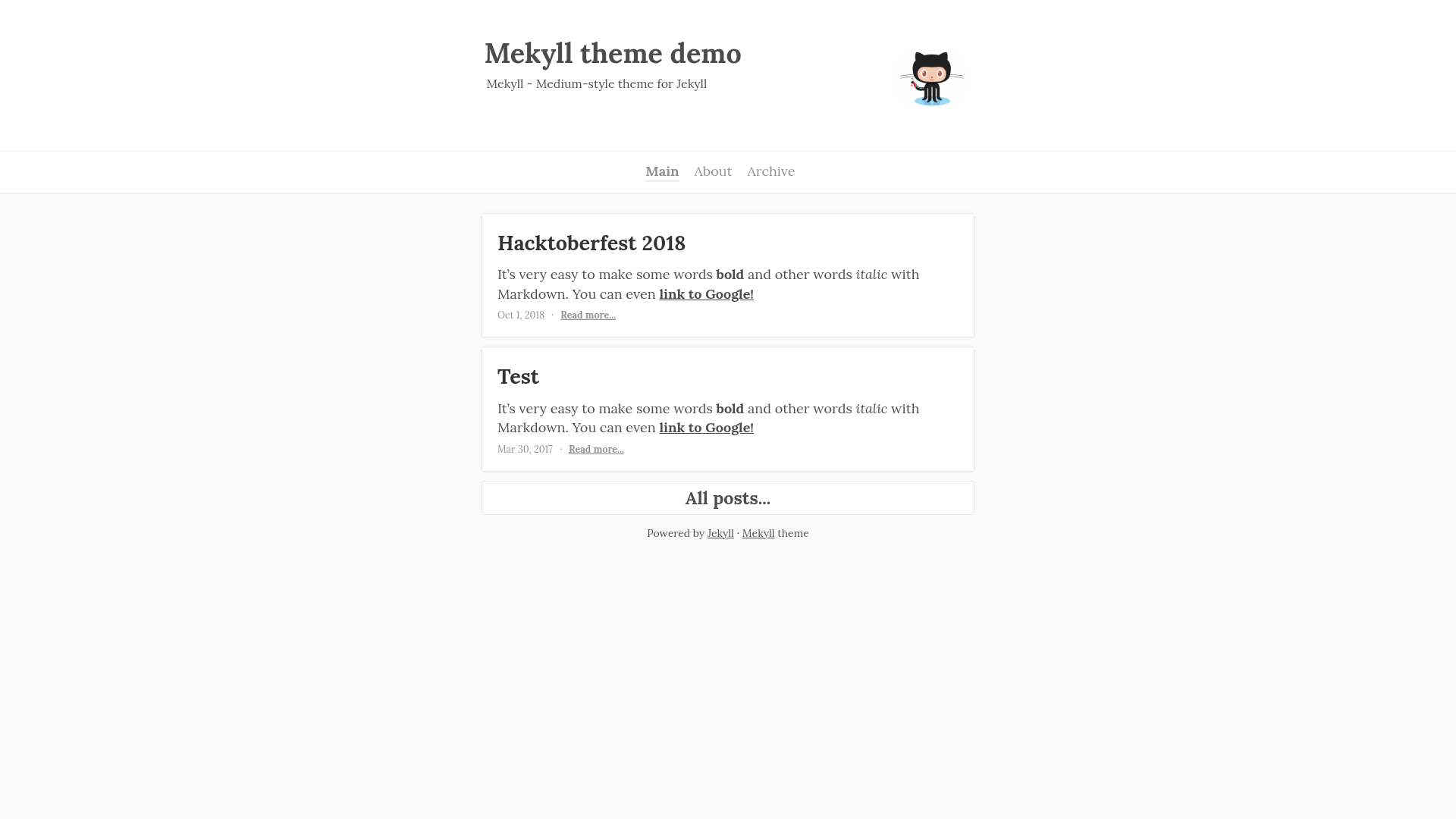
Mekyll is an open-source Jekyll theme that gives any blog or website the clean, reading-focused look of the Medium publishing platform. Currently in beta, it is developed openly on GitHub and includes a live demo and screenshot for previewing the design before installation.
What is Mekyll?
Mekyll is a Medium-style theme for Jekyll, a static site generator that converts Markdown and Liquid templates into fast, database-free HTML sites. The theme's core function is to make a personal blog or website resemble Medium's typography and layout, so readers can focus on the content. It is maintained by ifedyukin and is available in the Mekyll GitHub repository, where the beta version is open for contributions. The project provides a demo site hosted on GitHub Pages, demonstrating the theme in action, and a screenshot image for quick visual reference.
Key Features
- Medium-inspired design — Reproduces Medium's characteristic typography, whitespace, and article-centric layout for a clean reading experience.
- Built on Jekyll — The theme runs on Jekyll, meaning it works out of the box with GitHub Pages and any Jekyll-based static site hosting, and it accepts content written in Markdown.
- Beta development status — The theme is still under development, with the repository explicitly noting that they are "still developing this style theme," so users should expect ongoing updates and potential changes.
- Open contribution workflow — Anyone can contribute by forking the project, creating a new branch, optionally opening an issue, and submitting a pull request to merge changes into the master branch.
- Demo and screenshot — A live demo at https://ifedyukin.github.io/Mekyll lets users see the theme before installing, and the repository includes a screenshot for quick preview.
Who should use Mekyll?
- Bloggers and writers who want a Medium-like reading experience on their own Jekyll-powered blog without moving to Medium's platform.
- Developers and designers who maintain a personal website or portfolio on GitHub Pages and prefer a content-first, typography-focused theme.
- Open-source contributors interested in Jekyll theme development can participate in the project's evolution through issues and pull requests.
What can you do with Mekyll?
- Start a personal blog: Use Jekyll and Mekyll to publish articles in Markdown with a familiar Medium-style layout, hosted for free on GitHub Pages.
- Create a writer's portfolio: Present long-form writing, essays, or journalism in a distraction-free format that emphasizes readability.
- Learn and customize: Fork the repository to modify the theme's HTML, CSS, or Liquid templates, making it a foundation for a custom blog design.
FAQ
Is Mekyll free?
Mekyll is an open-source project hosted on GitHub, so the code can be downloaded and used at no cost. The repository does not explicitly state a license, but the theme is publicly accessible through the standard GitHub interface.
Is Mekyll stable?
No, the theme is in beta. The repository states "We are still developing this style theme," so there may be bugs or incomplete features during development.
How can I contribute to Mekyll?
Fork the project, create a new branch, optionally create an issue describing the change, then make a pull request from that branch into the master branch. Improvement suggestions can be added to issue #3.
Where can I see a demo?
The demo is live at https://ifedyukin.github.io/Mekyll. The repository also includes a screenshot labeled ./screenshot.png for a static preview.