Template details
Rewinds
Rewinds – Remix Tailwind Stack with React, Radix UI, Zod, Conform, Prisma ORM, MySQL on PlanetScale, Vercel, and more
About this template
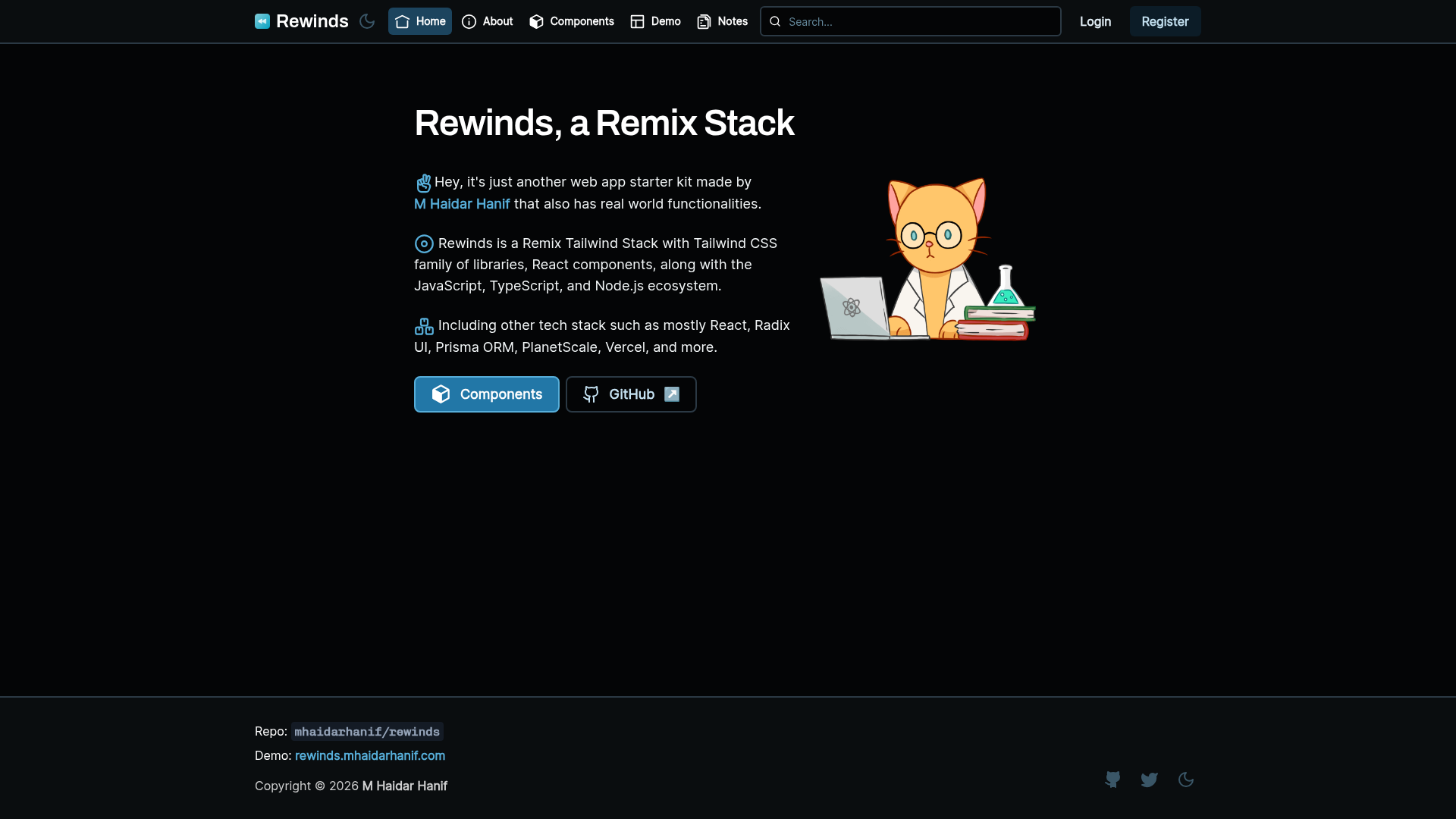
Rewinds is an open-source Remix and Tailwind CSS starter kit for shipping full-stack TypeScript web apps, created by M Haidar Hanif. It bundles authentication, admin and user dashboards, notes management, more than 50 prebuilt UI components, and a PlanetScale-backed Prisma data layer into one GitHub template.
What is Rewinds?
Rewinds is a web app starter kit built on Remix v1, Tailwind CSS, React, and TypeScript, authored by M Haidar Hanif and distributed under the MIT License. The template takes a GitHub repository template or a create-remix template reference as input and produces a deployable full-stack app with auth, dashboards, database models, and SEO metadata. Its live demo runs at rewinds.mhaidarhanif.com, and deployment is designed around Vercel with MySQL on PlanetScale. The README states the project is no longer maintained since Remix v2; the author's continuation is Dogokit, including Dogokit Remix.
Key Features
Rewinds bundles a complete auth flow, two dashboards, notes management, and more than 50 UI components on a Remix, Tailwind CSS, Radix UI, and Prisma stack.
- Full-stack Remix + TypeScript — Remix v1 with v2 future flags (flat routes, v2 meta, normalized form method, v2 error boundary) and Tailwind CSS with PostCSS support.
- Authentication with Remix Auth — register, log in, and log out using a session cookie, with Zod validation and check availability on registration.
- Admin and user dashboards — admin dashboard with users/notes management, search, and metrics; user dashboard with profile, settings, avatar upload, email change, and password change/reset.
- Prisma ORM + PlanetScale — MySQL database layer with Prisma, tuned for PlanetScale workflows using
prisma db pushrather than migration files, with a Docker Compose script for local MySQL. - More than 50 UI components — Radix UI interactive components styled on shadcn UI conventions, with preselected brand/surface colors, fonts, and Lucide and Iconoir icon sets.
- Form handling with Conform and Zod — validated forms for Remix, data validation with Zod and Zodix, unallowed-username checks, and file upload to Uploadcare.
- SEO and performance built in — sitemap.xml generator, robots.txt, canonical tags, Open Graph and Twitter card meta, cache control headers, and a root loader for env, theme, and user data.
- Vercel deployment ready — one-click Deploy to Vercel button and a
build:ciscript for automatic Prisma schema pushes, requiring DATABASE_URL, REMIX_SESSION_SECRET, REMIX_APP_NAME, REMIX_APP_EMAIL, and UPLOADCARE_PUBLIC_KEY.
Who should use Rewinds?
Rewinds fits anyone building a full-stack Remix application who wants auth, dashboards, and database integration pre-wired before writing their own feature code.
- Solo founders and indie developers who want a production-grade Remix stack with auth and dashboards already wired up, to launch a SaaS MVP or tool quickly.
- Web development teams that want a shared opinionated baseline with Prettier, ESLint, Stylelint, pnpm, and Doppler/Dotenv secrets management so code stays consistent across contributors.
- Freelancers and agencies building client sites like company profiles, job boards, art galleries, event management, or e-commerce that need admin panels and content management out of the box.
- Educators and content creators running a blog, news site, or Learning Management System; Catamyst, a project listed in the repo, uses Rewinds as an LMS.
What can you do with Rewinds?
Rewinds covers many common app shapes because it ships public pages, search, auth, dashboards, and content management as a starting point.
- SaaS founders: scaffold a MVP with auth, a user dashboard, notes CRUD, and an admin metrics view, then deploy to Vercel backed by PlanetScale.
- Content publishers: run a blog or news site with light/dark theme, search, Open Graph preview images, and sitemap.xml for SEO.
- Community organizers: build a forum, support desk, or social media app using the included auth, profiles, user management, and admin search.
- Nonprofits and directory builders: create a searchable public directory; Kawal Masjid, a mosque directory in Indonesia, is listed as a real-world Rewinds project.
How does Rewinds work?
The setup path runs from GitHub template to Vercel deployment in five steps.
- Generate a repository from the GitHub template, or run
npx create-remix@latest --template mhaidarhanif/rewinds. - Install dependencies with npm, yarn, pnpm, or the
niautodetecting tool. - Copy
.env.exampleto.envor use Doppler, then set DATABASE_URL and UPLOADCARE_PUBLIC_KEY. - Generate the Prisma client, then start development with
nr devornr dev-hmrfor HMR. - Deploy by importing the repository into Vercel or using the Deploy button, with environment variables set per environment.
Pros and cons
- MIT licensed and free — the template can be used commercially with no license fees.
- Ships auth, dashboards, notes, SEO, and 50+ components for Remix v1 out of the box.
- No longer maintained — the README states it is not updated since Remix v2; fixes and upgrades are unlikely to arrive.
- Built around external services — PlanetScale for the database, Uploadcare for uploads, and Vercel for deployment each require their own account and environment variables.
Alternatives
Rewinds shares its category with several other TypeScript full-stack starters and with its own successor project.
- Dogokit — the official continuation of Rewinds, including Dogokit Remix, with ongoing maintenance.
- Epic Stack by Kent C. Dodds — a Remix starter kit with a similar full-stack TypeScript focus.
- T3 Stack — a well-known full-stack TypeScript starter, but built on Next.js instead of Remix.
FAQ
Is Rewinds free?
Yes. Rewinds is open source under the MIT License, so it can be used, modified, and redistributed freely, including for commercial projects.
Is Rewinds still maintained?
No. The README states Rewinds is no longer maintained since Remix v2. It remains usable and stable as a Remix v1 template, but for new projects the author recommends the continuation, Dogokit.
What database does Rewinds use?
Rewinds uses Prisma ORM with MySQL on PlanetScale. The repo is designed for MySQL; SQLite is not recommended because it lacks the @db.Text annotation and the createMany() function that the code relies on.
Which environment variables do I need?
The required variables are DATABASE_URL, REMIX_SESSION_SECRET, REMIX_APP_NAME, REMIX_APP_EMAIL, and UPLOADCARE_PUBLIC_KEY. DATABASE_URL connects Prisma to the database, REMIX_SESSION_SECRET signs the auth session cookie, and UPLOADCARE_PUBLIC_KEY enables the Uploadcare file uploader.
How do I deploy Rewinds?
Import the GitHub repository into Vercel or use the Deploy to Vercel button. Set the required environment variables differently per environment such as local, preview, and production, and use the build:ci build command so Vercel pushes Prisma schema changes to PlanetScale during builds.