Template details
Gatsby Starter Portfolio Emma
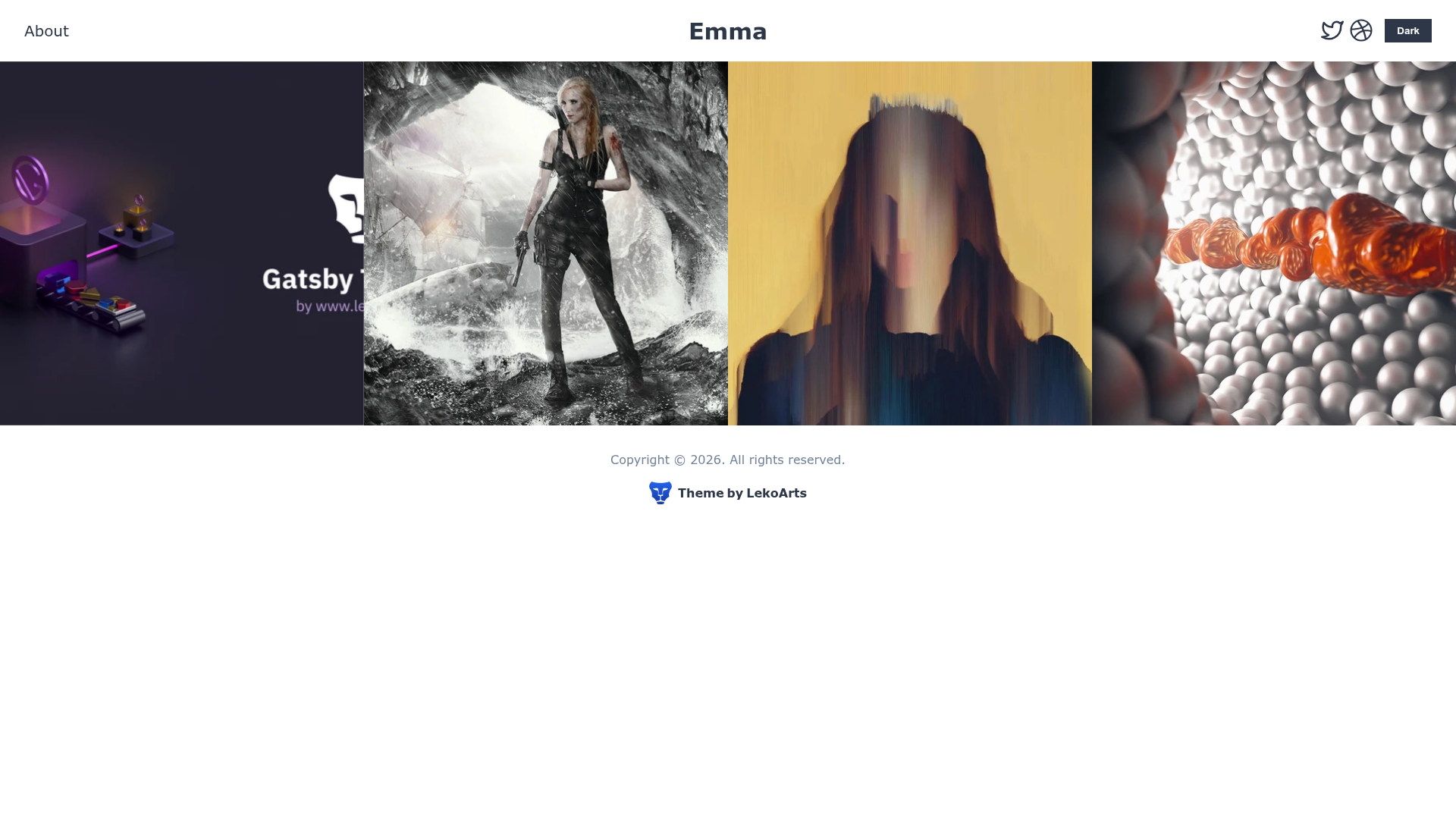
Minimalistic portfolio starter for Gatsby with full-width grid, MDX pages, page transitions, and dark mode.
About this template
Gatsby Starter Portfolio: Emma is a minimalistic portfolio starter for Gatsby that produces a full-width grid of project pages written in MDX, with page transitions and a focus on large images.
What is Gatsby Starter Portfolio: Emma?
Gatsby Starter Portfolio: Emma is a Gatsby starter created and maintained by LekoArts. It installs and configures the Gatsby Theme @lekoarts/gatsby-theme-emma. As input, it takes MDX files placed in the content/projects and content/pages folders; as output, it generates a portfolio website with a full-width project grid, project detail pages, and additional pages that automatically appear in the left-side navigation. The site runs on Gatsby, a React-based static site generator, and uses Theme UI for styling and react-spring for page animations.
What makes Gatsby Starter Portfolio: Emma stand out?
- MDX projects and pages — Content lives in
content/projectsandcontent/pagesas MDX files; frontmatter supports fields like client, title, cover, date, service, color, and defer. - Page transitions — Interactive animations between routes are powered by react-spring.
- Automatic navigation — Any MDX page added to
content/pagesis automatically added to the navigation without extra configuration. - Light and dark mode — The starter ships with a theme toggle that respects both modes.
- SEO built in — Sitemap, OpenGraph tags, and Twitter tags are included.
- WebApp Manifest — The site is installable as a PWA.
- One-click Netlify deployment — A Deploy to Netlify button is provided, plus a Gatsby CLI setup command.
- Fully customizable via themes — You can shadow components in
src/@lekoarts/gatsby-theme-emmaand override the Theme UI config insrc/gatsby-plugin-theme-ui.
Who is it for?
- Designers — Showcase project work with large cover images and case-study pages without building a site from scratch.
- Photographers — Display high-resolution photos in a clean, full-width grid with minimal chrome.
- Gatsby developers — Learn how Gatsby Themes and Theme UI work by studying and shadowing the starter's structure.
What can you do with Gatsby Starter Portfolio: Emma?
- Present a project portfolio — Add project entries as MDX files with covers, client names, services, and colors; they appear on the index grid and as dedicated detail pages.
- Publish additional pages — Create pages like About or Contact as MDX files; they show up in the navigation automatically.
- Customize the visual design — Shadow the theme's components and edit the Theme UI tokens to change colors, typography, and layout.
- Deploy quickly — Use the one-click Netlify deploy button or run
npx gatsby newto start locally.
How does Gatsby Starter Portfolio: Emma work?
The starter is created with the Gatsby CLI command npx gatsby new gatsby-starter-portfolio-emma from the GitHub repository, then run locally with npm run develop. Content is added by creating folders inside content/projects or content/pages, placing an index.mdx file with frontmatter and a cover image, and writing the body in MDX. The Gatsby theme reads these files at build time and generates static pages. For deeper changes, shadow files in src/@lekoarts/gatsby-theme-emma or the Theme UI config.
FAQ
Is Gatsby Starter Portfolio: Emma free?
Yes, the repository is licensed under the 0BSD license, so it is free to use and modify without restrictions beyond retaining the copyright notice.
How do I add a new project?
Create a new folder inside content/projects, add an index.mdx file with frontmatter (client, title, cover, date, service, color, defer), place an image referenced as the cover in the same folder, and write content below the frontmatter.
How do I add a new page?
Create a new folder inside content/pages, add an index.mdx file with frontmatter (title, slug, cover, defer), add a cover image to the folder, and write content below the frontmatter. The page is automatically added to navigation.
How do I customize the theme?
Use Gatsby Theme shadowing: place files in src/@lekoarts/gatsby-theme-emma to override theme components, and edit the Theme UI config in src/gatsby-plugin-theme-ui to change design tokens.