Template details
gatsby-theme-jsonresume
A Gatsby Theme with JSONResume to host your Resume in HTML and PDF
About this template
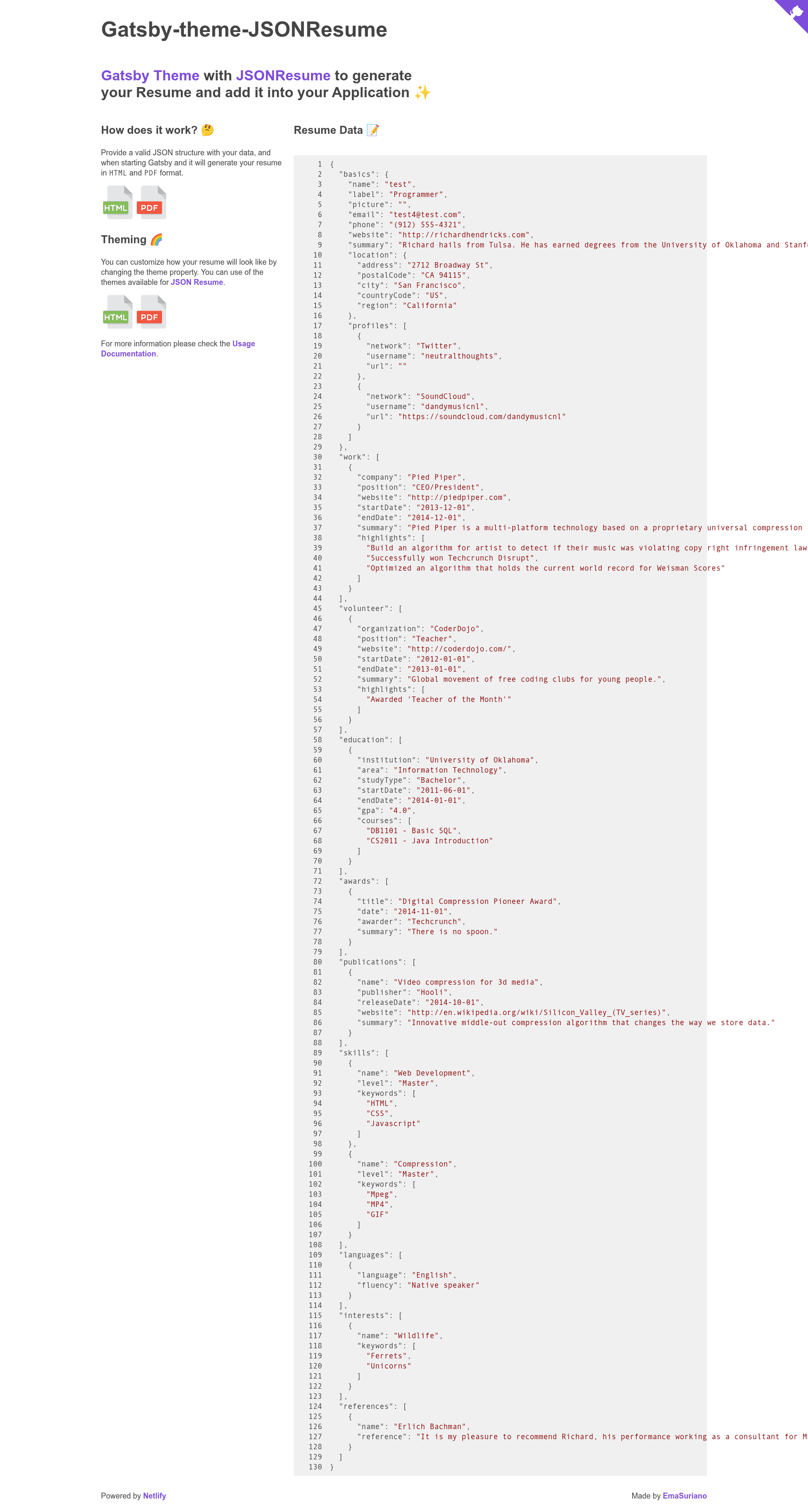
gatsby-theme-jsonresume is an open-source Gatsby theme that creates a static resume site in both HTML and PDF from a JSON Resume schema object.
What is gatsby-theme-jsonresume?
gatsby-theme-jsonresume is a Gatsby theme, built for Gatsby v2, which takes a resume JSON object following the standard JSONResume schema and renders it into a plain HTML file and a PDF file. You supply the data through the resumeJson option in gatsby-config.js, and the theme outputs both files into the static folder, creating a new route (by default resume) on your site. The project is developed by EmaSuriano, released under the MIT license, and includes a demo starter project using Yarn Workspaces.
Key Features
- JSON Resume schema input — The theme accepts a
resumeJsonobject that adheres to the JSONResume schema; you can generate a valid object from your LinkedIn profile using the linkedin-to-json-resume converter. - HTML and PDF output — During
gatsby build, the theme writes a plain HTML file and a PDF version of your resume into the static folder, so both are served after deployment. - Swappable JSONResume themes — The default rendering theme is
jsonresume-theme-flat, but you can install any JSONResume theme package (likejsonresume-theme-orbit) and reference it by name in thethemeoption. - Configurable route — The
nameoption controls the route where the resume appears; changing it tocvmoves both the HTML and PDF to that path. - Gatsby theme architecture — Install it as a plugin in
gatsby.config.jsand configure all options there; works with standard Gatsby v2 projects. - Static file generation — Output files are generated during the build step, not during development, so they are only accessible after you build and deploy your site.
- Demo starter — The repository contains
/gatsby-starter-jsonresume, a working example that shows how to use the theme, and uses Yarn Workspaces for development.
Who is it for?
- Gatsby developers — Add a resume page to an existing Gatsby site without writing resume components from scratch; just install the theme and pass your JSON data.
- Job seekers and professionals — Maintain your CV as a portable JSON document and publish it in both HTML and PDF formats on your own domain.
- Developers who want theme portability — Since the theme uses the JSONResume ecosystem, you can switch between many community themes without changing your resume data.
What can you do with gatsby-theme-jsonresume?
- Personal websites: Host your resume at a custom route, e.g. yoursite.com/cv, with an HTML view for visitors and a PDF link for downloading.
- Automated resume regeneration: Update the
resumeJsonobject ingatsby-config.jsand rebuild to regenerate both output files. - Theme experimentation: Try different JSONResume themes by installing them and setting the
themeoption, then visually compare results at the same route.
How does gatsby-theme-jsonresume work?
Install the package and add it to the plugins array in gatsby-config.js, passing a valid resumeJson object. When you run gatsby build, the theme renders the JSON through a JSONResume theme and writes the HTML and PDF files into the static folder. After running gatsby serve, the resume is available at http://localhost:9000/resume (or your custom route).
FAQ
Is gatsby-theme-jsonresume free?
Yes, the theme is open source and released under the MIT license, so you can use it for personal and commercial projects without payment.
What data format does it require?
It requires a JSON object that conforms to the JSONResume schema. The README recommends generating this object from your LinkedIn profile using the LinkedIn to JSON Resume converter.
How do I change the visual theme?
Install a JSONResume theme package (e.g. yarn add jsonresume-theme-orbit) and set the theme option to that package's name in gatsby-config.js; the default is jsonresume-theme-flat.
Why is my resume not visible during development?
The theme generates the resume files into the static folder during the build step, so they are not available while running gatsby develop. Run gatsby build followed by gatsby serve to access the files locally.
Can I change the route of my resume?
Yes, set the name option to the desired path segment. For example, name: 'cv' makes the resume available at /cv for both HTML and PDF.