Template details
Developer Portfolio Blog Ecommerce
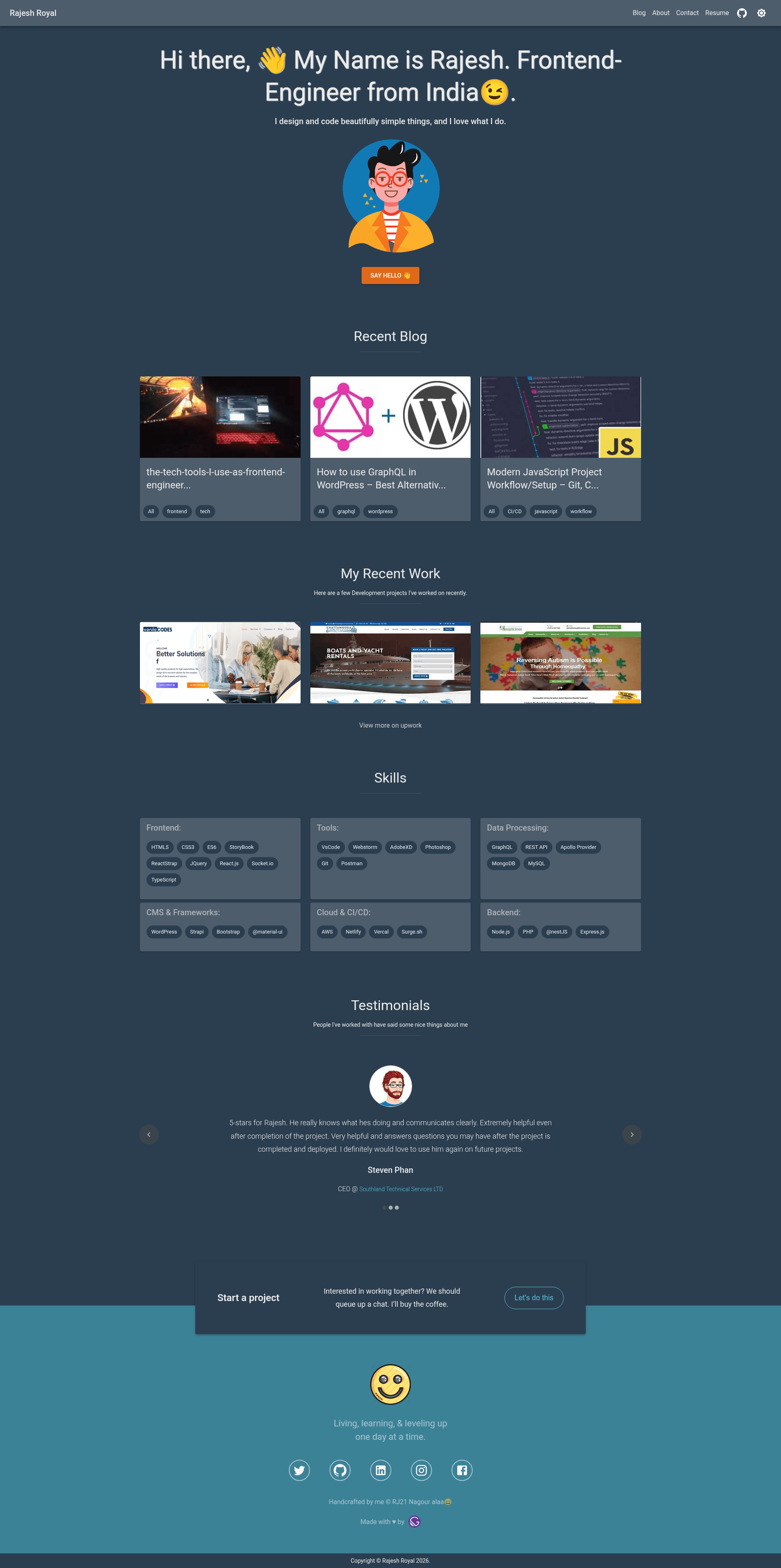
Developer portfolio, blog, and eCommerce store starter built with Gatsby, Material-UI, Strapi, and react-helmet, deployable to Netlify.
About this template
The Developer Portfolio with Blog & eCommerce Store is an open-source Gatsby starter that combines a developer portfolio, a blog, and an online store into a single static site, styled with Material-UI and ready to deploy to Netlify or Vercel.
What is the Developer Portfolio with Blog & eCommerce Store?
This Gatsby starter, published by Rajesh-Royal, gives developers a pre-built site with three content sections: portfolio, blog, and eCommerce. It takes configuration from YAML files (skills.yaml, testimonial.yaml, projectWork.yaml) and environment variables, and generates a static site using Gatsby's build system with dynamic pages created in gatsby-node.js. Strapi is available as a headless CMS for content, and react-helmet manages per-page head metadata. The template runs locally with gatsby develop at localhost:8000 and ships with a GraphiQL explorer at localhost:8000/___graphql.
Key Features
- Gatsby static site generator — Uses Gatsby for fast, React-based static pages with a GraphQL data layer accessible via GraphiQL in development.
- Material-UI styling — Built with the @material-ui component library, providing a consistent set of React components for the portfolio, blog, and storefront.
- Strapi CMS integration — Strapi is included as the content management backend for blog posts and products, alongside local YAML data files for portfolio items.
- react-helmet SEO management — Uses react-helmet to set titles, meta descriptions, and other head tags on each page.
- YAML data configuration — Skills, testimonials, and project work live in src/data/*.yaml and src/data/data.config for quick edits without touching React code.
- Environment variable template — The repo includes env.template; you create .env.development and .env.production files from it to configure secrets and API keys.
- One-click deployment — The README includes Deploy to Netlify and Deploy with Vercel buttons that import the GitHub repository and start a new site automatically.
- Development tooling — Ships with ESLint (.eslintrc.json), Prettier (.prettierrc), and VSCode workspace settings for a consistent setup.
Who is it for?
- Developers building a personal brand — Present project work, skills, and testimonials using the provided YAML data files and Material-UI components.
- Technical bloggers — Publish articles through Strapi or local data, with react-helmet handling SEO tags for each post.
- Freelancers needing an online store — Add an eCommerce section to sell digital products or merchandise without building a custom store.
- Gatsby learners — Study a working example of Gatsby's createPage API, GraphQL data layer, and environment variable handling in a multi-section project.
What can you do with it?
- Portfolio presentation: Display project work, skills, and testimonials from YAML data files in a styled layout.
- Content blogging: Publish blog posts using Strapi as a headless CMS or through local data files, with react-helmet managing SEO tags.
- Product sales: Add an eCommerce section to sell goods, leveraging the static site build with deployment to Netlify or Vercel.
- Quick deployment: Use the Deploy to Netlify or Deploy with Vercel buttons to get a live site in minutes.
How does it work?
You start with gatsby new from the GitHub repository or clone it and run yarn install followed by yarn start. The project separates source code under src/, configuration files like gatsby-config.js and gatsby-node.js, and data in src/data/. Copy env.template to .env.development and .env.production before building. The site is statically generated, and gatsby-node.js creates dynamic pages via the createPage API.
FAQ
Is the template free to use?
Yes, the starter is open source and licensed under the 0BSD license, which permits free use, modification, and distribution with minimal restrictions.
How do I deploy the site?
You can click the Deploy to Netlify button or the Deploy with Vercel button in the README, which will import the GitHub repository and set up a new site for you.
How do I set up environment variables?
Copy the env.template file to both .env.development and .env.production, then fill in the required values. These files are used during Gatsby's build process and are needed for services like Strapi.
Where do I edit portfolio content?
Portfolio-related data lives in src/data: skills.yaml for skills, testimonial.yaml for testimonials, projectWork.yaml for projects, and data.config for site-wide configuration.
What branch should I use?
The README notes that you should use the develop branch for the latest codebase.