Template details
Portfolio Next.js
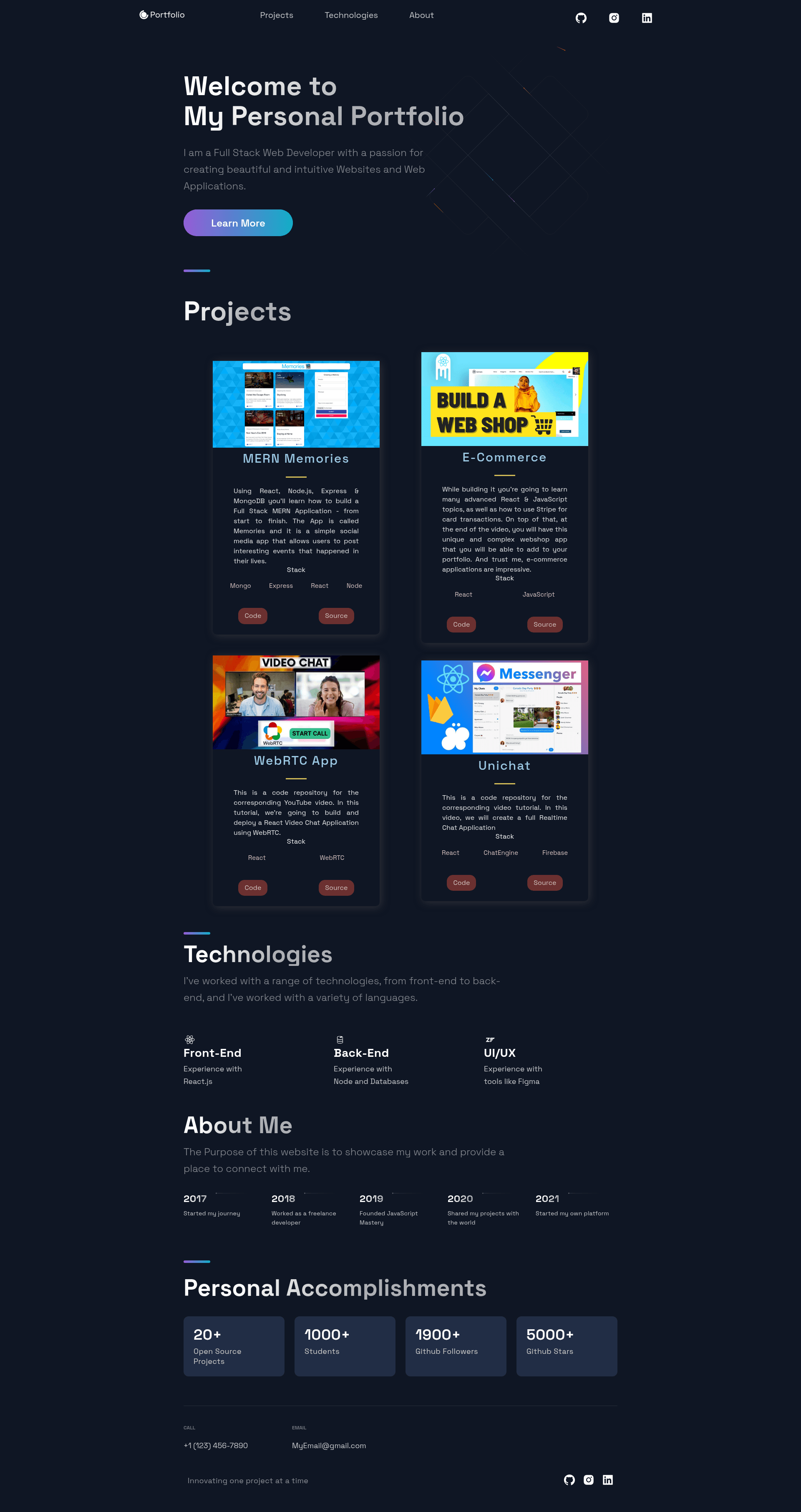
JavaScript Mastery Portfolio Next.js Model — a Next.js portfolio template styled with styled-components and react-icons.
About this template
Portfolio Next.js is a personal portfolio template built with Next.js and styled-components, distributed as a JavaScript Mastery model for developers to use as a starting point for their own portfolio sites.
What is Portfolio Next.js?
This is a Next.js project bootstrapped with create-next-app, intended to serve as a personal portfolio website template. It takes the standard Next.js project structure — pages, public assets, and API routes under pages/api — and provides a styled, icon-enhanced presentation layer using styled-components and react-icons. The template runs on Node.js via the Next.js framework and can be developed with npm run dev, then deployed to platforms like Vercel. It originates from the JavaScript Mastery educational brand, as stated in the repository description.
Key Features
- Next.js framework — built on create-next-app, providing file-based routing, API routes, and React server-side rendering out of the box.
- styled-components styling — the repository uses styled-components as its CSS-in-JS solution for component-level styling.
- react-icons icons — integrates react-icons to include icon glyphs inside the portfolio UI without external icon fonts.
- API routes — includes a sample API endpoint at pages/api/hello.js that can be edited and extended.
- Hot reloading — editing pages/index.js auto-updates the browser during development.
- Vercel deployment — ready to deploy via the Vercel Platform with one-click setup from the Next.js creators.
Who is it for?
- Developers learning Next.js — get a working portfolio starter to experiment with, using npm run dev to see changes instantly.
- Freelancers and job seekers — use the template as a modern React-based foundation to present projects and biography.
- Students following JavaScript Mastery tutorials — the model aligns with the educational content and works as a companion project.
What can you do with Portfolio Next.js?
- Developers: run npm install and npm run dev to launch the site locally, then edit pages/index.js to replace default content with personal information.
- Design-minded users: leverage styled-components to override themes, adjusting colors, typography, and layout without editing global CSS files.
- API tinkerers: use pages/api/hello.js as a template for adding custom backend endpoints, such as a contact form handler.
How does Portfolio Next.js work?
The project follows the standard Next.js workflow: install dependencies with npm install, start the development server with npm run dev, and open http://localhost:3000 to view the portfolio. Changes to pages/index.js are reflected instantly in the browser, and any file added to pages/api is served under the /api route. For production, the README points to the Vercel Platform as the easiest deployment method.
Pros and cons
- Pros: Based on a familiar, well-documented framework; uses popular libraries like styled-components and react-icons; includes an example API route; deployment on Vercel is straightforward.
- Cons: The README is mostly the default create-next-app boilerplate, offering little documentation specific to the portfolio itself; the repository has only 1 star, indicating limited community traction.
Pricing
Free — the template is hosted in a public GitHub repository, and the README lists no paid tiers or commercial licensing terms.
FAQ
How do I run the portfolio locally?
Run npm install to install dependencies, then npm run dev or yarn dev to start the development server at http://localhost:3000.
Does the template include an example API route?
Yes — pages/api/hello.js defines a sample API route accessible at /api/hello. It can be edited or used as a reference for building custom endpoints.
What styling and icon libraries does it use?
The repository metadata lists styled-components for CSS-in-JS styling and react-icons for icons, both integrated into the Next.js project.
Can I deploy this to Vercel?
The README directs you to the Vercel Platform and links to the Next.js deployment documentation, so Vercel is the intended deployment target.
Is this template free to use?
The template is in a public GitHub repository and can be downloaded and used without charge. The README does not mention any license, so review the repository license file before commercial use.