Template details
github-style
A Hugo blog theme that mimics GitHub's profile and repository pages, with Gitalk comments, LaTeX support, local search, and custom CSS/JS.
About this template
github-style
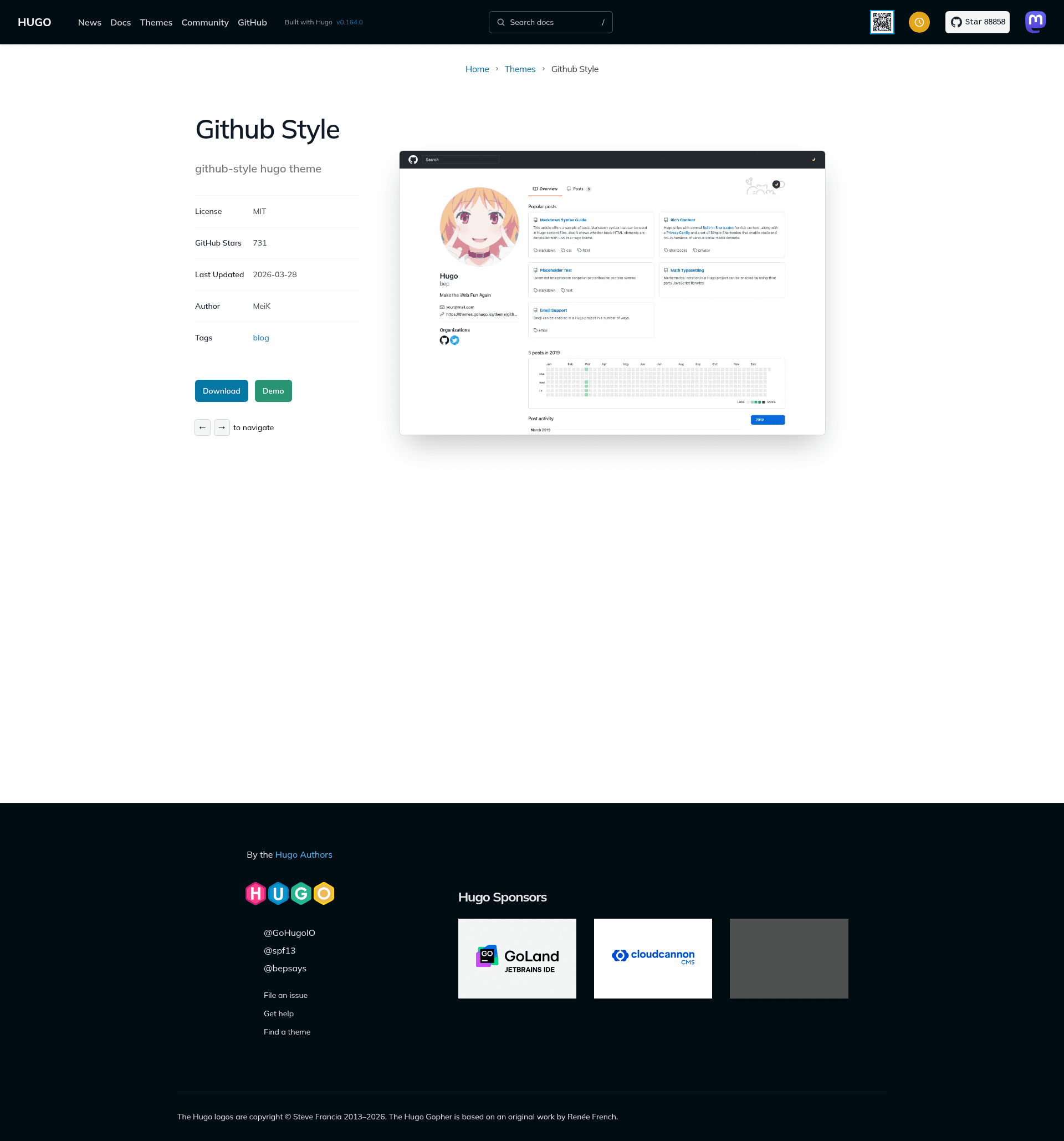
github-style is a Hugo theme that restyles a personal blog to resemble a GitHub profile and repository page, built by MeiK2333 and available on GitHub.
What is github-style?
github-style is a Hugo theme that turns a Hugo static site into a blog with a GitHub-like interface, including a profile header with avatar, status emoji, location, and social links. It takes Markdown files as content and produces a static HTML site via the Hugo static site generator. The theme is maintained by MeiK2333 and is open-source.
Key Features
- GitHub-style profile header — Displays avatar, status emoji, location, and links to GitHub, Twitter, LinkedIn, and other social profiles from
config.tomlparameters. - Gitalk comment system — Integrates Gitalk, a comment component powered by GitHub Issues; configured with client ID, secret, repo, owner, and admin fields.
- LaTeX rendering — Supports KaTeX auto-rendering when you add
katex: mathto a post's front matter, and also supports MathJax by settingmathJax: true. - Local search — Adds a search feature implemented with fuse.js; requires enabling
enableSearchand a JSON output format in the site configuration. - Custom CSS and JS — Lets you inject your own stylesheets and scripts by adding them to
custom_css,custom_js, anddefer_custom_jsparameters. - Pin posts and previews — Posts can be pinned with
pin: truein front matter; display length is controlled either by asummaryfield or by inserting a<!--more-->marker. - Last modified date — Shows the file modification time by enabling
lastmodand configuring the front-matter fallback chain inconfig.toml. - Collapsible blocks — Offers a
detailsshortcode that creates an expandable element for hiding extra content.
Who is it for?
github-style is for Hugo users who want a blog that has the visual language of GitHub. It suits developers and technical writers who publish code-heavy posts, since LaTeX math and code snippets are first-class citizens. It also fits anyone who wants to run a personal site with minimal styling effort but maximum configurability through config.toml. Bloggers who prefer to manage comments through GitHub Issues will benefit from the built-in Gitalk integration.
What can you do with github-style?
- Developers: Create a personal blog that matches the GitHub aesthetic while writing posts in Markdown and deploying the static site to GitHub Pages via the included
deploy.shexample. - Technical writers: Publish math-heavy articles using KaTeX or MathJax, and use the
summaryor<!--more-->fields to control excerpt lengths on the blog index. - Site owners: Add interactive features like local search with fuse.js and collapsible content blocks without writing custom JavaScript.
- Open-source maintainers: Enable Gitalk to let readers leave comments by creating GitHub Issues on your repository.
How does github-style work?
The theme is installed as a git submodule: after creating a Hugo site with hugo new site, you add the theme with git submodule add, rename the posts folder to post, and create a readme.md page. Posts are created with hugo new post/title.md and get published when the draft flag is set to false. Site-wide settings live in config.toml, where you define profile links, comments, search, and custom assets. Deployment to GitHub Pages can be automated with the provided shell script, which builds the site with hugo and pushes the output to a gh-pages branch.
FAQ
How do I install github-style?
Create a Hugo site, then run git submodule add with the github-style repository URL as the theme. Inside the site folder, rename content/posts to content/post and create a readme.md file. Then configure config.toml with your profile and preferences.
Does github-style support LaTeX?
Yes. Add katex: math to a post's front matter to enable KaTeX auto-rendering, which processes \( ... \) for inline math and $$ ... $$ for display math. Alternatively, set mathJax: true to use MathJax instead.
How do I enable local search?
Set enableSearch = true under [params], and add home = ["html", "json"] under [outputs] with the appropriate [outputFormats.json] configuration. The theme then uses fuse.js to provide client-side search on the site.
Can I add comments with Gitalk?
Yes. Add the enableGitalk flag and the [params.gitalk] section to config.toml with your GitHub client ID, client secret, repository name, owner, and admin usernames. Comments then appear as GitHub Issues.
How do I change what appears on the blog index page?
Each post's front matter can include a summary field, which is displayed on the index page but not in the post itself. Alternatively, insert a <!--more--> marker in the Markdown body; content before the marker is shown as the excerpt.