Template details
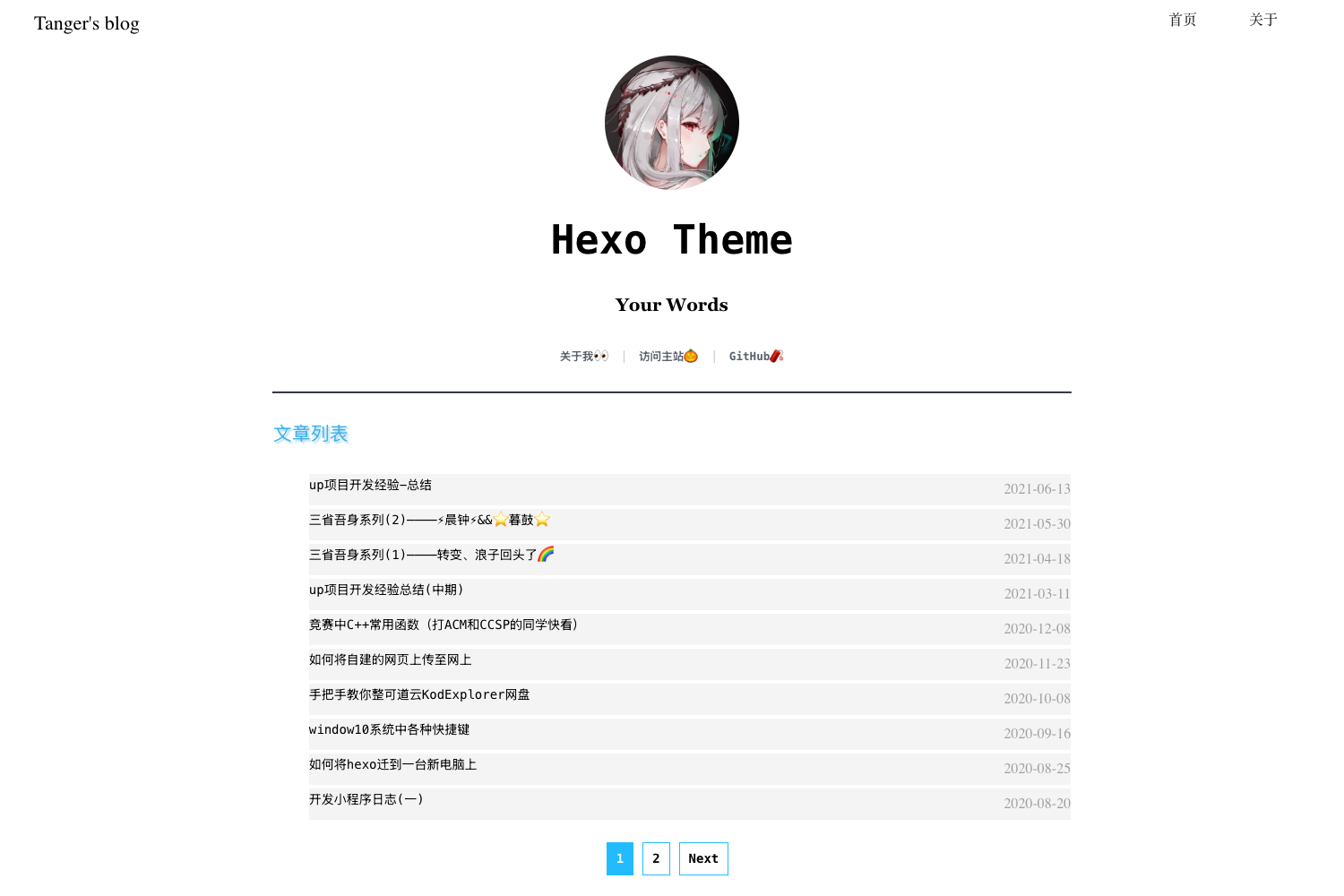
Hexo Theme Arknights
明日方舟罗德岛阵营的 Hexo 博客主题,支持数学公式、Mermaid 图表与六种评论系统。
About this template
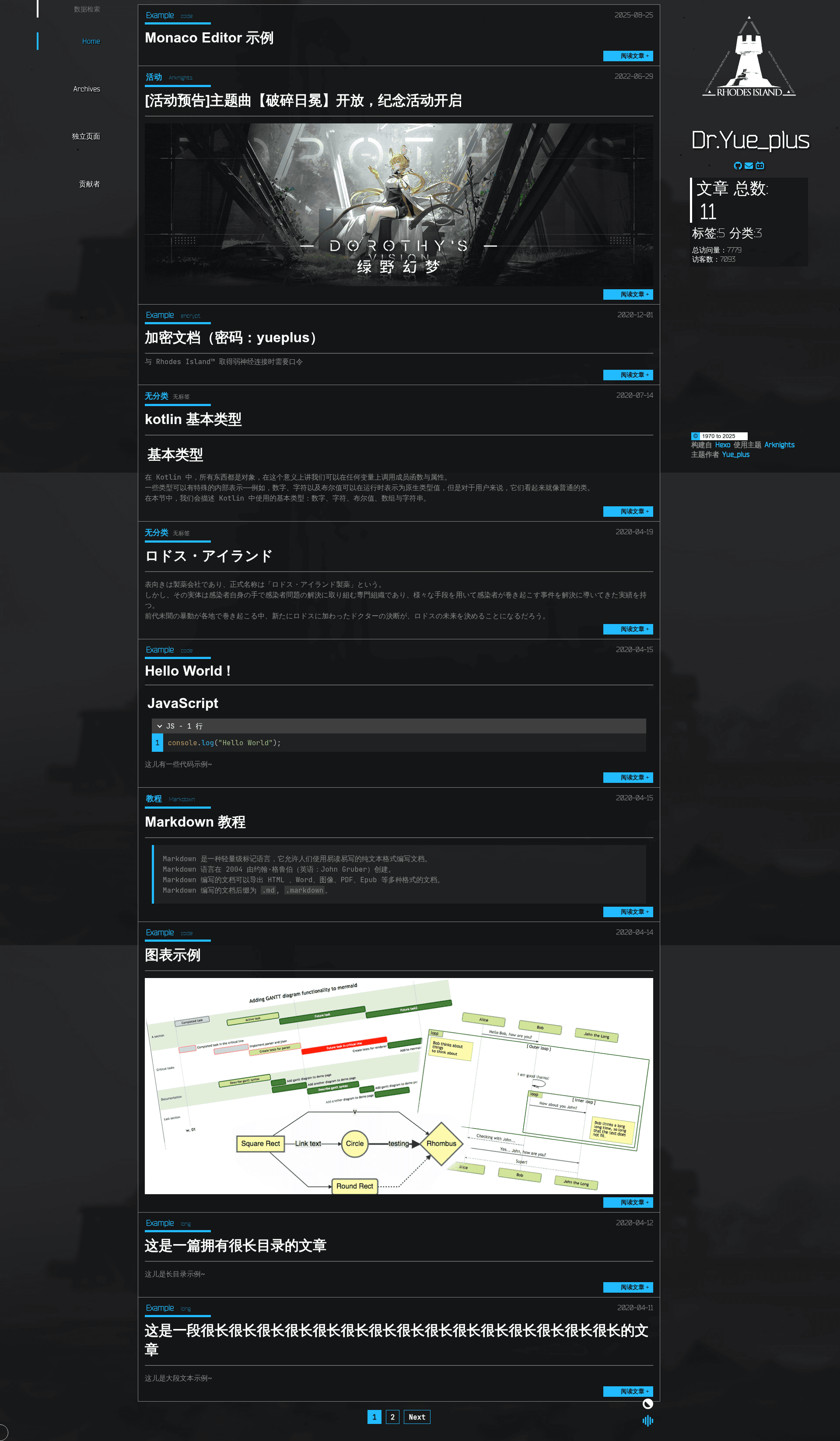
hexo-theme-arknights is a Rhodes Island–themed Hexo blog theme that generates static HTML sites from Markdown posts, with Arknights-inspired styling, LaTeX math rendering, Mermaid diagrams, and six pluggable comment systems.
What is hexo-theme-arknights?
hexo-theme-arknights is an open-source theme for the Hexo static site generator, designed to visually match the Rhodes Island faction from the game Arknights. It takes a standard Hexo project containing Markdown posts and front-matter, and outputs a fully static website with a sidebar, navigation menu, archives, and post pages. The theme is developed by Yue_plus with contributions from 18 listed contributors, and its source lives in the Yue-plus/hexo-theme-arknights GitHub repository.
The theme requires Node.js 16.13.x or newer, Hexo 6.0.0 or above, and hexo-cli 4.3.0 or newer. Templates are written in Pug and styles in Stylus, so you need to install hexo-renderer-pug as a dependency.
Key Features
- Multiple comment systems — supports Valine, Gitalk, Waline, Artalk, Utterances, and Giscus, each enabled through YAML blocks in
_config.arknights.yml. - Two math rendering modes — render LaTeX statically with hexo-filter-mathjax or dynamically with MathJax 2.6.1 plus hexo-renderer-kramed; inline formulas must avoid spaces after the dollar sign.
- Mermaid diagrams — build flowcharts, sequence diagrams, class diagrams, state diagrams, entity-relationship diagrams, user journey maps, Gantt charts, requirement diagrams, and pie charts by enabling
mermaidwith version 8.13.5. - Blog encryption — integrates a modified hexo-blog-encrypt plugin that supports per-post passwords, abstract text, and custom messages via front-matter fields.
- Word count and reading time — uses hexo-wordcount to show post word counts and estimated reading times, controlled by
post.countandpost.time. - Vercount statistics — displays site PV, site UV, and page PV using the Vercount service, replacing the older busuanzi counter.
- Custom tags — offers admonition blocks (note, warning, success, failure, detail), hidden content, link cards, and VS Code–style Monaco Editor code blocks with configurable language, theme, read-only state, and height.
- Custom CSS/JS injection — lets you place your own CSS under
source/css/and JavaScript undersource/js/, then load them throughstylesheetsandscriptsin the theme config. - Built-in search — comes with a search feature enabled by default, and can be turned off by setting
search.enableto false.
Who is it for?
- Arknights fans who want a personal blog with the game's Rhodes Island aesthetic and references in UI copy and encryption messages.
- Hexo bloggers who need a theme with six comment system options, math formula support, and Mermaid diagrams without building a theme from scratch.
- Technical writers who publish math or code-heavy posts and want LaTeX rendering, code blocks with Monaco Editor, and custom CSS/JS for syntax highlighting or interactive elements.
- Self-hosted site owners who want to add view counting, word counts, build time display, and post encryption to a static blog with minimal configuration.
What can you do with it?
- Tech bloggers: embed LaTeX formulas and Mermaid diagrams in posts to explain algorithms, architectures, and workflows; enable static or dynamic math rendering depending on page-load preferences.
- Community managers: set up Giscus or Waline comments so readers can discuss posts, and use per-post encryption for members-only or private content.
- Theme customizers: use front-matter options like
post-index,reward, andvercountto toggle sidebar TOC, donation boxes, and view counters per page; compile TypeScript insource/js/_srcwithtscto modify behavior. - Site admins: display build time in the sidebar by setting
build_time: true, and disable archive pagination by settingper_page: 0in the main Hexo config.
How does the theme work?
Installation follows a standard Hexo theme flow: clone the repository into themes/arknights, install dependencies including hexo-server, hexo-browsersync, and hexo-renderer-pug, then change theme to arknights in _config.yml. Users copy the theme's _config.yml to the site root as _config.arknights.yml and edit it to enable features. New pages are created with hexo new page 'about' and linked via the menu option.
FAQ
What Node.js and Hexo versions are required?
The theme requires Node.js 16.13.x or newer, Hexo 6.0.0 or above, and hexo-cli 4.3.0 or newer. Users in mainland China are advised to install dependencies with cnpm using the npmmirror registry.
Which comment systems can I use?
The theme supports six comment systems: Valine, Gitalk, Waline, Artalk, Utterances, and Giscus. Each is configured separately in _config.arknights.yml; Giscus, Utterances, and Gitalk require a public GitHub repo with the respective app installed.
How do I enable math formula rendering?
You have two options. For static rendering, install hexo-filter-mathjax and add mathjax: true to a post's front-matter. For dynamic rendering, uninstall hexo-renderer-marked, install hexo-renderer-kramed, and set mathjax.enable: true in the theme config.
How do I add a page to the navigation menu?
Run hexo new page 'about', edit the generated index.md under source/about/, then add an entry like About: /about under menu in _config.arknights.yml.
How do I disable pagination on archive pages?
In the site's main _config.yml, find the per_page setting under # Pagination and change it to 0. This disables pagination entirely.