Template details
Hexo Theme Beep
A simple Hexo theme based on NexT-Gemini with custom animations, SEO tweaks, and post-reading enhancements.
About this template
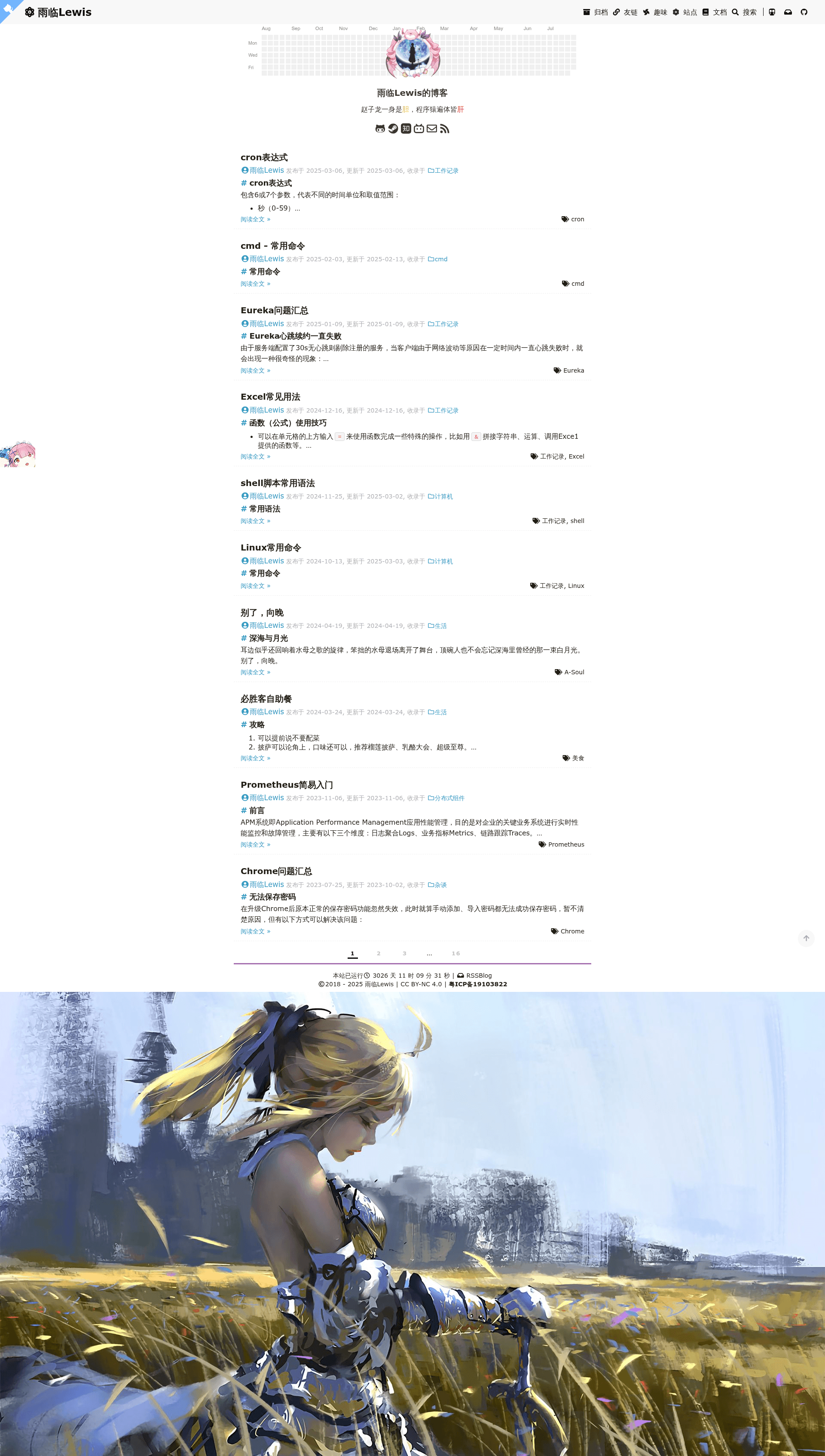
hexo-theme-beep is a Hexo blog theme built on the NexT-Gemini design that layers on dozens of visual effects and functional tweaks for personal blogs.
What is Hexo Theme Beep?
hexo-theme-beep is a Hexo theme derived from the NexT-Gemini theme, created by developer lewky and published on GitHub. It takes a standard Hexo blog site and outputs a customized front-end with circular rotating avatars, background image carousels, a top loading bar, a 404 page, and many post-reading enhancements. The theme runs on Hexo, the Node.js static site generator, and uses Font Awesome 5 for icons. A live demo existed at lewky.github.io, though the author has since migrated to Hugo and no longer maintains this project.
Key Features
The theme stands out by layering dozens of concrete enhancements on top of the already clean NexT-Gemini base. Here are the main ones:
- Avatar enhancements — Circular avatar with rotation, an optional Bilibili-style avatar pendant with auto-refresh and a hidden easter egg, all toggleable.
- Image and background effects — Removes image borders, adds a site-wide background image carousel, and enables mouse click text effects and a custom mouse pointer.
- Page header and footer — Top loading bar, GitHub ribbon ("Fork me on GitHub"), back-to-top button with percentage display, and a "Hosted by" footer line for Coding.net custom domains.
- Post reading tools — Word count, reading time, post preview, encryption, pinning, a black syntax highlighting theme, and a copy button on code blocks.
- SEO and compression — Uses hexo-neat to compress static assets, modifies permanent link format for SEO, and pins down a Markdown parser so GitHub Pages renders the black highlight theme correctly.
- Layout and menus — Two-column menu bar to save horizontal space, click-to-show icons on the right, and search, tags, and categories pages enabled.
- Sidebar extras — Adds a by-nc-sa Creative Commons license, a site homepage link, a site log (siting_log.md), and restyled friend links.
Who is it for?
This theme suits anyone who wants a NexT-style Hexo blog with extra polish and configurable effects.
- Hexo bloggers — Those running a Hexo blog who want the clean NexT-Gemini look plus visual flair like rotating avatars and background carousels.
- Developers who like tinkering — The theme keeps most CSS and JS in clear files like custom.styl and custom.js, making it easy to modify or extend.
- Chinese-speaking bloggers — Several features target this audience, including a Coding.net "Hosted by" footer, Bilibili-style pendant, and references to characters from Re:Zero.
Use cases
Here are concrete ways people use this theme:
- Personal bloggers: Set up a feature-rich personal blog with a 404 page, about page, and a site log to document the blogging journey.
- Developers deploying to GitHub Pages: Use the provided workflow (hexo clean, hexo g, hexo g -d) to publish a site with compressed assets and SEO-friendly permalinks.
- Readers of long-form posts: Benefit from word count, reading time, a table of contents, and styled headings that make lengthy articles easier to navigate.
How does it work?
The setup follows a standard Hexo theme installation with clear steps.
- Clone the master branch of the GitHub repository into your Hexo site's themes/beep folder.
- Install dependencies with npm install in your site folder, which requires Node.js, Git, and Hexo already installed.
- Set theme: beep in your _config.yml file, then run hexo clean, hexo g, and hexo s to preview locally, or hexo g -d to deploy to GitHub Pages.
FAQ
Here are answers to common questions about this theme.
Is hexo-theme-beep still maintained?
No. The author lewky moved the blog from Hexo to Hugo and explicitly states the theme is no longer maintained. Use it with the understanding that bug fixes and updates are not being released.
How do I install hexo-theme-beep?
Clone the master branch into themes/beep: git clone -b master https://github.com/lewky/hexo-theme-beep themes/beep, run npm install, change theme: beep in _config.yml, and then run hexo clean, hexo g, and hexo s to preview locally.
Does hexo-theme-beep support search, tags, and categories?
Yes. The menu bar enables tags, categories, and search functionality, and clicking a menu item displays a FontAwesome icon on the right. These pages are part of the theme's layout.
Can I customize the theme's appearance?
Yes. Most CSS and JS code with comments is located in themes/next/source/css/_custom/custom.styl, themes/next/source/js/src/custom.js, and two layout files, so you can edit the styling and behavior directly.
Does the theme work with GitHub Pages?
Yes. The README includes deployment commands for GitHub Pages (hexo clean, hexo g -d) and suggests configuring your personal settings first. The author also provides a separate hexo-blog-demo repository with configuration examples.