Template details
Hexo Theme Casperify
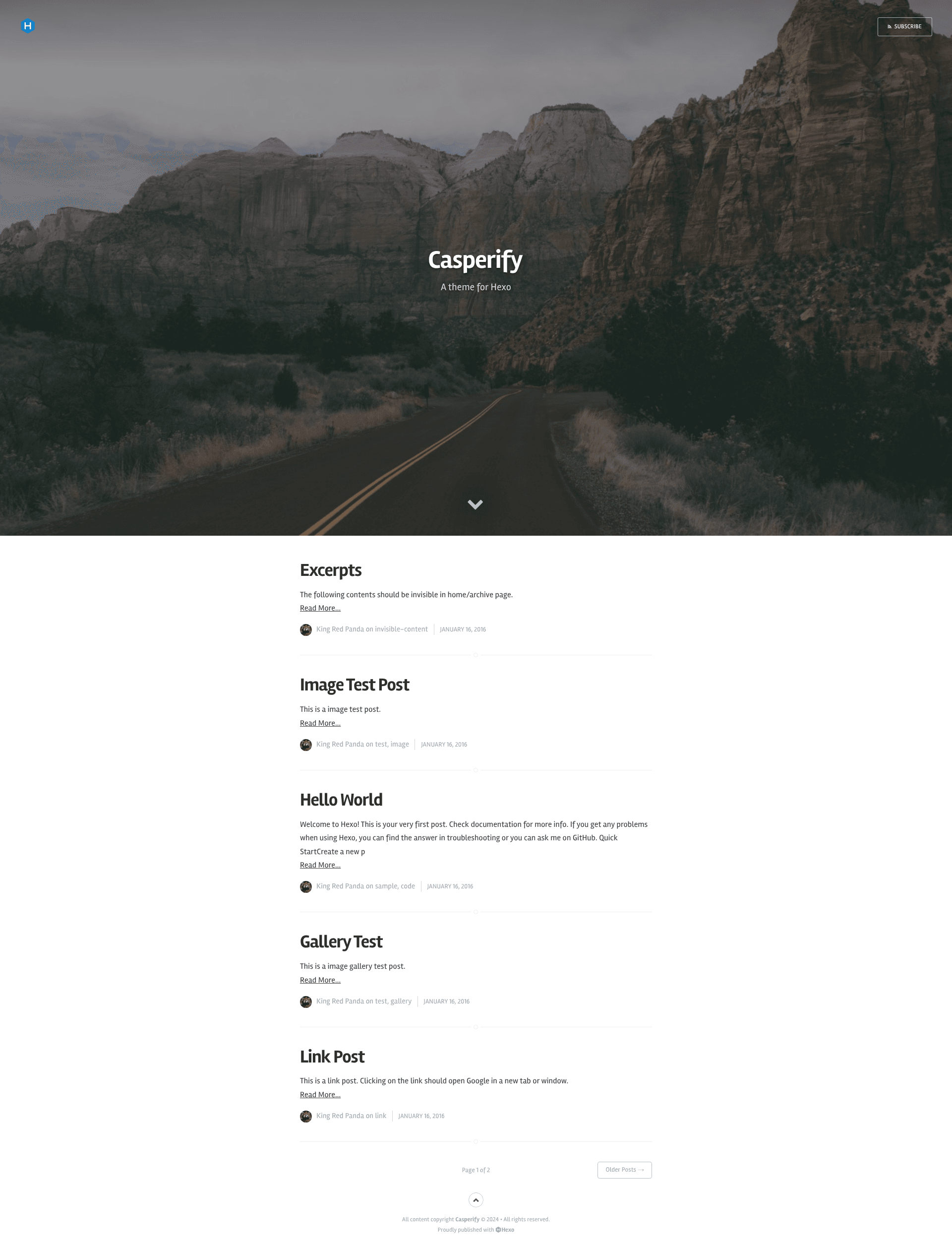
Hexo port of Ghost's Casper theme with multi-author support, cover images, and social links.
About this template
Casperify is a Hexo theme that ports Ghost's Casper template to the Hexo static site generator, giving bloggers the minimalist Casper design with multi-author and cover-image support. It is built and maintained by agodin3z and derives from hexo-theme-ghost-casper. The theme is released under the MIT License, so it is free to use, modify, and redistribute.
What is Casperify?
Casperify is a theme for Hexo, a fast and simple static site generator. The theme takes your Hexo site configuration and Markdown posts as input, then renders a static HTML blog with the clean, typography-focused look of Ghost's default Casper theme. It supports global site covers, per-author covers, and per-post covers, all configured through YAML front-matter and theme files. The project is open source on GitHub and was created by agodin3z, with basic structure borrowed from the hexo-theme-ghost-casper project.
Key Features
- Multi-author support — Define any number of authors in the theme configuration, each with name, username, avatar, short and long bio, location, website, cover image, and links to Facebook, Twitter, Google+, GitHub, Instagram, Flickr, LinkedIn, Steam, Tumblr, or Pinterest.
- Cover images — Set a global cover in the theme config, a per-author cover in the authors section, or a per-post cover in each post's front-matter.
- Lightbox and FitVids — Optional Magnific Popup lightbox for image galleries and FitVids for responsive embedded videos, both toggled through theme settings.
- Feed generation — Built-in Atom feed at /atom.xml with configurable limit and type through Hexo's feed plugin settings.
- Comments with Disqus — Add a Disqus shortname in the site configuration to enable thread comments on posts.
- Analytics and OpenGraph — Integrate Google Analytics by providing your tracking ID, and set OpenGraph metadata such as Twitter profile, Google+ profile, Facebook admins, and Facebook App ID.
- Custom author and tag archive pages — Create dedicated pages for each author and for the tag listing by placing small Markdown files in the source directory.
- Read More excerpt link — Customize the excerpt link text with the excerpt_link setting, defaulting to "Read More".
Who is it for?
Casperify is for Hexo bloggers who want the look of Ghost's Casper theme without moving away from Hexo. It is also well suited to multi-author blogs or team publications because each author can have their own profile page, bio, and social links. Developers who appreciate a simple MIT-licensed theme with clearly separated site and theme configuration files will also find it easy to adapt.
What can you do with Casperify?
- Personal bloggers — Set up a minimalist blog with a full-width cover photo, tag archive page, Atom feed, and Disqus comments for readers.
- Multi-author teams — Create individual author pages with bios, avatars, and social icons, so each contributor has a visible identity on the site.
- Customizers — Extend the theme by adding FontAwesome social links, switching the cover per post, or enabling the lightbox effect for post images.
- Hexo users — Migrate a site to a Casper-style design by cloning the repo into the themes folder and updating
_config.ymlto set the active theme.
How does Casperify work?
Installation is straightforward: clone the repository into the themes/casperify folder, then set theme: casperify in your Hexo _config.yml. After that, you configure site-wide options in the main config, theme options such as cover and authors in themes/casperify/_config.yml, and per-post options in each Markdown file's front-matter. Author pages require a source/author//index.md file with layout author, and the tags page needs a source/tags/index.md file with layout tags.
FAQ
Is Casperify free to use?
Yes, Casperify is released under the MIT License, which permits free use, modification, and redistribution. The copyright notice from the original Ghost Foundation is retained in the theme files.
How do I add a new author?
Add an entry under the authors key in themes/casperify/_config.yml with the author's details and social links. Then create a directory at source/author// containing an index.md file with layout author and the author's username.
Does Casperify support comments?
Yes, by setting a disqus_shortname in the site's _config.yml, Disqus comments will appear on posts. The theme does not include other comment systems by default.
Can I have different cover images for different posts?
Yes. In the front-matter of any post, you can define an optional cover property with a URL or path. If omitted, the global or author cover is used.
What social networks are supported?
The theme includes icons for Facebook, Twitter, Google+, GitHub, Instagram, Flickr, LinkedIn, Steam, Tumblr, and Pinterest. The README notes that additional links can be added by using the matching FontAwesome brand icon names.