Template details
Posts
Blogging seems easy with github actions
About this template
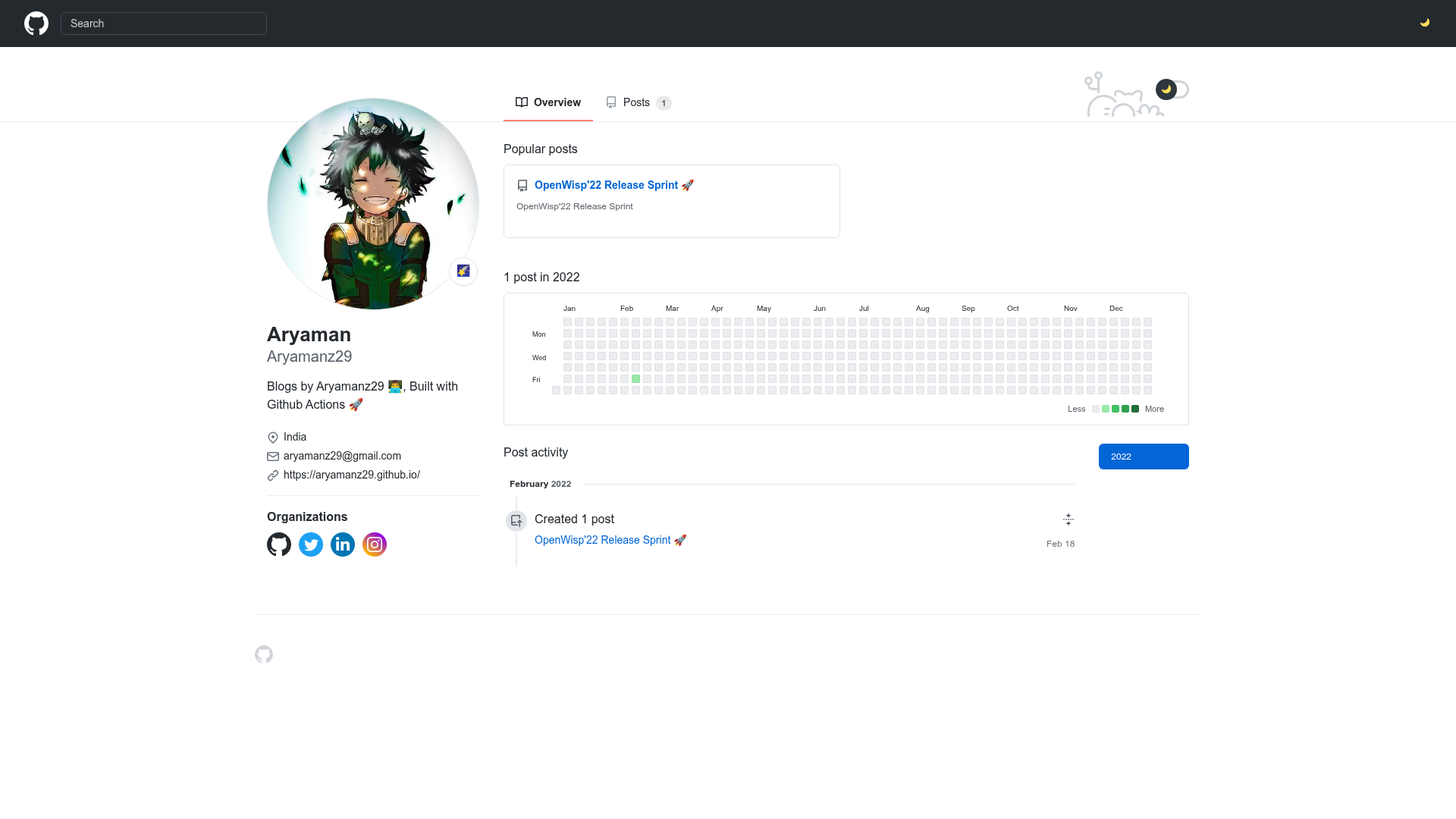
Posts is a headless CMS that turns GitHub Issues into a Hugo-powered blog, using GitHub Actions to build and deploy the site to GitHub Pages. This open-source project by Aryamanz29 replaces a traditional database with GitHub issues and automates the static site generation pipeline.
What is Posts?
Posts is a headless CMS for GitHub-native bloggers that combines GitHub Issues as the content store, Hugo as the static site generator, and GitHub Actions as the build pipeline. You create blog posts by opening issues, and each issue event triggers a workflow that runs Hugo and pushes the generated static files to GitHub Pages. The repository includes the github-style theme by MeiK2333, so the final blog has a GitHub-inspired design.
Key Features
- Issue-based publishing — Each blog post is a GitHub issue created from the
create-a-postissue template; editing the issue body updates the corresponding post. - Close to delete — Closing an issue removes that post from the published site after the
remove-issue-posts.ymlworkflow rebuilds it. - Pin or unpin posts — Setting the
pinfield totruein the issue template makes the post appear on the home page;falseroutes it to the all-posts page. - GitHub Actions automation — Two workflow files,
create-issue-posts.ymlandremove-issue-posts.yml, execute thehugo -D -bbuild command with the correct site URL. - Hugo theme included — The site uses the
github-styleHugo theme, giving it a GitHub-inspired look. - Config-driven personalization — All site settings live in
config.toml: author, description, social profiles (Twitter, LinkedIn, Instagram), location, user status emoji, and favicon. - Preview documentation — The README includes a 'Preview Blog Posts' section with screenshots, demonstrating the preview feature.
Who is it for?
- GitHub-native developers — bloggers who want to manage their entire publishing workflow without leaving GitHub, using issues as the only content interface.
- Hugo users — anyone already comfortable with Hugo who wants a turnkey blog configuration with a GitHub Pages deployment.
- Open-source maintainers — teams that can accept guest posts by asking contributors to open issues in a public repository.
What can you do with Posts?
- Start a personal blog — clone the repo, update
config.tomland the workflow baseURL, add the Hugo theme, and begin publishing through issues. - Run a multi-author site — any collaborator can open an issue to propose a post, and the blog updates automatically when the issue is closed.
- Automate builds — every issue open/edit/close event triggers a GitHub Action that rebuilds the static site and deploys it to GitHub Pages.
How does it work?
Setup requires cloning the repository, replacing YOUR_GITHUB_USERNAME and YOUR_REPO_NAME in the baseURL setting inside config.toml and in the hugo -D -b command in both workflow files, then cloning the github-style theme into the themes/ directory. Running hugo serve locally checks the site before you start publishing. After configuration, each new issue triggers the workflow to rebuild and deploy the site.
FAQ
How do I publish a new post?
Open the create-a-post issue template from the repository's .github/ISSUE_TEMPLATE/ folder, fill in the title and body, and submit. The GitHub Actions workflow picks up the new issue and rebuilds your site.
How do I remove a blog post?
Close the issue that contains that post. The remove-issue-posts.yml workflow is triggered by the closed event, rebuilds the site without the post, and deploys the updated static files to GitHub Pages.
Can I pin a post to the home page?
Yes, add the pin: true field in the issue template frontmatter. Pinned posts are shown on the home page; posts without the pin or with pin: false appear on the all-posts page instead.
Does this CMS use a database?
No, it relies entirely on GitHub Issues for content storage and Hugo to generate static HTML. There is no database to maintain, and the site can be hosted for free on GitHub Pages.