Template details
Hexo Theme Gstyle
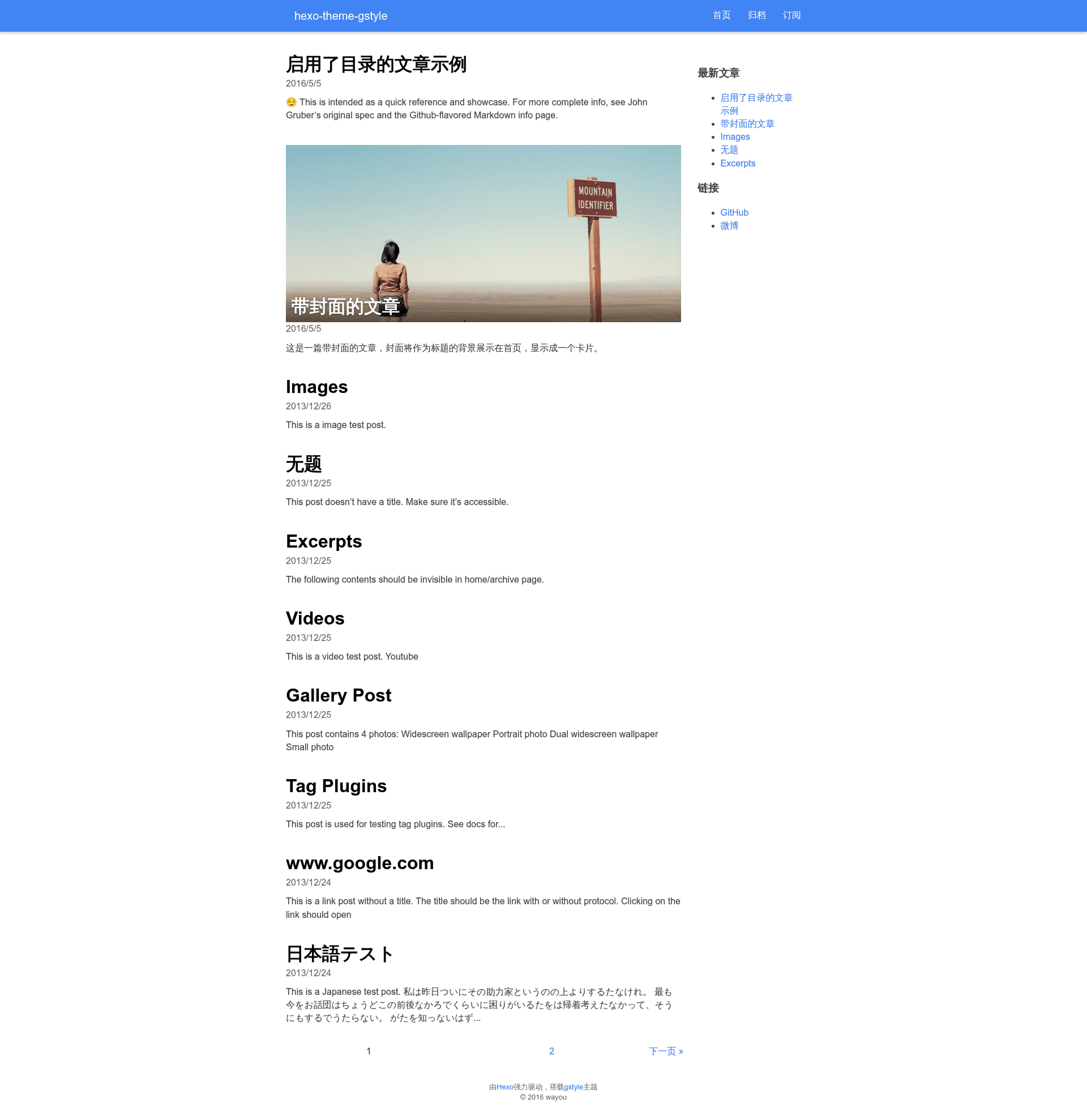
A Google-styled Hexo theme with responsive mobile-first layout, morphing navigation, and Prism code highlighting.
About this template
Hexo Theme Gstyle is a Google-styled theme for the Hexo static site generator, providing a clean, Material-inspired look for blogs and documentation sites without requiring any front-end framework. It is developed by GitHub user wayou and distributed under the hexo-theme-gstyle repository.
What is hexo-theme-gstyle?
Hexo Theme Gstyle is a mobile-first responsive theme that runs on Hexo, transforming Markdown posts and pages into a static site with a Google-like visual style. It takes Hexo site content as input and produces a clean HTML/CSS site, using modern CSS3 flexbox for layout instead of Bootstrap. The theme is configured through your site's _config.yml file and supports optional plugins for code highlighting, image captions, and relative asset paths.
Key Features
- Responsive mobile-first layout — Built with modern CSS3 flexbox, no Bootstrap dependency, and fully responsive across devices.
- Full-screen morphing navigation — On mobile, navigation expands to a full-screen menu with a morphing animation effect.
- Auto-generated table of contents — A TOC module with expanding/collapsing transition animations, enabled per post by setting
toc: truein the Front-matter. - Prism.js code highlighting — Supports many languages including JSX, enabled via the hexo-prism-plugin with configurable mode and theme.
- Comment system integration — Choose between Disqus or Duoshuo by setting the corresponding shortname in the theme config.
- Google Analytics and Baidu Analytics — Built-in analytics support, with Baidu Analytics aimed at mainland China users.
- Image caption support — Optional captions for images using the hexo-image-caption plugin, configured in the site
_config.yml. - Configurable active navigation indicator — Toggle the sliding indicator for the active menu item with the
active_navsetting.
Who is it for?
- Hexo bloggers who want a Google/Material design aesthetic for their personal blog without building a theme from scratch.
- Technical writers who need an auto-generated table of contents for long documentation posts, with smooth expand/collapse animations.
- Developers who want Prism.js code highlighting with support for modern languages like JSX, easily integrated through npm plugins.
Use cases
- Personal blogs: Publish posts with responsive layout, full-screen mobile navigation, and optional Disqus comments.
- Documentation sites: Organize long articles with per-post TOC and image captions for clearer illustration.
- Regional websites: Use Baidu Analytics for traffic tracking when your audience is mainly in mainland China.
How does hexo-theme-gstyle work?
Clone the repository into your Hexo themes directory with git clone https://github.com/wayou/hexo-theme-gstyle.git themes/gstyle, then set theme: gstyle in your site's _config.yml. For relative asset paths in posts, enable post_asset_folder in your Hexo config and install the hexo-filter-pathfix plugin.
FAQ
How do I enable the table of contents?
Set toc: true in the Front-matter of a post. The theme then auto-generates a TOC with transition animations when expanding and collapsing.
What comment systems are supported?
Two comment vendors are implemented: Duoshuo and Disqus. Configure either duoshuo_shortname or disqus_shortname in the theme config file.
Can I use my own code highlighter?
The theme defaults to Hexo's code highlighting, but you can switch to Prism.js by installing hexo-prism-plugin and configuring it in your site _config.yml. Prism.js supports many languages including JSX.
Is there support for image captions?
Yes, install hexo-image-caption and enable it in your site config. The theme will then add captions to images in your posts.
How do I use relative asset paths in posts?
Enable post_asset_folder in your Hexo site config and install hexo-filter-pathfix. This lets you reference images with relative paths like image_name.jpg when writing posts.