Template details
Nicolas.perriault.net
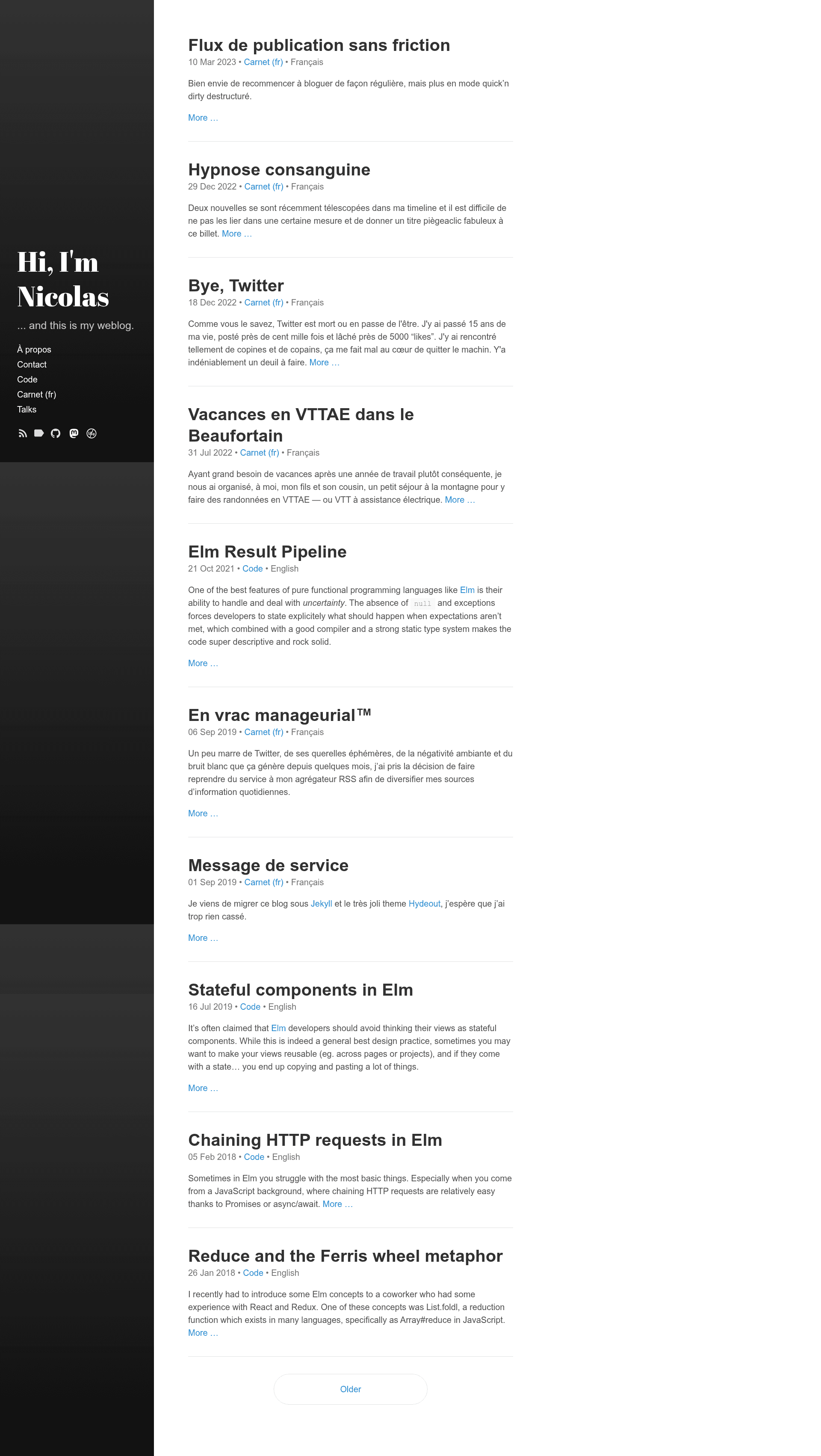
A Jekyll-powered personal blog using the Hydeout theme, hosted on GitHub Pages.
About this template
Nicolas.perriault.net is a personal blog template that uses the Jekyll static site generator with the Hydeout theme and runs on GitHub Pages. The repository contains both the site's code and its written content, with posts stored in ./_posts and a Node.js command-line script for creating new posts that specify a title, section, and language.
What is Nicolas.perriault.net?
This is the source repository for a personal weblog built with Jekyll, a Ruby-based static site generator, and the Hydeout theme for presentation. It produces a fully static website that is hosted and automatically deployed via GitHub Pages whenever the master branch is pushed. The author is Nicolas Perriault, and the repository metadata identifies it as "My personal blog" with topics "blog" and "jekyll" and 54 stars.
Key Features
- Jekyll with Hydeout theme — The site is generated by Jekyll and styled with the Hydeout theme by fongandrew, which is already integrated into the repository.
- Command-line post creation —
node scripts/commands.js new "My title" --section=code --lang=encreates a new post with the given title, section, and language. This lets you set metadata without editing front matter manually. - Makefile setup —
make installinstalls dependencies andmake servelaunches a local development server at localhost:4000. - One-command deployment — Because GitHub Pages runs Jekyll natively,
git push mastertriggers an automatic rebuild and deployment of the site. - Image optimization —
make optiminvokesjpegoptimfor JPEG files andoptipngfor PNG files to compress images in the repository. - Clear licensing — Blog posts in
./_postsare licensed under Creative Commons BY-NC-SA 3.0, while the rest of the codebase is MIT licensed. - Repository policy — The repository explicitly discourages the use of generative AI, pointing to an
AGENTS.mdfile for the reasoning.
Who is it for?
- Static site enthusiasts who want a ready-made Jekyll blog with a clean layout and no database.
- GitHub Pages users who like deploying by simply pushing to a git branch and letting the platform build the site.
- Technical writers who prefer writing in Markdown and managing posts through shell commands instead of a web dashboard.
What can you do with it?
- Writers: create a new post with
node scripts/commands.js new "Title" --section=code --lang=en, then start the local server to preview before pushing. - Self-hosters: use the Makefile to install, serve, and optimize images, keeping the workflow scriptable.
- Learners: study how a minimal Jekyll blog is organized, including the use of a Node.js helper script and Makefile automation.
FAQ
How do I install this blog locally?
Ensure Ruby and rbenv are installed, then run make install from the repository root. This installs the Jekyll dependencies needed to build the site.
How do I start the development server?
Run make serve and open http://localhost:4000 in your browser. The server will serve the site locally for preview.
How do I create a new blog post?
Use node scripts/commands.js new "My title" --section=code --lang=en, replacing the title, section, and language code with your own values.
How do I deploy the site?
Commit your changes and push to the master branch. GitHub Pages automatically rebuilds the Jekyll site and publishes it.
What licenses apply to this repository?
Content in ./_posts is licensed under Creative Commons BY-NC-SA 3.0, and all other code in the repository is licensed under MIT.