Template details
hexo-theme-mdui
A Material Design Hexo theme built on the mdui front-end framework, with Algolia search, TOC, and Valine comments.
About this template
hexo-theme-mdui is a Material Design theme for the Hexo static site generator, built on the mdui front-end framework to render blogs with Google's Material Design look and interactions.
What is hexo-theme-mdui?
hexo-theme-mdui is a Hexo theme that applies Google Material Design styling to a blog via the mdui CSS and JavaScript framework. It takes Markdown posts and Hexo site configuration as input and produces a static, responsive blog with dedicated pages for tags, categories, and an about section. The theme is maintained on GitHub by jiangdequan and is distributed under the MIT license.
Key Features
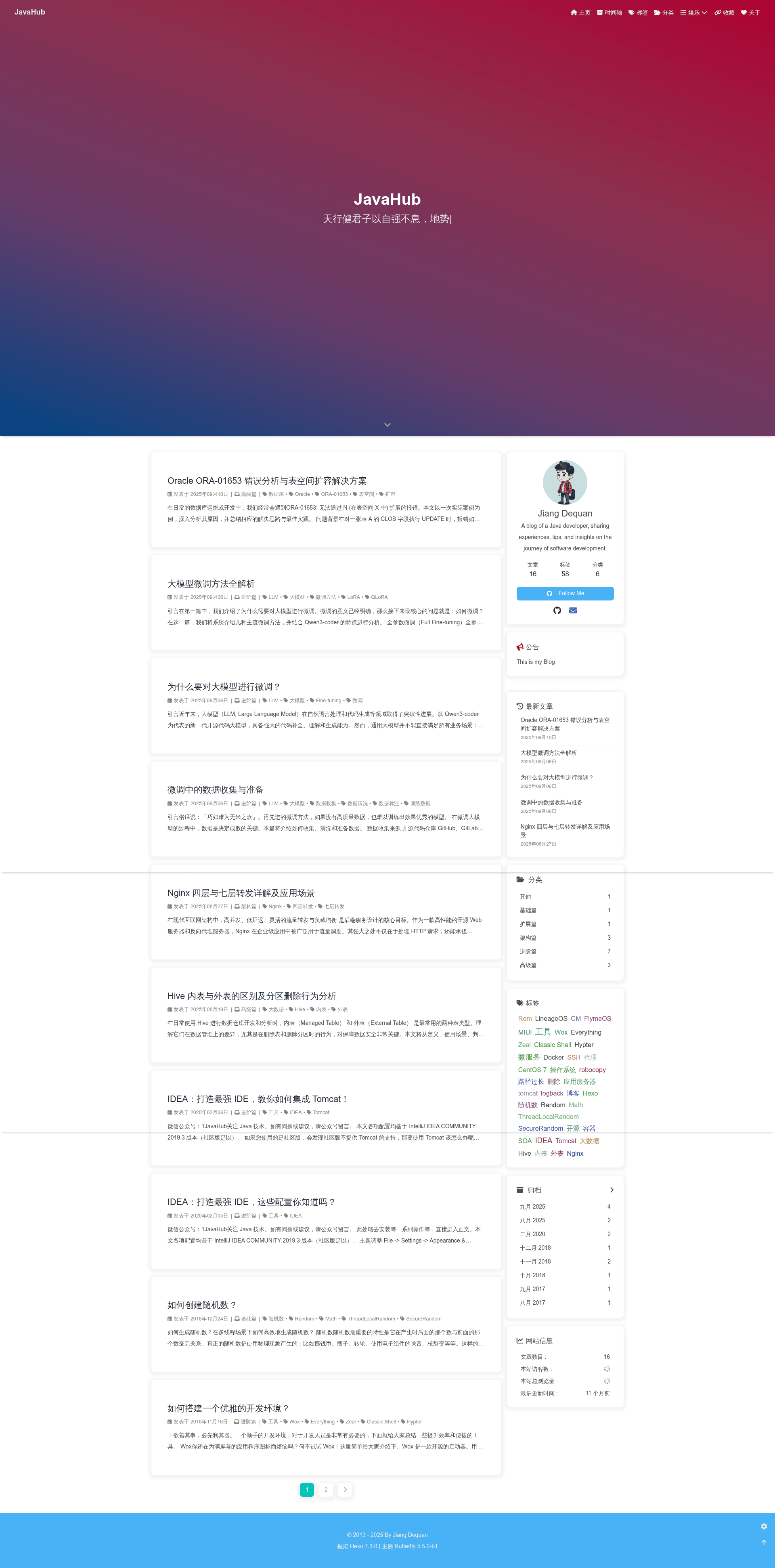
- Latest messages — Displays the most recently published articles on the homepage.
- Hot tags — Shows the most frequently used tags, letting readers discover popular topics.
- Recently posted articles — Lists the newest content in a dedicated section.
- WeChat public number — Supports a WeChat Official Account integration, useful for Chinese audiences.
- About, Tags, and Categories pages — Includes templates for these standard blog pages, populated by the hexo-generator-* plugins.
- Algolia search — Full-text search powered by the hexo-algolia plugin, requiring your own Algolia account setup.
- Table of contents (TOC) — Renders a post outline automatically for easier navigation in long articles.
- Valine comments — Adds a free, LeanCloud-backed comment system without external login requirements.
The theme's styling is written with Less and compiled by hexo-renderer-less, while pages are rendered with EJS templates via hexo-renderer-ejs. The demo repository includes a _config.demo.yml file that you rename to _config.yml to start customizing.
Who is hexo-theme-mdui for?
- Hexo bloggers — Anyone who runs a site on the Hexo framework and wants a modern Material Design appearance without writing a theme from scratch.
- Front-end developers — Developers comfortable with Less and EJS who prefer a non-React, non-Vue theme and want to extend a minimal codebase.
- Chinese-language content creators — The built-in WeChat Official Account integration and Valine comments make it practical for sites targeting readers in China.
What can you do with hexo-theme-mdui?
- Personal bloggers: publish Markdown posts and instantly get a responsive Material Design site with search, TOC, and comment support.
- Technical writers: organize documentation into tags and categories, and use the automatically generated table of contents for multi-section posts.
- Hobbyists: copy the demo configuration into _config.yml, adjust the site title and navigation, and deploy the static output to GitHub Pages or any web host.
How does hexo-theme-mdui work?
The README instructs users to rename _config.demo.yml to _config.yml and edit the settings. After that, hexo server builds the site locally, and hexo generate produces static files. To enable Algolia search, you must install and configure the hexo-algolia plugin with your Algolia API keys; for comments, Valine requires setting up a LeanCloud backend.
Pricing
hexo-theme-mdui is free and open source under the MIT license. There are no paid tiers or premium features; you are free to use and modify it in personal and commercial projects.
FAQ
Is hexo-theme-mdui free?
Yes, the theme is released under the MIT license, meaning it is free to use, modify, and distribute, even in commercial projects.
How do I install hexo-theme-mdui?
Clone the repository into your Hexo site's themes directory, set the theme field in _config.yml to hexo-theme-mdui, and rename the bundled _config.demo.yml to _config.yml before editing it.
Does hexo-theme-mdui support search?
Yes, it supports full-text search through the hexo-algolia plugin. You need to install the plugin and provide your own Algolia application credentials in the theme configuration.
What comment system does hexo-theme-mdui use?
It uses Valine, a free, comment system backed by LeanCloud. Valine requires registering for a LeanCloud account and setting the App ID and Key in the theme config.
What are the theme's dependencies?
The theme depends on a specific set of Hexo plugins: hexo-algolia, hexo-deployer-git, hexo-generator-archive, hexo-generator-category, hexo-generator-index, hexo-generator-tag, hexo-helper-qrcode, hexo-renderer-ejs, hexo-renderer-less, hexo-renderer-marked, and hexo-server. You need these installed for the theme to render correctly.