Template details
HMFAYSAL Notepad Theme
A simple, clean Jekyll blog theme with Zurb Foundation 5, fullscreen post covers, and Disqus comments.
About this template
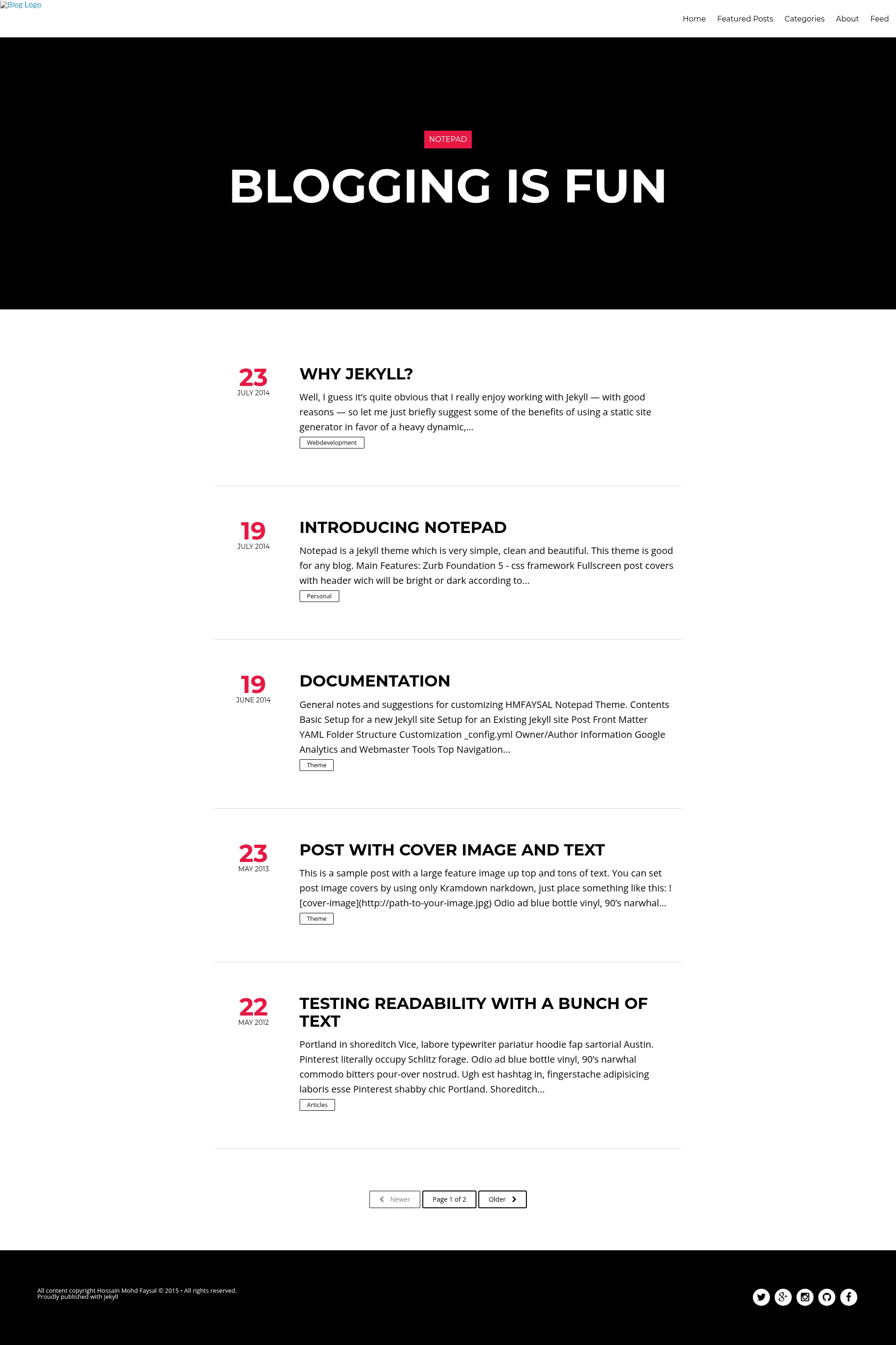
Notepad is a Jekyll blog theme by Hossain Mohd. Faysal that uses Zurb Foundation 5 to produce a fast, clean, and minimal website with fullscreen post cover images and automatic header contrast. It is built for personal blogs and supports Disqus comments, Font Awesome icons, SCSS customization, and Kramdown-based cover images.
What is Notepad?
Notepad is a Jekyll theme designed for simple, clean, and beautiful blogs. It takes Markdown posts as input and outputs a static HTML site with a responsive Foundation 5 layout, fullscreen cover images on posts, and a header that automatically switches between light and dark text based on the background image. The theme was created by Hossain Mohd. Faysal and is available as a GitHub repository.
Key Features
- Zurb Foundation 5 — The layout uses the Foundation 5 CSS framework, giving you a responsive grid, typography, and UI components without writing custom CSS from scratch.
- SCSS with settings file — Styling is written in SCSS and includes a dedicated settings file, so you can change colors, fonts, and spacing through variables.
- Fullscreen post covers — Each post can display a fullscreen cover image; the theme detects whether the image is bright or dark and adjusts the header text color automatically for readability.
- Fast and light — The theme is designed to be quick-loading and lightweight, with only essential assets included.
- Font Awesome — Vector icons are included, so you can add icons to posts and navigation.
- Disqus comments — Disqus integration lets you add a hosted comment section to posts by configuring your shortname.
- Kramdown cover images — You can set a post cover by adding a Kramdown image reference with the image URL in your post content.
Who is it for?
- Personal bloggers who want a minimal, attractive Jekyll theme without extra plugins.
- Jekyll developers who like to customize via SCSS and a settings file rather than editing compiled CSS.
- Visual storytellers who want fullscreen cover images with adaptive header contrast to make posts stand out.
What can you do with it?
- Start a blog quickly: Create Markdown posts, add a cover image URL, and publish a polished blog on Jekyll.
- Make a magazine-style layout: Use fullscreen post covers to give each article a strong visual header.
- Customize the design: Edit the SCSS settings file to change the theme's colors and typography, and add icons with Font Awesome.
How does it work?
After installing the theme, write posts in Markdown and add a cover image using Kramdown's image syntax with your image URL. The theme automatically generates a fullscreen cover and applies the appropriate header text color based on the image brightness. Disqus comments appear once you provide your shortname.
FAQ
How do I set a cover image on a post?
Use Kramdown's image syntax in your post content, providing the URL of your cover image. Notepad will render it as the fullscreen header and automatically choose light or dark text for readability.
Does Notepad support Disqus comments?
Yes. Notepad includes Disqus integration. Add your Disqus shortname to the theme configuration and comment sections will appear on your blog posts.
What CSS framework does Notepad use?
Notepad uses Zurb Foundation 5. It also uses SCSS with a settings file, Font Awesome for icons, and supporting tools like jQuery, Modernizr, and Normalize.
Can I change the colors and fonts?
Yes. The theme includes SCSS source files with a settings file containing variables for colors, fonts, and other style properties, so you can customize the look without touching core stylesheets.