Template details
Hyde Blogger Template
Hyde adapted into the Blogger from Jekyll.
About this template
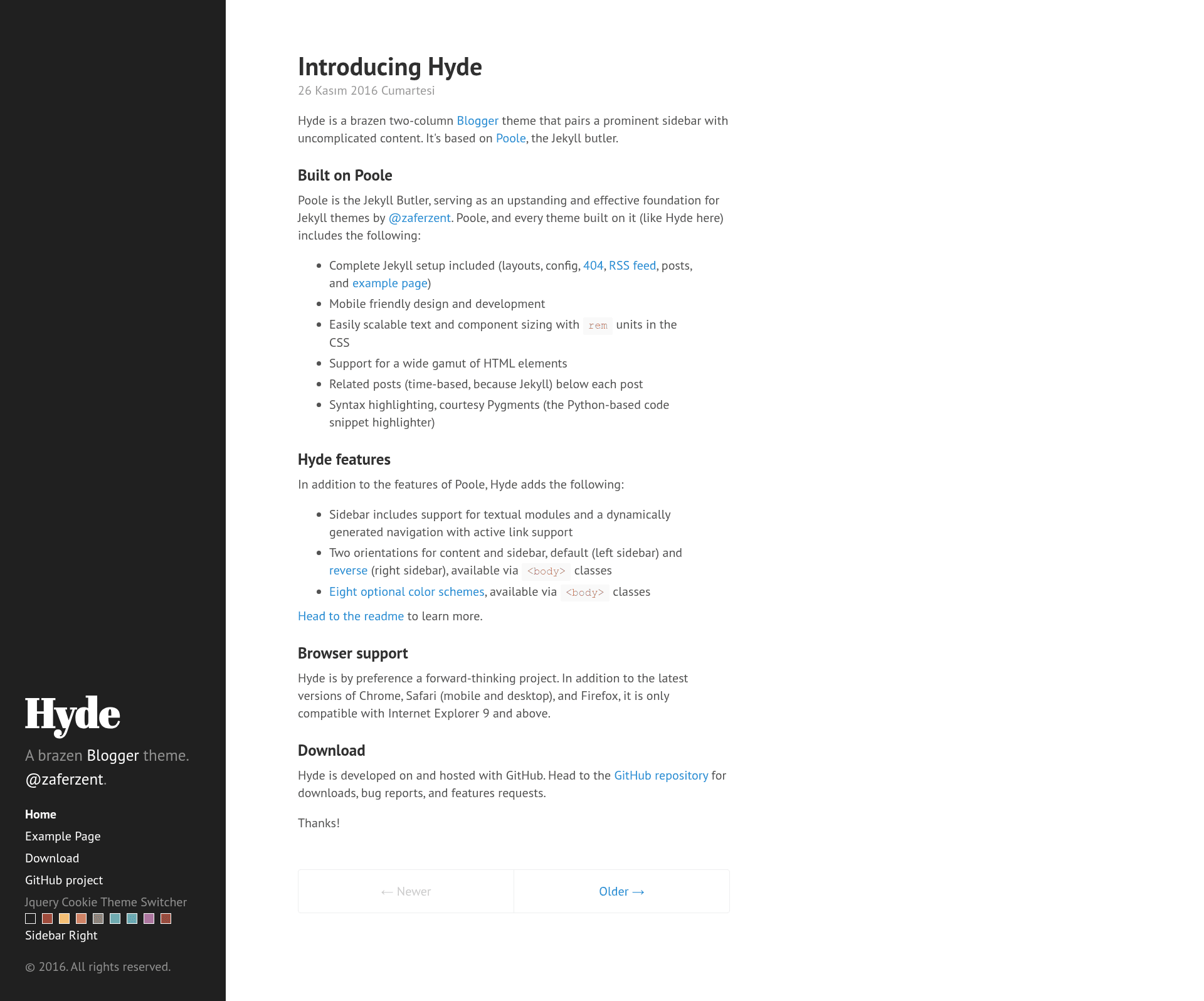
Hyde Blogger Template is a two-column blog theme for Blogger that adapts the popular Jekyll Hyde layout into an XML template, pairing a prominent sidebar with straightforward content. The template is maintained by Zafer Zent, open-sourced under the MIT license, and is designed specifically for Blogger and Blogspot blogs.
What is Hyde Blogger Template?
Hyde Blogger Template converts the Jekyll Hyde design into a Blogger XML theme, giving Blogspot users the same big sidebar and minimal post layout without running Jekyll. You install the template's XML file through the Blogger dashboard, and it outputs a blog with a responsive two-column structure, a sidebar area, and built-in customization classes. The template was authored by Zafer Zent and is based on the original Hyde theme by the Poole project.
Key Features
- Eight base16 themes — Hyde ships with eight optional color schemes based on the base16 palette, applied by adding a theme class such as
theme-base-08to the body element. - Reverse layout — A single
layout-reverseclass flips the sidebar from the left to the right side of the page. - Sticky sidebar — The default
.sidebar-stickyclass pins sidebar content to the bottom of the sidebar; removing the class makes the sidebar flow normally from top to bottom. - Sidebar menu — A sidebar navigation area supports an arbitrary list of links, with an
activeclass available to highlight the current page. - jQuery Cookie Theme Switcher — A provided widget lets visitors switch between theme colors from the sidebar, with the choice stored in a cookie until the page is refreshed.
- Blogger-native installation — The template installs via Blogger Dashboard under Template > Edit HTML or Backup/Restore, with no external build step.
- Minimal codebase — The theme is intentionally small, with the README documenting two branches:
masterfor development andgh-pagesfor the hosted site.
Who is it for?
- Blogger users — Bloggers on Blogspot who want a Jekyll-inspired two-column design without leaving the Blogger platform.
- Jekyll fans — Users who already know the Hyde theme from Jekyll and want the same look for a Blogger-hosted blog.
- Customizers — Developers who want a lightweight Blogger theme they can edit directly in the HTML template editor, with documented hooks like sidebar classes and theme color classes.
What can you do with it?
- Publish a personal blog — Set up a two-column Blogspot blog with a sidebar for bio, links, or navigation and a clean content column for posts.
- Switch color schemes — Apply any of the eight base16 theme classes or add the jQuery Cookie Theme Switcher so visitors can pick a color and have it persist via cookie.
- Reorder the layout — Flip the sidebar to the right using the
layout-reverseclass for a different visual orientation.
How does the template work?
Installation requires only two steps: download the XML file from the repository, then upload it through Blogger Dashboard > Template > Backup / Restore, or paste it into Template > Edit HTML. After installation, all configuration happens by editing the body classes or the navigation list inside the template HTML, with no build tools or server-side setup.
FAQ
Is Hyde Blogger Template free?
Yes, the template is open-sourced under the MIT license, so you can use, modify, and redistribute it freely.
Which platforms does it support?
It works only on Blogger and Blogspot blogs. It does not run on WordPress, Ghost, or static site generators directly, though the original Jekyll version is available for those who want that platform.
How do I change the theme color?
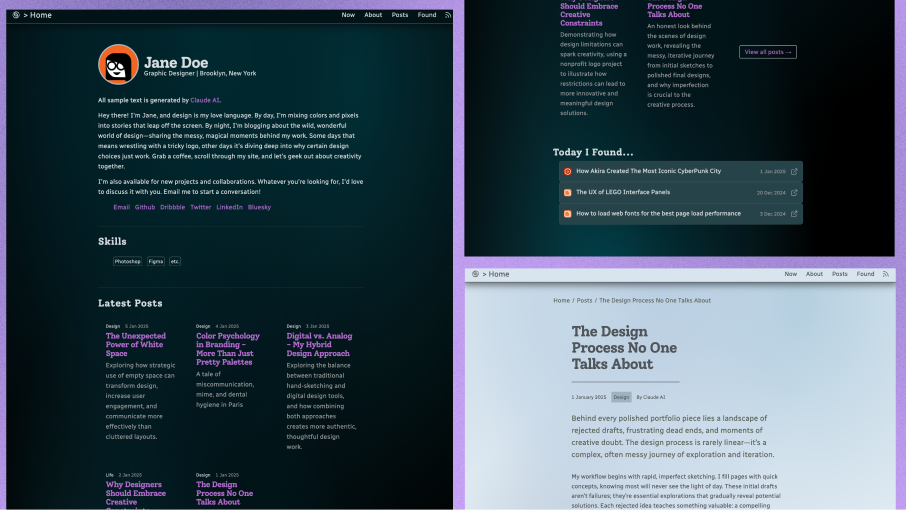
Add one of the eight base16 theme classes, such as theme-base-08, to the body element in the template HTML. The README includes screenshots showing the available colors.
Can I move the sidebar to the right?
Yes, add the layout-reverse class to the body element to flip the sidebar from the left to the right side of the page.
Does the jQuery Cookie Theme Switcher persist?
The theme switcher stores the visitor's choice with a cookie, but the README notes it does not change the page on refresh — the selection remains only until the page is reloaded.