Template details
Horcrux
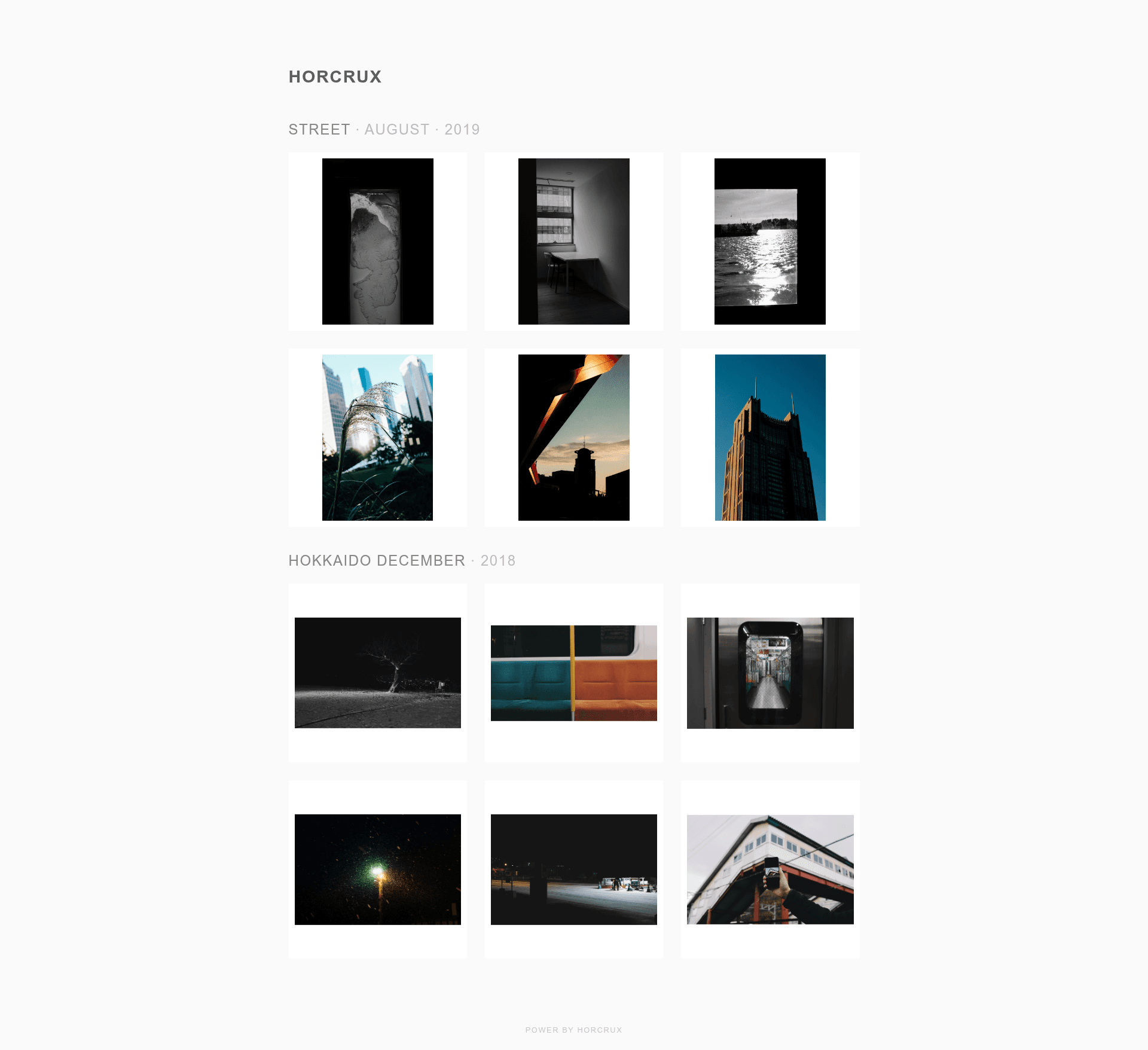
A Jekyll-based photo gallery template that auto-watermarks images, generates thumbnails, and deploys to GitHub Pages.
About this template
Horcrux is a Jekyll-based photo gallery template that turns a folder of original images into a watermarked, thumbnailed static gallery you can host for free on GitHub Pages.
What is Horcrux?
Horcrux is an open-source Jekyll template for building a personal photo gallery website. It takes original photos organized in folders as input and produces a static site with auto-generated thumbnails, watermarked images, and a generated JSON config that drives the gallery layout. The project is authored by Soyaine, distributed under the MIT license, and available on GitHub.
Key Features
- Auto-watermarking — When you run setup.command, Horcrux stamps every original photo with the site name from _config.yml, positioned in the middle bottom; watermarking can be toggled separately for thumbnails and originals.
- Thumbnail generation — setup.command creates .min.jpg thumbnails of all photos to improve load speed; the minimum width for processing is configurable and defaults to 600 pixels.
- Time-based sorting — Albums and photos can be sorted by creation, access, or modification time using the sort_by_time, order_by, and reverse options in the config.
- Order preservation — With keep_order enabled, any manual order values you've set in the generated JSON are retained when setup.command regenerates the config.
- Multi-level albums — Nested folders under the photos directory become hierarchical album groups, with a configurable separator (default "·") joining the album title path.
- Customizable gallery style — Column count, column/row gaps, and frame padding are set in _config.yml, with separate values for wide and small screens; the color palette is defined in ./sass/base.scss.
- Jekyll + GitHub Pages — The site runs on Jekyll and goes live by pushing to the gh-pages branch, so hosting is free on GitHub Pages.
Who is it for?
- Photographers and hobbyists — Share photo sets with a clean, self-hosted gallery without managing a server; drop photos into folders and run one setup script to get a live gallery.
- Jekyll users — Integrate a photo album into an existing Jekyll site or start a new gallery from the template with minimal configuration.
- GitHub Pages hosts — Publish a static gallery using only free GitHub Pages hosting, with no database or backend required.
What can you do with Horcrux?
- Portfolio showcase — Display watermarked photography in a polished, multi-column layout directly from your GitHub repository.
- Travel albums — Organize trip photos by date or location using nested folders, and let Horcrux sort them by creation time.
- Blog extension — Add a photo gallery to a Jekyll blog by linking to the generated gallery page, reusing the same GitHub Pages workflow.
How does Horcrux work?
- Fork or clone the repository and confirm Python3 is installed.
- Remove the sample content under ./photos/ and add your own folders and photos.
- Edit _config.yml to set the site name (which also becomes the watermark text) and an optional Instagram link.
- Run setup.command — it generates .min.jpg thumbnails, watermarks original photos, and outputs _data/config.json.
- Preview locally with jekyll serve --watch, then git push to the gh-pages branch to publish.
FAQ
How do I change the watermark text?
Set the name value in _config.yml. That value is used both as the website headline and as the watermark text stamped onto your photos.
Does Horcrux modify my original photos?
Yes, the watermark is applied directly to the original image files when you run setup.command. The README warns to keep backup copies elsewhere and to test with a few photos first.
Can I use nested albums?
Yes, Horcrux supports multi-level folders under the photos directory. A nested path like ./photos/2019/duo/ displays as "DUO · 2019" using the separator you configure.
How do I keep my manual photo order when adding new photos?
Enable keep_order in the process section of _config.yml. When you run setup.command again, any order values you've set in the JSON are preserved while new photos are appended.
Is Horcrux free?
Yes, the template is open source under the MIT license, and hosting the generated gallery on GitHub Pages is free.