Template details
html-to-pdfmake
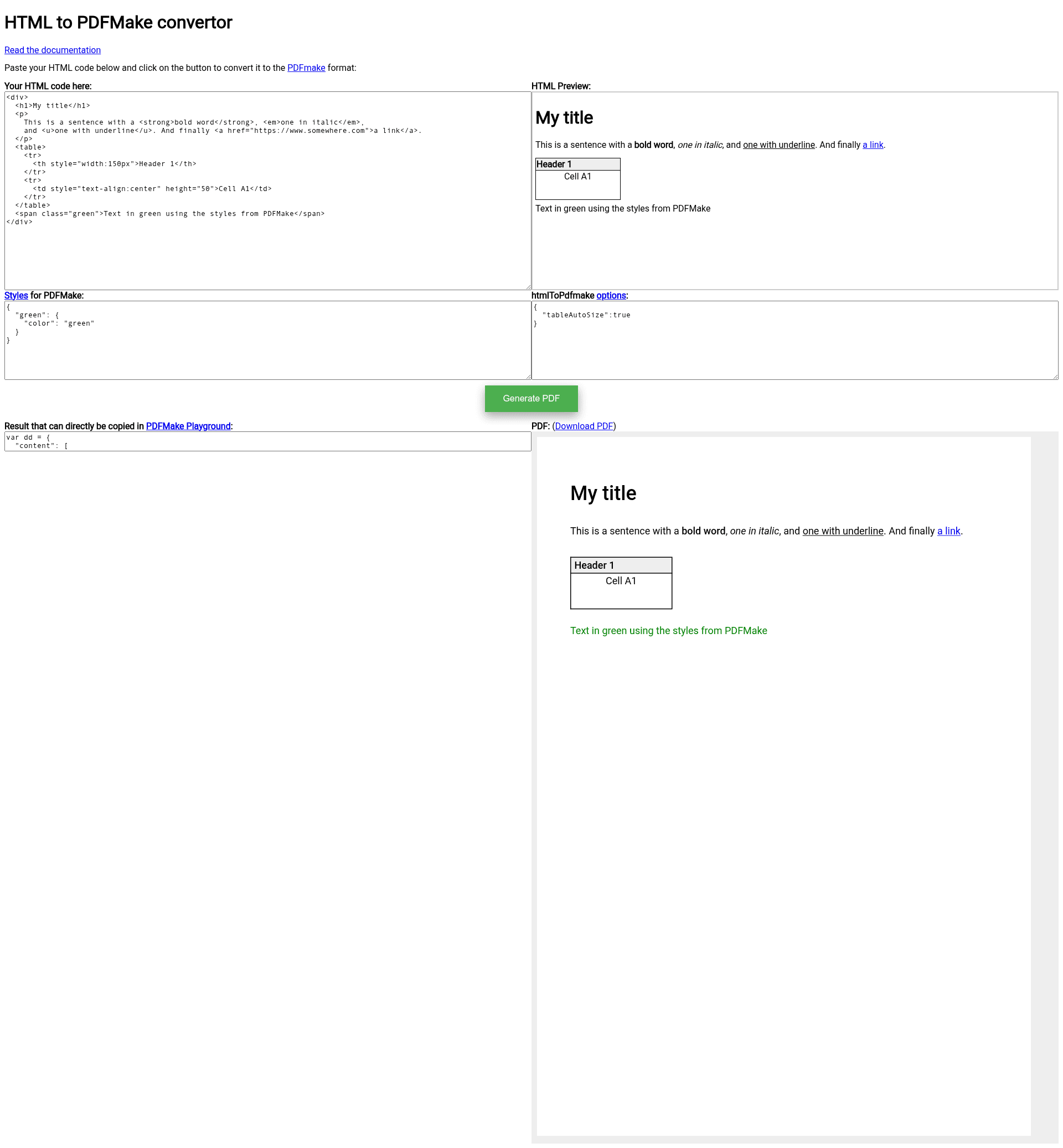
A JavaScript library that converts HTML to PDFMake document definitions for PDF generation.
About this template
html-to-pdfmake is an open-source JavaScript library that converts HTML markup into PDFMake document definition objects, letting you generate styled PDFs through the PDFMake API.
What is html-to-pdfmake?
html-to-pdfmake takes an HTML string as input and outputs a PDFMake-compatible content array that you pass to pdfMake.createPdf. It runs in both web browsers and Node.js environments; on Node, it requires jsdom to provide a window object. The project is maintained by Aymkdn and includes an online demo and an example.js script that generates example.pdf.
Key Features
- Broad HTML element support — Converts block elements such as div, p, h1 through h6 and table, plus inline elements like span, strong, em, a, img, svg, br and hr.
- CSS property mapping — Handles background-color, border, color, font-family, font-style, font-weight, height, width, margin, text-align, text-decoration, text-indent, white-space, line-height and list-style-type.
- Table auto-sizing — The tableAutoSize option lets table rows and columns size from CSS width and height values instead of fixed defaults.
- Flexible image handling — Accepts base64 data URIs (required in Node), and in browsers can reference images by URL via imagesByReference, returning an object with both content and images for PDFMake.
- data-pdfmake attribute — Inline JSON inside this attribute can inject PDFMake-specific properties such as table widths, heights, or custom horizontal rule color and thickness.
- Custom tag and text hooks — customTag can intercept any element for bespoke handling, and replaceText can rewrite node text, for example replacing hyphens with non-breaking hyphens.
- Style and whitespace controls — defaultStyles overrides element defaults, ignoreStyles skips unwanted CSS properties, removeExtraBlanks cleans stray whitespace, and removeTagClasses strips the automatic html-* classes.
- Page break support — Works with PDFMake's pageBreakBefore callback to break pages using a class such as page-break.
Who is it for?
Developers building Node.js or browser applications that already use PDFMake and need to convert HTML into PDF documents without hand-writing document definitions. It suits teams generating invoices, reports, or certificates from simple HTML templates, and anyone who prefers writing HTML and CSS over PDFMake's raw object syntax.
Use cases
- Node.js report generation — Convert HTML templates into PDF buffers using pdfMake's getBuffer and save them with fs.writeFileSync.
- Browser PDF export — Include the browser script and call pdfMake.createPdf(docDefinition).download('document.pdf') to let users download a PDF.
- Centered and column layouts — Build PDFMake columns with the data-pdfmake-type="columns" attribute to center tables or create multi-column sections.
- Styled lists and tables — Create complex tables with colspan and rowspan, and nested lists with custom list-style-type values.
How does it work?
Install the npm package, initialize jsdom in Node to obtain a window object, and include the CDN scripts for pdfmake and html-to-pdfmake in the browser. Call htmlToPdfmake(htmlString, options) to get the converted content, then pass it to pdfMake.createPdf. The library parses the HTML into a DOM, walks the nodes, and maps elements, styles, and attributes to PDFMake's document definition syntax.
Pros and cons
- Pros — Works in both browser and server; supports a wide set of CSS properties; provides many configuration hooks for fine-tuned output.
- Cons — Only handles basic HTML, as the README explicitly recommends other tools like Doppio or dropflow for complex rich-text content; inherits PDFMake's rendering limitations; imagesByReference works only in web browsers.
Alternatives
The README names Doppio (an online conversion service for complex HTML), dropflow (converts HTML to canvas), snapdom (converts HTML to an image), and DOM-PDF (another HTML-to-PDFMake library). For rich content, these may produce better results.
FAQ
Does html-to-pdfmake work in Node.js?
Yes, but it requires jsdom. Create a JSDOM instance and pass its window object as the window option to htmlToPdfmake, then use pdfMake's getBuffer to write a PDF file.
Can it convert complex HTML from a rich text editor?
No. The README explicitly warns that complex HTML, such as content produced by a Rich Text Editor, is not well supported. It recommends online solutions like Doppio, or converting the HTML to canvas or an image before exporting to PDF.
What image sources are supported?
Base64-encoded data URIs work in both browser and Node. In browsers, you can also use image URLs via the imagesByReference option, which returns an images object for PDFMake. For URLs with custom headers, use the data-src JSON attribute.
What does the imagesByReference output look like?
When enabled, htmlToPdfmake returns an object with both content and images properties instead of a single content array. The images object maps generated reference keys to image URLs, ready for PDFMake's images option.