Template details
HTML5 Canvas Projects
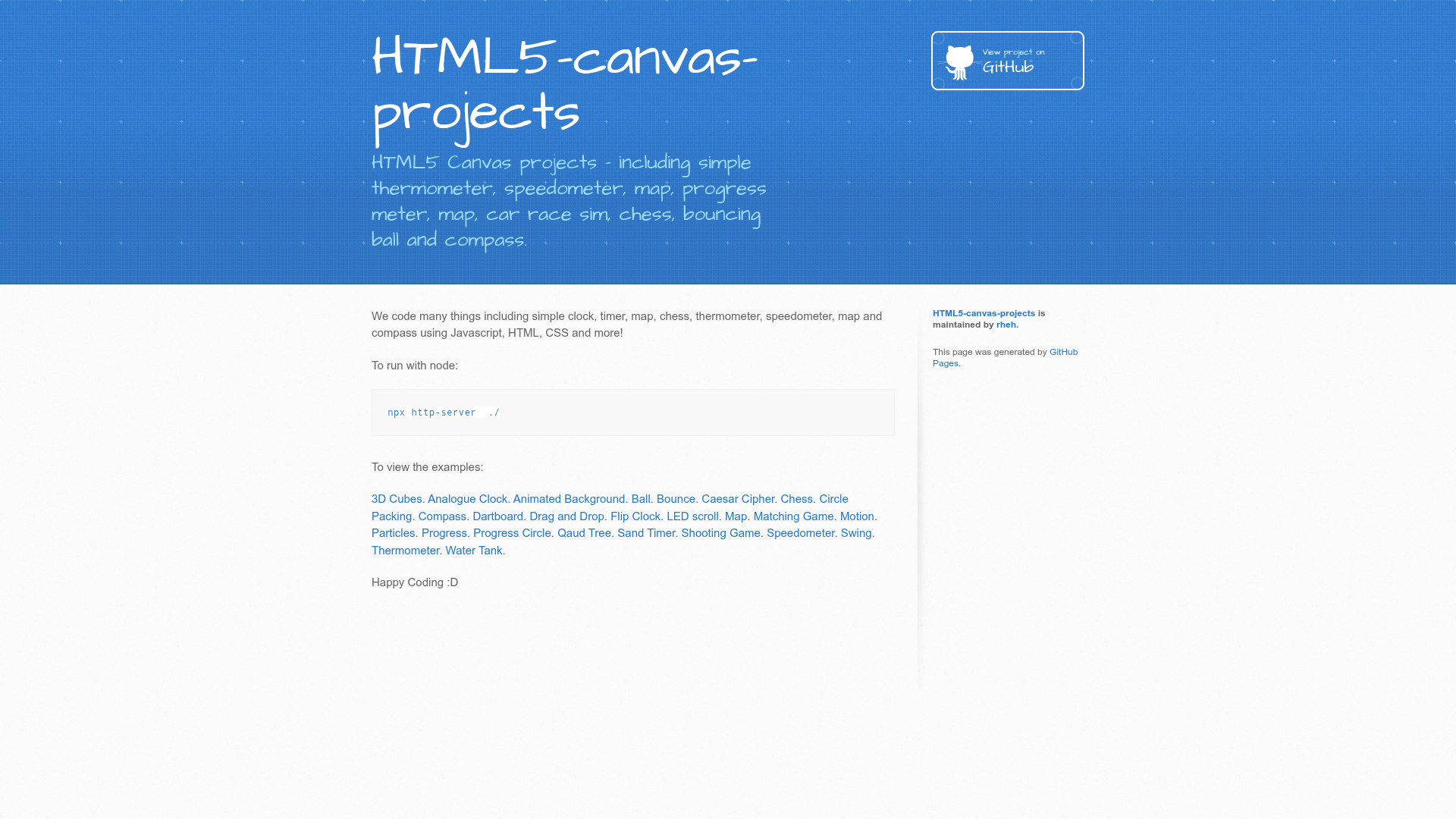
HTML5 Canvas projects - including simple thermometer, speedometer, map, progress meter, map, car race sim, chess, bouncing ball and compass.
About this template
HTML5 Canvas Projects is a free GitHub repository by user rheh that collects 26 small JavaScript demos, each rendering something different on an HTML5 canvas — from an analogue clock and a flip clock to a chessboard, a shooting game, and a water tank. The project runs entirely in the browser with plain JavaScript, HTML, and CSS, and it is designed as a learning resource for anyone curious about canvas graphics.
What is HTML5 Canvas Projects?
HTML5 Canvas Projects is a collection of self-contained example pages that use the HTML5 canvas API to produce interactive drawings and mini-applications. Each example is a standalone HTML file with embedded JavaScript and CSS, so you can open it directly in a browser or serve it locally. The repository was created by GitHub user rheh and is hosted on GitHub Pages under the rheh.github.io domain, giving each demo a public URL.
Key Features
- 26 ready-to-run demos — The README links to 26 projects including 3D Cubes, Analogue Clock, Animated Background, Ball, Bounce, Caesar Cipher, Chess, Circle Packing, Compass, Dartboard, Drag and Drop, Flip Clock, LED scroll, Map, Matching Game, Motion, Particles, Progress, Progress Circle, Quad Tree, Sand Timer, Shooting Game, Speedometer, Swing, Thermometer, and Water Tank.
- Plain JavaScript and Canvas — No frameworks, libraries, or build tools are used; every drawing comes from the native HTML5 canvas API and vanilla JavaScript.
- Simple local server setup — The README says to run
npx http-server ./from the project root to view the examples on your machine. - Hosted on GitHub Pages — Every demo is published at a rheh.github.io URL, so you can try them without downloading anything.
- Tagged for learning — The repository topics include animation, canvas, drawing, html5, javascript, learning-by-doing, and simple, signaling a focus on education.
- Diverse visual content — The range covers clocks, maps, games, particle effects, data displays (progress, speedometer, thermometer), and algorithm visualizations (quad tree, circle packing).
Who is it for?
- JavaScript learners — Study the source of each small demo to understand canvas drawing commands, animation loops, and event handling.
- Canvas API beginners — See concrete examples of fillRect, arc, requestAnimationFrame, and coordinate transformations without needing to set up a framework.
- Teachers and workshop leaders — Use the projects as warm-up exercises or starting points for classes on web graphics and interactive programming.
- Hobbyist game developers — Explore the Shooting Game, Bounce, and Ball demos to see minimal implementations of collision detection and user input.
What can you do with HTML5 Canvas Projects?
- Create a simple clock — The Analogue Clock and Flip Clock demos show how to draw clock faces and animate time-based updates.
- Build a map or compass — The Map and Compass examples illustrate how to render geographic or directional data on a canvas.
- Visualize numbers — Use the Speedometer, Thermometer, Progress, and Progress Circle demos to convert data values into readable graphical gauges.
- Simulate physics — The Ball, Bounce, Swing, and Particles demos demonstrate movement and gravity in small, readable code blocks.
How does HTML5 Canvas Projects work?
To run the projects locally, clone or download the repository, open a terminal in the project folder, and execute npx http-server ./. Then visit any of the demo URLs listed in the README, such as https://rheh.github.io/HTML5-canvas-projects/analogue_clock/. Each page loads its own JavaScript and draws immediately on the canvas element in the browser.
FAQ
How do I run these projects?
Run npx http-server ./ from the repository root, then open the individual demo URLs that are listed in the README. No other setup is required because each demo is a self-contained HTML page.
What technologies are used?
All projects use plain JavaScript with the HTML5 canvas API, along with standard HTML and CSS. No external libraries or build steps are involved.
How many examples are included?
The README lists 26 separate demos, covering clocks, games, maps, particle effects, gauges, and algorithm visualizations.
Is this project free?
Yes, the repository is publicly accessible on GitHub and can be browsed and downloaded at no cost. The README does not mention any paid plans or licenses.
Can I use the code in my own projects?
The repository does not include license information in the README, so there is no explicit statement of reuse rights. However, all source code is open for viewing, and the project's learning-by-doing tag suggests it is meant for educational use.
Pricing
The repository and all its demos are free to access and download.