Template details
Hugo Cite
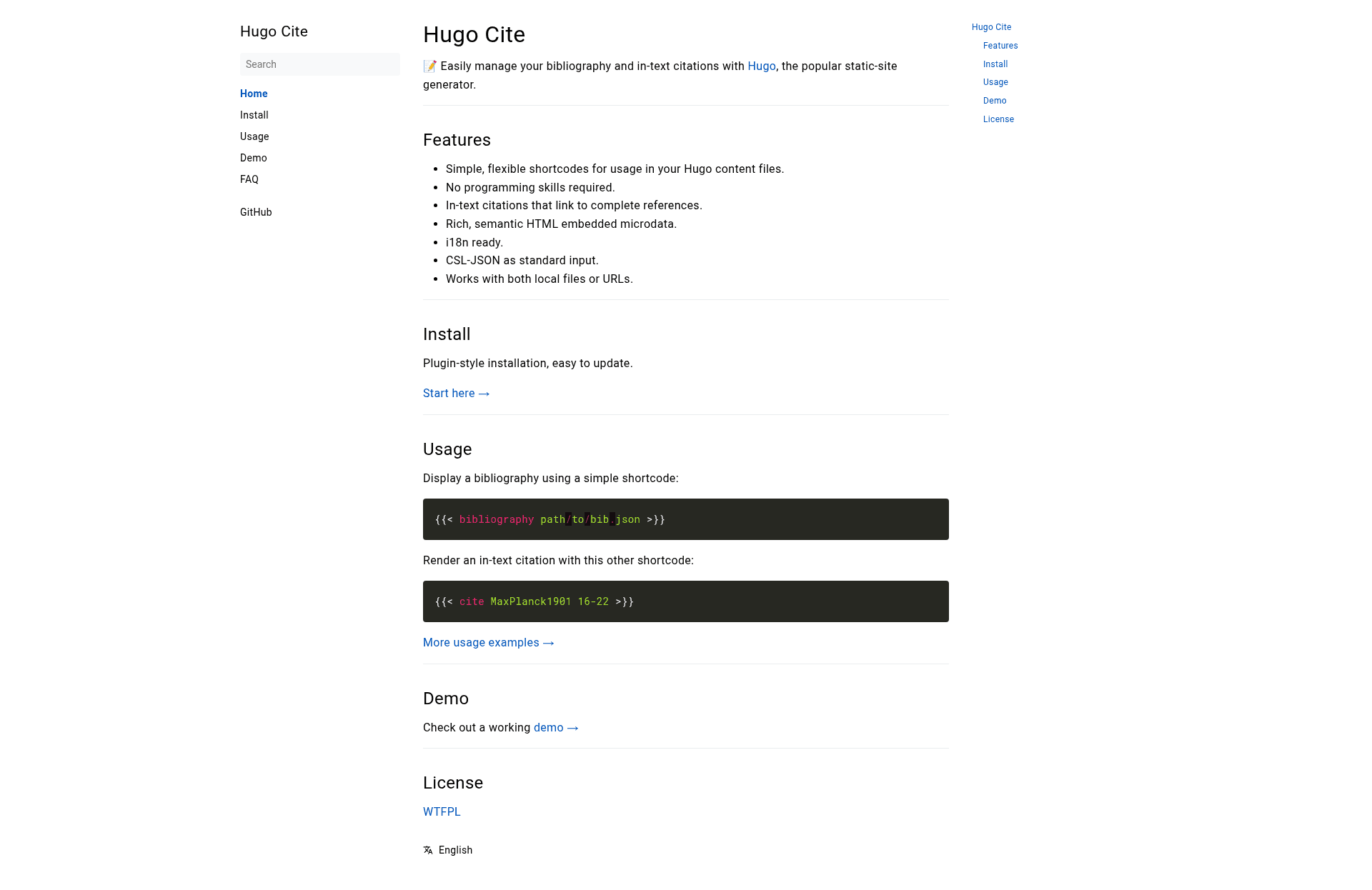
📝 Easily manage your bibliography and in-text citations with Hugo, the popular static-site generator.
About this template
Hugo Cite is a Hugo theme component that manages CSL-JSON bibliography files and renders in-text citations inside static sites built with the Hugo static site generator. It provides two shortcodes — one to output a reference list and one to insert parenthetical citations — plus a small CSS file, and it supports a range of citation formatting options such as page numbers, page ranges, author suppression, and grouped citations.
What is Hugo Cite?
Hugo Cite is an open-source Hugo theme extension, released under the WTFPL license, that adds a citation system to any Hugo site by stacking itself after your main theme in the site's theme list. It takes a CSL-JSON bibliography file as input — either stored in a leaf bundle, set in front matter, passed as a shortcode argument, or fetched from a URL — and produces formatted bibliographies and in-text citations in APA style. The project maintainer hosts documentation and a live demo at labs.loupbrun.ca/hugo-cite, and the source is available from the GitHub repository loup-brun/hugo-cite.
Key Features
- Two shortcodes —
{{< bibliography >}}renders a list of works and{{< cite >}}produces an in-text citation; both are Hugo-native shortcodes, so no JavaScript or build step is required. - CSL-JSON only — Bibliography data must be provided as CSL-JSON (the format used by Zotero and other reference managers); BibTeX and other formats are not supported.
- Multiple bibliography sources — A
bib.jsonfile in a leaf bundle is loaded by default, but you can override the path with abibFilefront-matter parameter, a shortcode position parameter, namedsrc/citedparameters, or a remote URL pulled in through Hugo'sgetJSONfunction. - Cited-only mode — Adding the
citedflag to the bibliography shortcode filters the list to only the works referenced on the page via in-text citations. - APA in-text citation control — A leading dash suppresses the author (rendering only the year), a second positional parameter adds a page number with an automatic
p.prefix, and a range like5-6addspp.before the numbers. - Grouped citations — You can combine multiple sources in one citation block by separating citation keys with semicolons, and pagination can be supplied per key in matching order.
- Small footprint — The theme ships a single
hugo-cite.cssstylesheet that you reference in your HTML templates, and no external dependencies are needed.
Who is it for?
- Academic writers — Researchers building a paper or thesis as a Hugo site can export their Zotero library as CSL-JSON, save it in a content bundle, and cite sources in text with accurate page references.
- Hugo bloggers — Writers who want a simple way to add a references section to articles can use
{{< bibliography >}}with a local JSON file and show only cited works. - Technical documentation maintainers — Project documentation that needs to cite standards or papers can keep a single bibliography file at the project root and reference it from multiple pages via front matter.
Use cases
- Research publications — Export a Zotero collection to CSL-JSON, place it in the article's leaf bundle, and add in-text citations in author-date format with page numbers.
- Cited-reference lists — Use
{{< bibliography cited >}}to automatically display only the sources actually cited on each page. - Multi-source citation blocks — Quote several works in one parenthetical using a semicolon-separated list of CSL-JSON IDs, such as
{{< cite "Lessig2002;Nussbaum2011" >}}.
How does it work?
Installation has three steps: add the theme as a Git submodule in the themes/hugo-cite directory, append hugo-cite to the theme list in your Hugo config, and reference the hugo-cite.css stylesheet in your templates. Then save a CSL-JSON file with a filename containing bib in a leaf bundle or set the bibFile front-matter parameter, and place the shortcodes in your Markdown. The citation key in {{< cite >}} must match the id field of a reference in the JSON file.
Pros and cons
- Pros — No JavaScript; supports Zotero exports; flexible file sources including URLs; page and range citation formatting; free and open source.
- Cons — APA is the only citation style and the implementation does not cover the full APA specification; other bibliography formats like BibTeX are not accepted; remote URLs may cause issues when using Hugo's live-reload with data files.
Pricing
Free — the theme is open source and released under the WTFPL license.
FAQ
Does Hugo Cite support BibTeX?
No. The theme accepts only CSL-JSON bibliography files, which is the standard export format from Zotero and other reference managers. BibTeX, .bib, or other formats must be converted to CSL-JSON before use.
Which citation styles are available?
Currently only APA is available, and the project warns that it does not match the entire APA specification. Additional styles may be contributed later, but the maintainer notes they are unlikely to appear soon due to the amount of work involved.
How do I cite a page range in Hugo Cite?
Pass the page numbers as a second positional parameter in the cite shortcode, using a dash without spaces — for example, {{< cite "Lessig 2002" 5-6 >}} renders (Lessig, 2002, pp. 5-6). The theme adds the pp. prefix automatically.
How can I show only the works cited on a page?
Add the cited flag when calling the bibliography shortcode, like {{< bibliography cited >}}. For this to work with in-text citations, the same CSL-JSON file must also be referenced in the page's front matter under the bibFile parameter.
Is Hugo Cite free?
Yes. The project is released under the WTFPL license, and all source code is available on GitHub.