Template details
Hugo Tailwind JIT
A minimal Hugo boilerplate that integrates Tailwind CSS Just-in-Time compilation via npm scripts.
About this template
Hugo Tailwind JIT is an open-source boilerplate template that integrates Tailwind CSS's Just-in-Time compiler into Hugo's static site build pipeline. It provides a minimal starting point for developers who want to use Tailwind utility classes in Hugo without assembling the toolchain themselves.
What is Hugo Tailwind JIT?
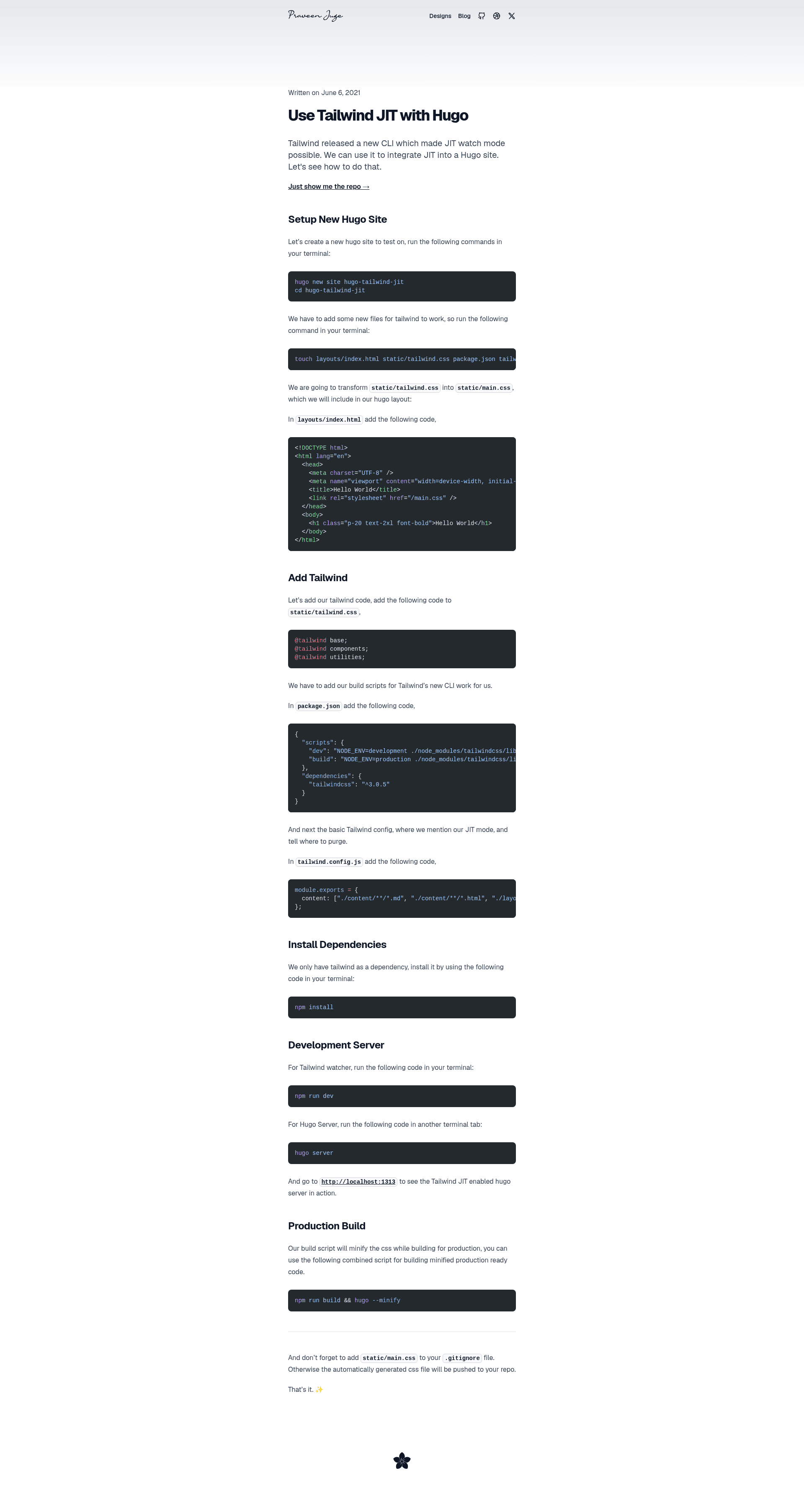
Hugo Tailwind JIT is a template repo that wires Tailwind's JIT mode into a Hugo project through npm scripts. It takes a basic Hugo site as input and produces a static site with a Tailwind-generated CSS file as output. The template runs on Node.js for the Tailwind build and requires Hugo installed separately. The original repository is published on GitHub, though the exact author is not named in the README.
Key Features
- Tailwind JIT integration — Uses Tailwind's Just-in-Time compiler so CSS is generated only for the utility classes actually present in your templates, keeping the final stylesheet small.
- Separate dev processes —
npm run devstarts the Tailwind watcher;hugo serverruns Hugo's development server in a second terminal tab, giving live reload for both content and styles. - Production build script —
npm run build && hugo --minifycompiles Tailwind once and then builds a minified Hugo site for deployment. - npm-based dependency management — All setup is
npm install, with the Tailwind CLI and Hugo invoked through npm scripts. - Minimal starting point — The repo offers a bare Hugo configuration rather than a full theme, so it works as a foundation for any Hugo site.
Who is it for?
- Hugo developers — anyone maintaining a site in Hugo who wants to use Tailwind utility classes without maintaining a separate PostCSS setup.
- Static site builders — teams building marketing pages, blogs, or docs with Hugo who want on-demand CSS generation.
- Front-end developers — people who prefer writing HTML with utility classes and want to avoid hand-writing custom CSS.
What can you do with Hugo Tailwind JIT?
- Blog authors using Hugo: scaffold a new Hugo project and get Tailwind JIT working so they can style posts with utility classes right away.
- Marketing page developers: build landing pages with Tailwind's responsive utilities while keeping the generated CSS small through JIT.
- Prototyping with Hugo: use the two-terminal dev workflow to iterate on layout and styling simultaneously without a full build between changes.
How does Hugo Tailwind JIT work?
- Run
npm installto install Tailwind and any npm dependencies. - In one terminal, run
npm run devto start the Tailwind watcher. - In a second terminal, run
hugo serverto serve the site locally. - For production, run
npm run build && hugo --minifyto generate a minified static site.
The Tailwind watcher regenerates the CSS file whenever a template or content file changes, while the Hugo server handles live reload for the site itself.
FAQ
Does this template work with any Hugo theme?
The repo provides a minimal Hugo project layout rather than a specific theme, so Tailwind JIT can be layered onto your own Hugo templates and content structure.
Is Tailwind JIT faster than the regular Tailwind build?
JIT generates only the CSS for utility classes found in your source files, which typically produces a smaller stylesheet than a full Tailwind build and skips the step of scanning for unused styles.
What does the npm build script do?
It runs the Tailwind build once to generate the final CSS and then executes hugo --minify to produce a minified static site ready for deployment.
Do I need both npm run dev and hugo server?
Yes — during development the Tailwind watcher regenerates CSS as you edit, while the Hugo server provides live reload for content; they run as two separate processes.