Template details
Next.js Leaflet Starter
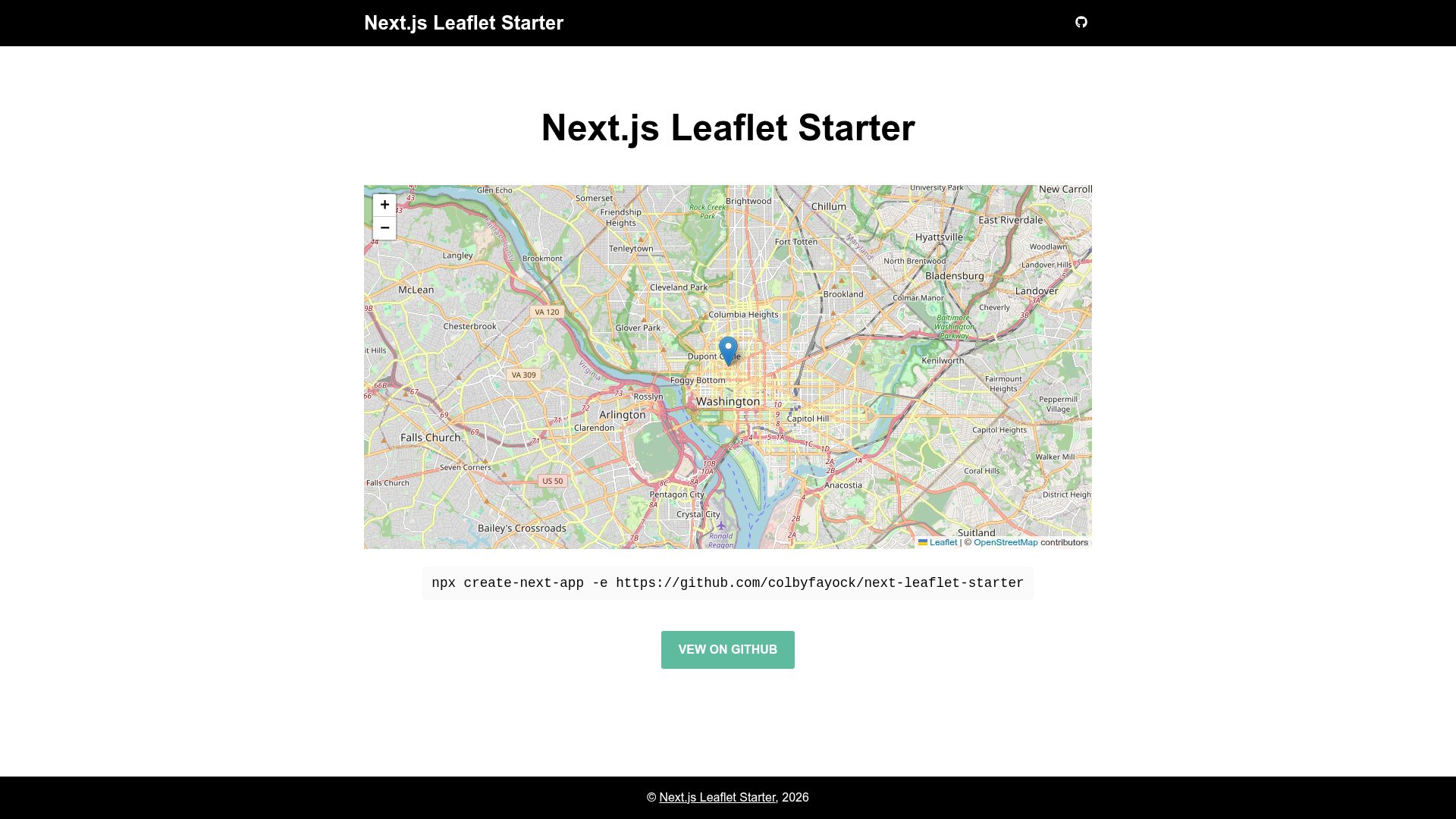
A Next.js starter with Leaflet to quickly build React apps with a map!
About this template
Next.js Leaflet Starter is a boilerplate template that combines the Next.js React framework with the Leaflet map library, giving developers a pre-configured starting point for building map-based React applications. It is hosted on GitHub under the colbyfayock account and tagged with the hacktoberfest topic for open-source contributions.
What is Next.js Leaflet Starter?
Next.js Leaflet Starter is a starting point for building map-based applications with React. It bundles Next.js, Leaflet, and React Leaflet so you do not have to configure the mapping dependencies yourself. Run one command to create a new project from the GitHub repository, then start the development server and edit pages/index.js to see live changes.
Key Features
- Next.js framework — Uses the Next.js React framework with a
pagesdirectory for building the application. - Leaflet integration — Includes Leaflet, an open-source JavaScript library for interactive maps.
- React Leaflet — Pre-installs React Leaflet components that wrap Leaflet for use in React, allowing maps to be placed in JSX.
- One-command creation — Create a new project from the repository with
npx create-next-app -e https://github.com/colbyfayock/next-leaflet-starter. - Quick deploy — The README provides one-click deployment buttons for Vercel and Netlify.
- Dev server — Run
npm run devto serve the app at http://localhost:3000, and the page auto-updates as you edit files.
Who is it for?
Developers who want to build a React app with an interactive map can use this starter to skip the setup. Next.js developers starting a location-based project can use it as a base for adding markers, popups, and geolocation features. Open-source contributors can also use the repository as a starting point for Hacktoberfest pull requests, since it is tagged with the hacktoberfest topic.
What can you do with Next.js Leaflet Starter?
- Map-based dashboards: Build a dashboard that displays geographic data using Leaflet layers and React Leaflet components.
- Store locators: Create a custom map to show points of interest, with the starter handling the map rendering.
- Prototype mapping features: Quickly test map interactions in a Next.js environment without spending time on configuration.
How does Next.js Leaflet Starter work?
Create a new project by running npx create-next-app -e https://github.com/colbyfayock/next-leaflet-starter. Then install dependencies and start the dev server with npm run dev. Edit pages/index.js to change the map and the page updates automatically.
FAQ
Is Next.js Leaflet Starter free to use?
Yes, the starter is open source and hosted on GitHub. You can view the repository, fork it, and use it in your own projects without paying a fee.
How do I create a new project from this starter?
You can run npx create-next-app -e https://github.com/colbyfayock/next-leaflet-starter in your terminal. This command uses create-next-app to scaffold a Next.js project from the starter's GitHub repository.
Which mapping libraries does it include?
The starter includes Leaflet and React Leaflet. Leaflet provides the interactive map display, and React Leaflet offers React components for embedding maps in your JSX.
Can I deploy it to Vercel or Netlify?
Yes, the README includes deployment buttons for both Vercel and Netlify. Clicking one imports the repository and sets up a deployment pipeline for that platform.