Template details
Security Onigiri
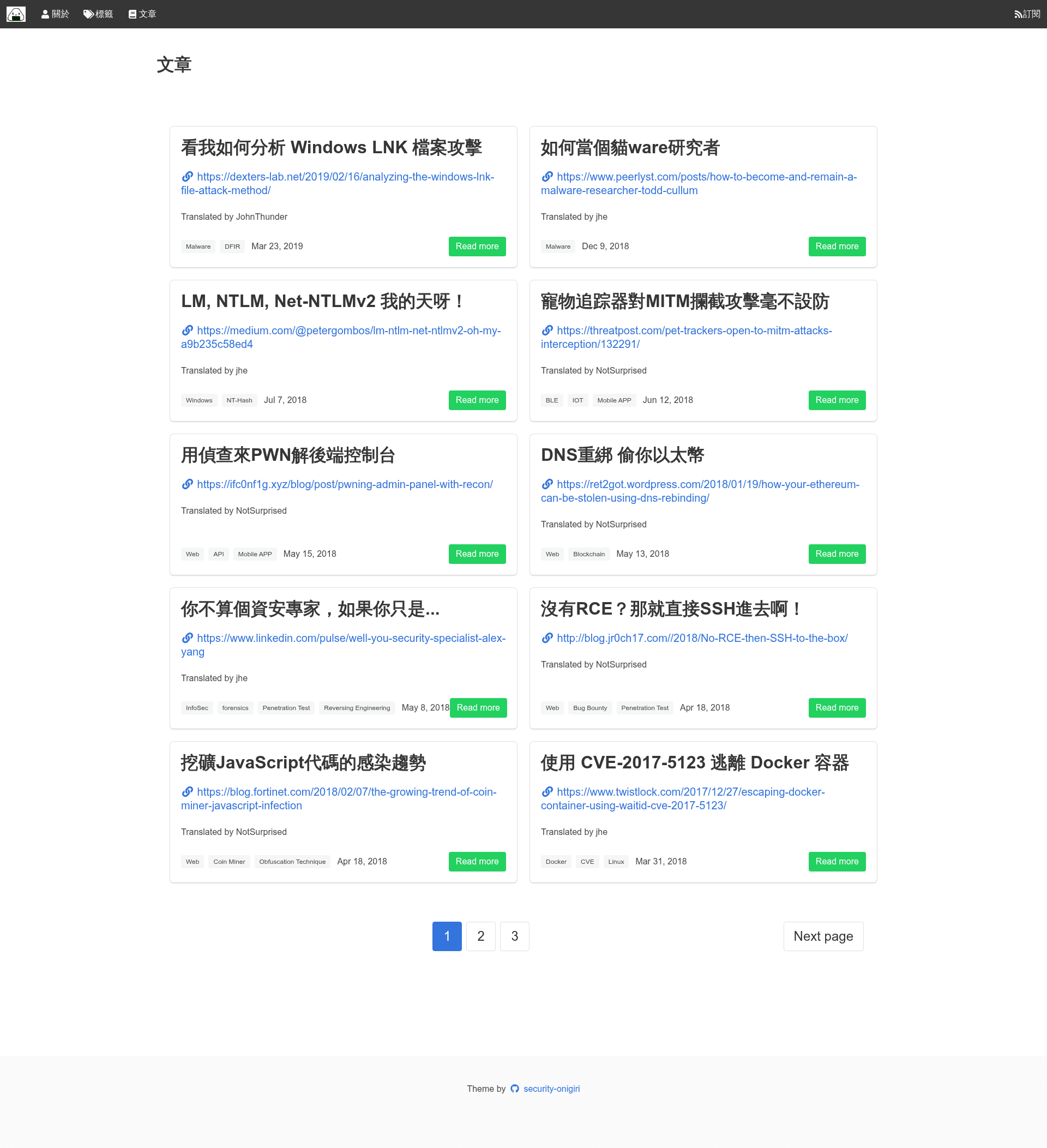
Jekyll theme for translated articles with Bulma CSS and an admin panel.
About this template
Security Onigiri is a Jekyll theme for publishing translated articles, with a Bulma CSS frontend and a built-in admin panel for writing posts. It runs on Jekyll, the Ruby-based static site generator, and is hosted on GitHub at the security-onigiri/security-onigiri repository.
What is Security Onigiri?
Security Onigiri is a Jekyll theme that provides a complete blogging setup for translated articles. It takes Markdown posts with title, author, and original-link metadata and generates a static site styled with Bulma CSS. The theme includes an admin panel at /admin, letting you create posts through a web interface. It's built for Jekyll 3+ and uses standard Ruby tooling with Bundler.
Key Features
- Admin panel — Access a web-based post editor at /admin on your local Jekyll server; create new posts by entering a title and clicking "New post".
- Metadata fields for attribution — Add your_name as the author and original-link as the source URL via "New metadata field" in the admin panel, so each translated article credits its original author.
- Bulma CSS styling — The frontend is built with the Bulma CSS framework, providing a clean, responsive layout out of the box.
- Simple local setup — Install Jekyll and Bundler, run bundle install and bundle exec jekyll serve, then browse to localhost:4000.
- GitHub Pages deployment — After committing changes, run ./deploy.sh to publish the site to https://security-onigiri.github.io.
Who is it for?
- Technical translators — Publish translated security or tech articles while keeping author credit and original links explicit in the post metadata.
- Jekyll users — Bloggers who prefer writing in Markdown but want a browser-based admin panel for quicker edits.
- Open-source contributors — Developers who want to fork the repository, add translated posts, and open pull requests; the included deploy.sh handles publishing.
What can you do with Security Onigiri?
- Create a translated article blog: Set up a Jekyll site locally, write posts in Markdown, and publish them to GitHub Pages with a single script.
- Manage posts from the browser: Use the admin panel to write and edit posts, add titles, and attach metadata fields like author and source URL without using Git.
- Collaborate via pull requests: Commit your changes or open a pull request to the repository, then run ./deploy.sh to update the live site.
How does Security Onigiri work?
- Install Jekyll and Bundler, then clone the repository with git clone https://github.com/security-onigiri/security-onigiri.
- Run bundle install to install dependencies, then bundle exec jekyll serve to start a local server at localhost:4000.
- Open the admin panel at /admin, click "New post", enter a title, and add metadata fields such as author name and original link.
- Commit your changes or open a pull request, then run ./deploy.sh to publish the site to https://security-onigiri.github.io/.
FAQ
Does Security Onigiri require Ruby?
Yes, because Jekyll is Ruby-based. You need to install Jekyll and Bundler first, then run bundle install to set up the theme's dependencies.
How do I deploy Security Onigiri to GitHub Pages?
Commit your changes, then execute ./deploy.sh from the repository root. The script publishes the static site to the GitHub Pages URL https://security-onigiri.github.io/.
Can I use Security Onigiri without the admin panel?
Yes. The admin panel is an optional web interface; you can also write posts directly as Markdown files in the _posts directory with the required front matter fields.
Is Security Onigiri free?
Yes, it's an open-source theme hosted on GitHub, so you can clone and modify it freely for your own site.