Template details
Hugo Theme Notes
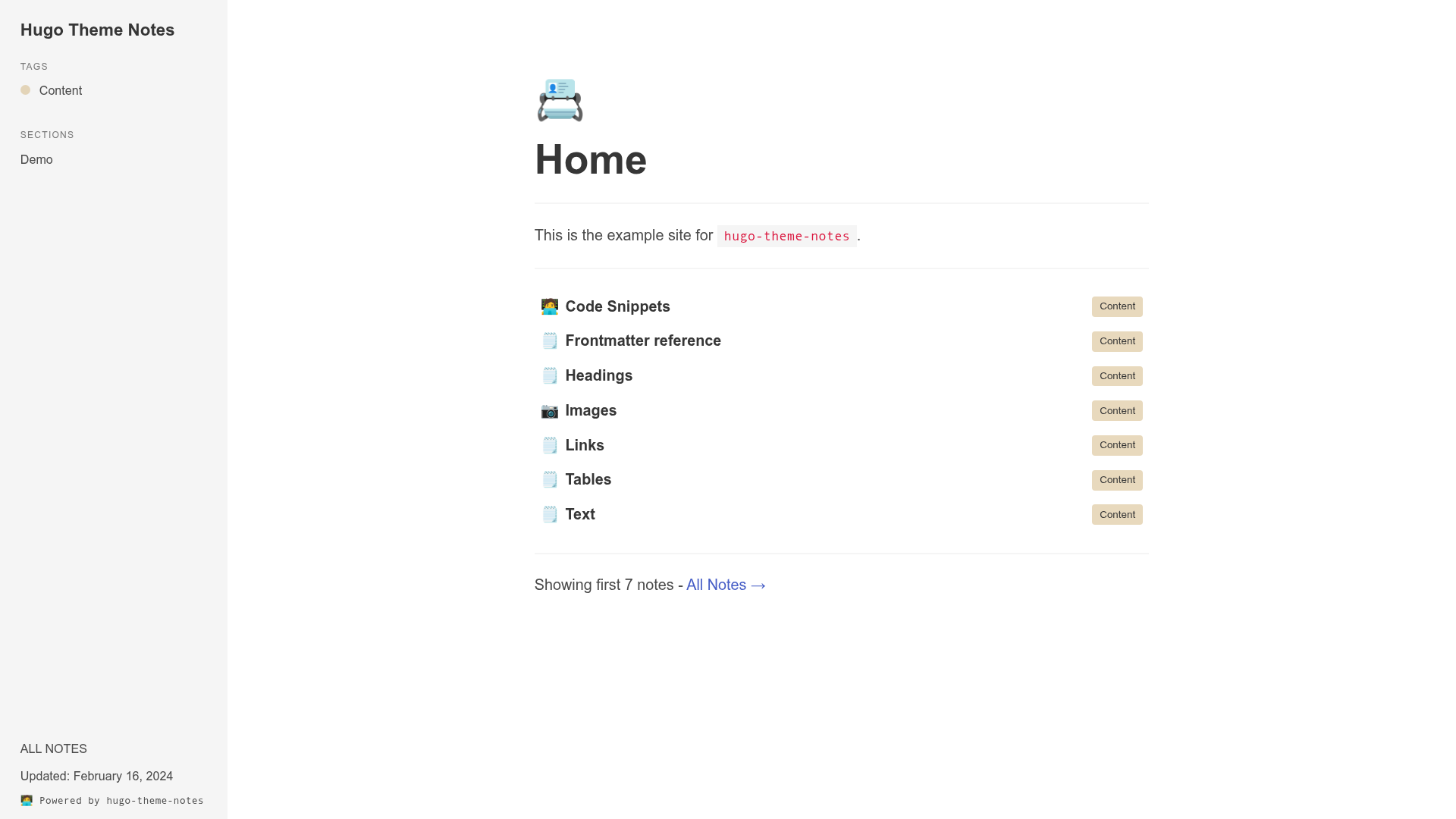
A Hugo theme for storing and publishing notes as a static site, inspired by Gatsby's Code Notes theme.
About this template
Hugo Theme Notes is a Hugo theme for publishing and storing notes, inspired by mrmartineau's Gatsby Code Notes theme.
What is Hugo Theme Notes?
Hugo Theme Notes is a Hugo theme designed for note-taking and note publishing. It accepts Markdown-based note files as input and generates a static website as output. The theme is distributed as a Hugo module, so it requires Hugo's module import system rather than a traditional theme folder drop-in. The repository is maintained by RealOrangeOne and is listed with topics hugo, notes, and theme. A live demo of the theme is available at https://realorangeone.github.io/hugo-theme-notes.
What makes Hugo Theme Notes stand out?
- Hugo module installation — Installed by adding
path = "github.com/RealOrangeOne/hugo-theme-notes"to the[[module.imports]]array in the site configuration file (for example,config.toml). - Code-notes heritage — Heavily inspired by mrmartineau's
gatsby-theme-code-notes, so it targets a similar structure for organizing code snippets and technical reference notes. - Example site directory — The repository includes an
exampleSite/folder with working examples and a configuration reference, making it easy to inspect expected content types and settings. - Live demo — The example site is published at https://realorangeone.github.io/hugo-theme-notes, allowing you to see the rendered output without installing anything.
- Markdown-only content — Notes are authored in Markdown files, and Hugo handles conversion to HTML, meaning no database or CMS is required.
- Static output — The build produces plain HTML/CSS/JS files that can be deployed to any static host or CDN.
Who should use Hugo Theme Notes?
- Developers and technical writers — publish personal knowledge bases, documentation, or code snippet collections as a static site.
- Existing Hugo users — anyone who already runs Hugo and wants a theme tailored to notes instead of a general-purpose blog.
- Self-hosters and minimalists — people who want a low-maintenance note site with no database or server-side dependencies.
What can you do with Hugo Theme Notes?
- Publish a public note archive — write notes in Markdown and deploy the generated static site to GitHub Pages, Netlify, or any static host.
- Create a code-notes site — follow the pattern of the original Gatsby Code Notes theme to store snippets and reference material.
- Preview a ready-made example — clone the
exampleSitedirectory to see the theme configuration and content structure quickly.
How does Hugo Theme Notes work?
To use Hugo Theme Notes, you first create or open a Hugo site and add the theme as a module in your configuration file. Then you write your notes as Markdown files in the content directory. Running hugo builds the static site as HTML, which you can deploy to any web host.
FAQ
What does Hugo Theme Notes do?
Hugo Theme Notes converts Markdown note files into a static website using the Hugo static site generator. It provides the theme's layout and structure for displaying notes, so you can publish a collection of notes on the web.
How do I install Hugo Theme Notes?
Add the module import to your Hugo configuration. Specifically, add a [[module.imports]] entry with path = "github.com/RealOrangeOne/hugo-theme-notes" to the config.toml file at the root of your Hugo site.
Does Hugo Theme Notes require a database?
No. As a Hugo theme, it works with static files only. Your notes are stored as Markdown, and Hugo generates plain HTML at build time, so no database or server-side application is needed.
Is Hugo Theme Notes free?
The source page does not mention any pricing or paid tiers. The theme repository is public on GitHub, so the code is freely accessible for anyone to inspect and use.