Template details
Jekyll Bulma Boilerplate
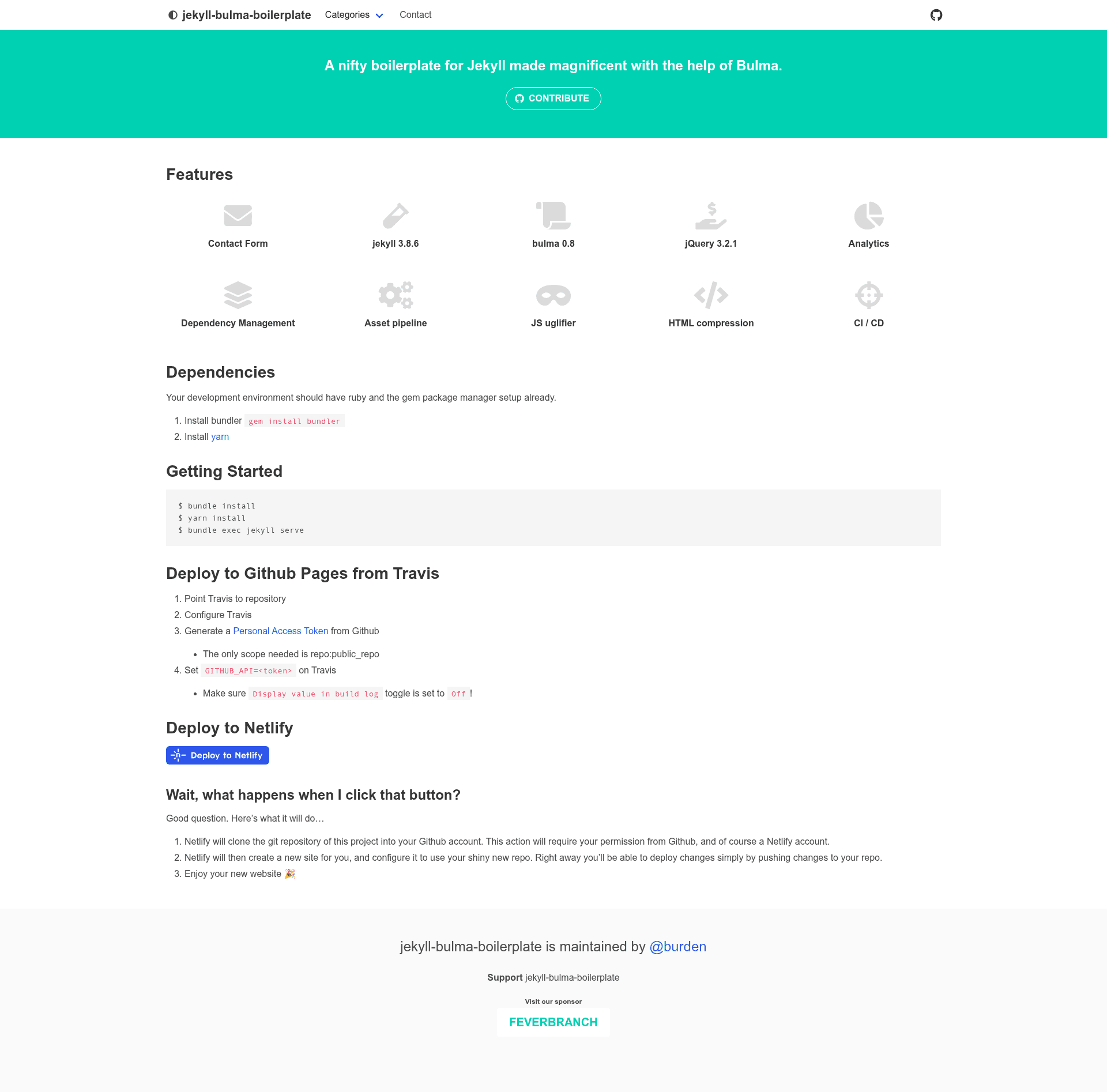
A nifty boilerplate for Jekyll made magnificent with the help of Bulma.
About this template
Jekyll Bulma Boilerplate is a Jekyll-based website boilerplate that pairs the Bulma CSS framework with a preconfigured asset pipeline, contact page, and deployment automation for GitHub Pages or Netlify.
What is Jekyll Bulma Boilerplate?
Jekyll Bulma Boilerplate is a starter project for building static websites with Jekyll and Bulma 0.8.0. It provides a preconfigured Jekyll installation with an asset pipeline via jekyll-assets, HTML compression, Google Analytics integration, and a contact page that works with Formspree.io or Netlify Forms. The boilerplate is maintained as an open-source repository on GitHub and includes a demo site.
Key Features
- Bulma 0.8.0 styling — The site uses Bulma, a modern CSS framework based on Flexbox, with Sass support for customization.
- jQuery 3.2.1 — Ships with jQuery for interactive components and scripting.
- jekyll-assets asset pipeline — Bundles and minifies JavaScript (via Uglifier) and CSS automatically during the Jekyll build process.
- HTML compression — Uses compress.html to strip unnecessary whitespace from generated HTML pages.
- Google Analytics — Includes a built-in analytics snippet to track site traffic.
- Contact page with spam protection — Implements a honeypot field and Google reCAPTCHA to block spam submissions.
- Email obfuscation rake task — Provides a
rake emailcommand to encode your email address so it isn't displayed in plaintext. - Formspree.io integration — The contact form works with Formspree.io by default, allowing up to 100 free submissions per month without registration.
- Netlify Forms support — When deployed to Netlify, the site automatically switches to Netlify Forms; set
site.contact.page.servicetoformspreeto override.
Who is it for?
- Developers starting a Jekyll site — Anyone who wants a preconfigured Jekyll project with Bulma styling and an asset pipeline can clone the repository and run
bundle installandyarn installto get started. - Static site deployers — The boilerplate includes Travis CI configuration for automated deployment to GitHub Pages, plus a Netlify Deploy button to clone and deploy the site in one click.
- Small business or personal site owners — The built-in contact page with spam protection and Google Analytics makes it easy to launch a professional-looking website without coding backend infrastructure.
What can you do with Jekyll Bulma Boilerplate?
- Launch a blog or portfolio: Use the Jekyll structure, including posts, collections, and layouts, to publish content with Bulma-styled pages.
- Collect contact form submissions: The contact page can send submissions to Formspree.io or Netlify Forms; with Netlify you get built-in form handling.
- Automate deployment: Push changes to GitHub and let Travis CI build and deploy to GitHub Pages, or use the Netlify Deploy button to create a new site and automatically deploy on every push.
How does Jekyll Bulma Boilerplate work?
The boilerplate requires Ruby, Bundler, and Yarn installed on your system. After cloning, run bundle install, yarn install, and bundle exec jekyll serve to start a local development server. To add your email, run bundle exec rake email and follow the prompt; the script outputs an encoded email key and value to insert into src/_config.yml.
FAQ
What dependencies does Jekyll Bulma Boilerplate require?
Ruby, the Bundler gem installer, and Yarn package manager. The project uses a Gemfile and a package.json to manage Ruby gems and JavaScript dependencies.
How do I set up the contact form?
By default, the contact form uses Formspree.io, which requires no registration for up to 100 free submissions per month. If deploying to Netlify, the site automatically uses Netlify Forms instead; you can force Formspree by setting site.contact.page.service to formspree in src/_config.yml.
How do I deploy to GitHub Pages?
Configure Travis CI for the repository, generate a GitHub Personal Access Token with the repo:public_repo scope, and set it as the GITHUB_API environment variable in Travis. The included .travis.yml handles building and deployment.
Can I use a plain email address?
Yes. If you don't want to use the rake obfuscation script, you can enter your email directly in the site.contact.email-plain field in src/_config.yml.
Is this boilerplate free to use?
The repository is open source on GitHub, so it's free to use and modify. Note that external services like Formspree.io offer a free tier with a 100-submissions-per-month limit.