Template details
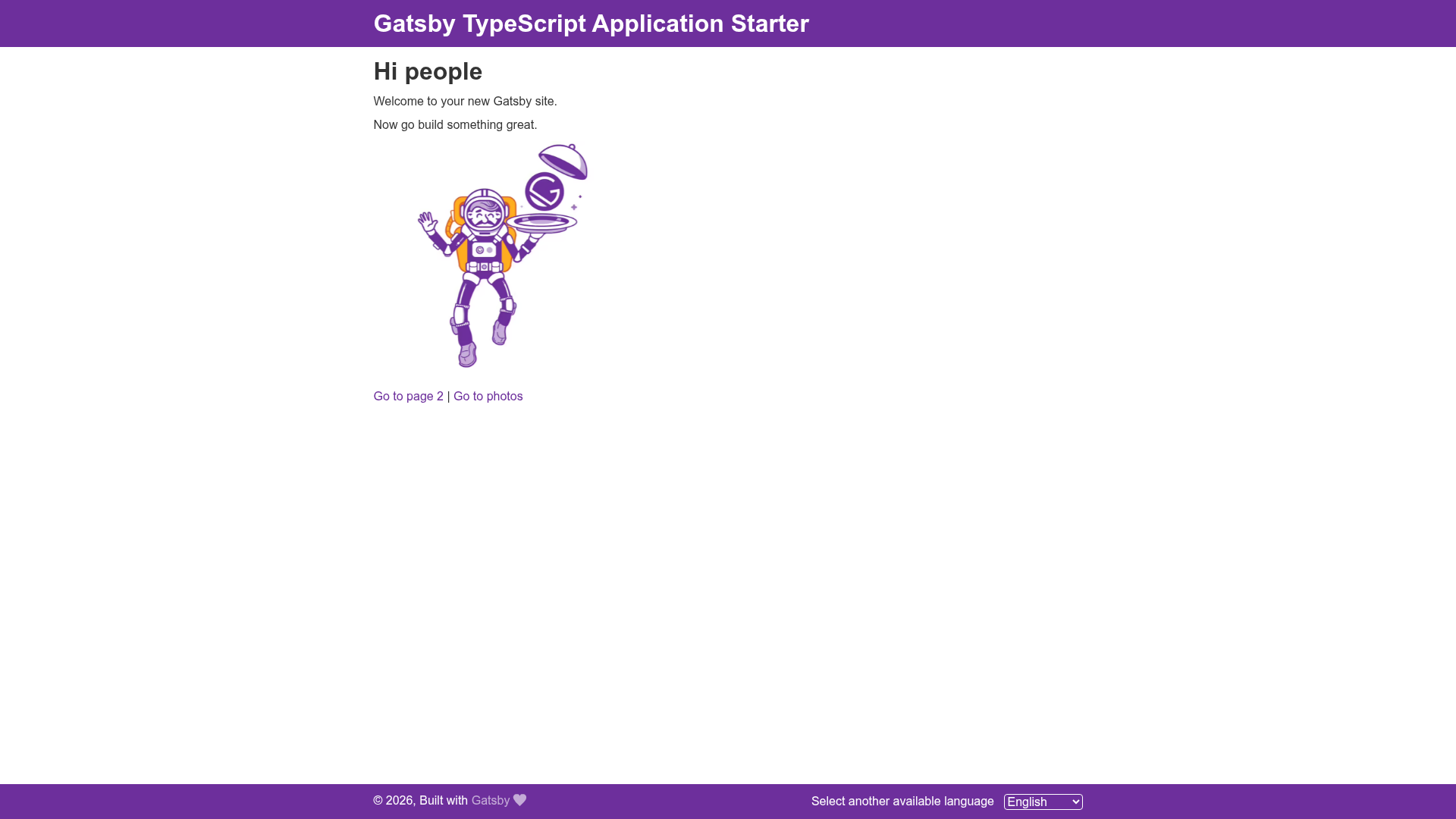
Gatsby TypeScript App Starter
Gatsby TypeScript application starter with Redux, react-intl i18n, Sass, and Jest unit testing pre-configured.
About this template
Gatsby's TypeScript application starter (GitHub: erkobridee/gatsby-typescript-app-starter) is a boilerplate for scaffolding React-based Gatsby websites with TypeScript, with Redux state management, react-intl internationalization, Sass styling, and Jest unit testing pre-configured. This starter is for developers who want a production-oriented Gatsby project setup without manually wiring together Babel, ESLint, Prettier, tsconfig, and test runners.
What is the Gatsby TypeScript App Starter?
The Gatsby TypeScript App Starter is a Gatsby starter project that combines the Gatsby static-site generator with a TypeScript development environment. Running gatsby new my-app https://github.com/erkobridee/gatsby-typescript-app-starter creates a new project directory containing the source structure, configuration files, and npm scripts described in the README. The project is maintained by erkobridee and the repository metadata lists it as a "gatsby typescript application starter project" with topics covering coverage, gatsbyjs, jest, react-intl, sass, starter, and typescript.
The starter uses Gatsby's default static site generation on React, but extends the default with TypeScript support (tsconfig.json), a custom Babel configuration (.babelrc.js), ESLint and Prettier for code quality, and a custom HTML template (html.js) that overrides Gatsby's default to adjust the iOS viewport behavior. It also includes a src directory organized into assets, components, data, domains, helpers, pages, and store directories for scalable application architecture.
Key Features
- TypeScript configuration — tsconfig.json is pre-defined, and the project supports absolute imports via Gatsby's webpack configuration.
- Redux store with re-ducks pattern — src/store contains state folders, each with definitions.ts (types and action interfaces), actions.ts, operations.ts, reducers.ts, selectors.ts, and an index.ts; store helpers allow creating reducers as object definitions instead of switch statements.
- react-intl internationalization — the
npm run translationsscript extracts i18n messages from the code and generates JSON translation files in src/assets/languages, which you maintain per language. - Sass and PostCSS with autoprefixer — global styles and mixins are written in Sass; the project includes a temporary workaround for the Browserslist "Unknown browser query 'android all'" warning.
- Jest unit testing — tests are run before the production build via
npm run build, or on demand withnpm run unit-tests; coverage reports are written to /coverage and mocks go in a__mock__directory. - Font icons from SVG — drop SVGs into src/assets/icons and use the FontIcon component (in src/components/ui/FontIcon) to render them as web font icons; the generation script lives in /scripts.
- Custom html.js — overrides Gatsby's default index.html generation to redefine the viewport meta, preventing iOS from zooming in on input fields.
- Pre-configured linting and formatting — ESLint (.eslintrc) and Prettier (.prettierrc) are included with npm scripts
npm run lintandnpm run format.
Who is it for?
- TypeScript-first Gatsby developers — you get a ready-made TypeScript + React environment with typings for Redux, so you can start writing typed components and state logic immediately.
- Teams building feature-rich React apps on Gatsby — the src/domains and src/data folders give structure for API schemas, models, and domain use cases, plus a Redux store organized for scaling.
- Developers who need i18n from day one — react-intl extraction and language JSON files are built into the workflow, saving setup time for multilingual sites.
- Maintainers who want automated quality gates — Jest tests run before every production build, and
npm run checkruns typings and lint together.
What can you do with it?
- Scaffold a new Gatsby site in one command — use the provided
gatsby newornpx gatsby newcommand, thennpm iandnpm startto begin developing at localhost:8000. - Manage application state with Redux — create new state slices under src/store/state using the documented definitions/actions/operations/reducers/selectors pattern, and connect them via the store index.
- Localize your Gatsby site — run
npm run translationsto extract messages from components, edit the JSON files in src/assets/languages, and switch languages with the Wrapper components. - Add unit tests to your Gatsby build — place test files in
__tests__directories or with.test/.specsuffixes; Jest collects coverage automatically and the build fails if tests fail.
How does it work?
The starter's quick-start workflow is defined in the README: first, create a new site with the Gatsby CLI by passing this repository's URL. Second, navigate into the new directory, install dependencies with npm i, and start the development server with npm start (or npm run develop). Third, edit files under src/pages — the browser hot-reloads changes, and you can inspect data queries in the GraphiQL tool at localhost:8000/___graphql. The production build (npm run build) runs the Jest test suite first and then outputs a static site to /public.
FAQ
Is this Gatsby starter free to use?
Yes, the starter is open source and available on GitHub under the repository erkobridee/gatsby-typescript-app-starter. You can clone or fork it for any project, and the README links to Gatsby's official documentation for further customization.
Does this starter include TypeScript?
Yes, TypeScript is a core part of the starter. It includes a tsconfig.json, type definitions for Redux states, and typings for data schemas and models. The npm run check script runs both type checking and linting.
What testing setup does this starter provide?
The starter includes Jest configured via jest.config.js. Unit tests can be run with npm run unit-tests, jest, or jest --watch. Tests are automatically executed before npm run build, and coverage reports are generated in the /coverage directory.
How do I add a new language to the site?
Run npm run translations to extract i18n messages from your code. The extracted messages are used to generate JSON translation files in src/assets/languages. You then maintain and update the key entries for each supported language in those JSON files.