Template details
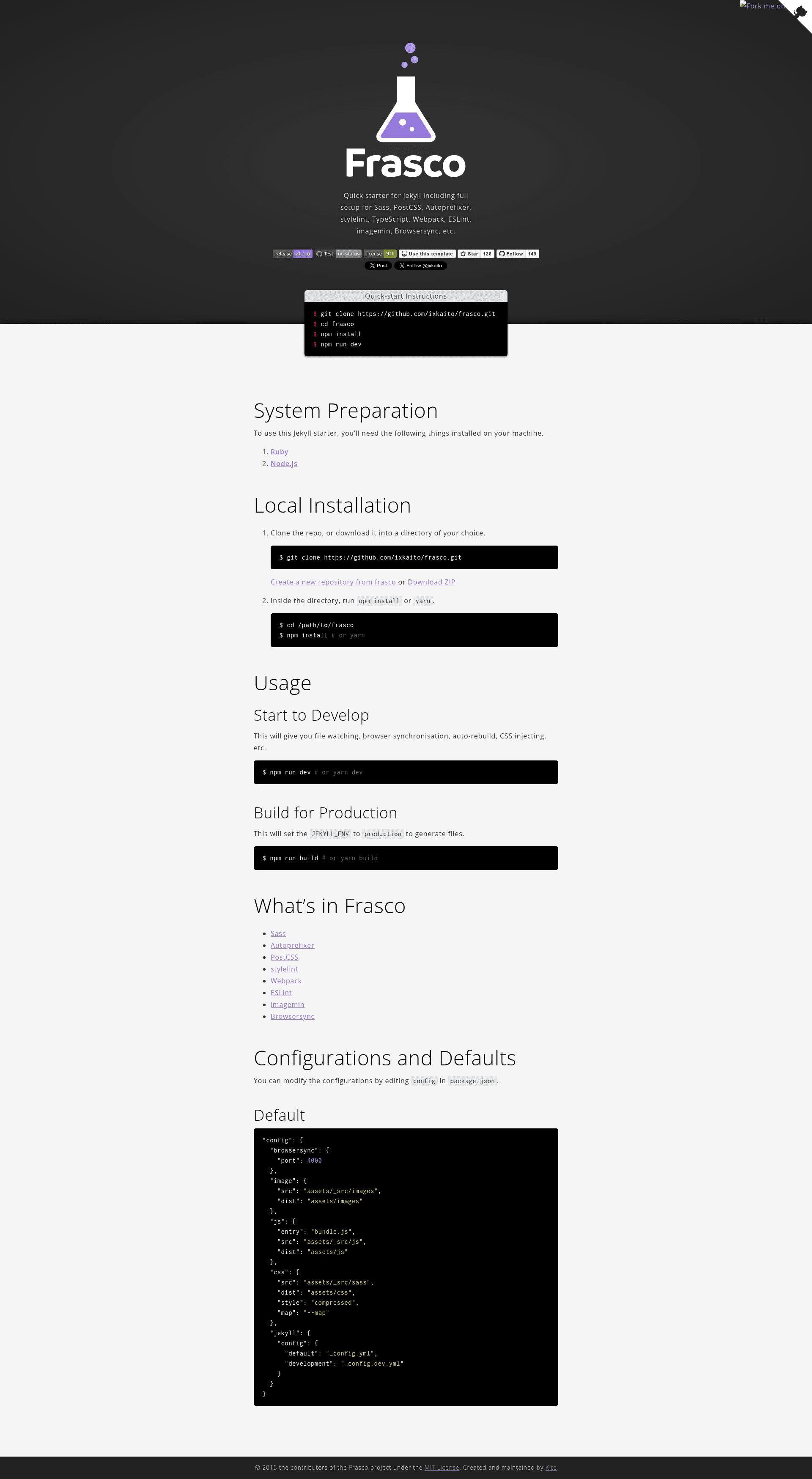
Frasco
Quick starter for Jekyll including full setup for Sass, PostCSS, Autoprefixer, stylelint, TypeScript, Webpack, ESLint, imagemin, Browsersync, etc.
About this template
Frasco is a Jekyll starter kit that bundles a full front-end toolchain — Sass, PostCSS, Autoprefixer, stylelint, TypeScript, Webpack, ESLint, imagemin, and Browsersync — into a single GitHub template under the MIT License.
What is Frasco?
Frasco is a quick-start template for Jekyll sites, maintained by the contributors of the Frasco project. It takes a Jekyll site skeleton as input and produces a development environment with preconfigured Sass compilation, PostCSS processing, TypeScript transpilation, and image optimization, all wired together with Webpack and Browsersync for live reload. The current release is available on GitHub with an automated test workflow.
Key Features
- Sass and SCSS support — write styles in Sass/SCSS and compile through PostCSS with Autoprefixer automatically.
- PostCSS and Autoprefixer — vendor prefixes are added to generated CSS without manual configuration.
- TypeScript — scripts are written in TypeScript and bundled by Webpack, with type checking included in the build pipeline.
- Webpack — bundles JavaScript and static assets with a preconfigured config that handles modern front-end workflows.
- ESLint — JavaScript and TypeScript linting rules are included to catch errors early in development.
- stylelint — CSS and SCSS files are linted with stylelint, keeping styles consistent.
- imagemin — images are optimized on build, reducing page size.
- Browsersync — live reload and cross-device testing during local development.
Who is it for?
- Jekyll developers who want a modern assets pipeline without hand-writing Webpack and PostCSS configuration.
- Front-end developers working on static sites who prefer Sass and TypeScript over plain CSS and JavaScript.
- Site maintainers who need linting and image optimization built into their Jekyll build process.
What can you do with Frasco?
- Static site builders: start a new Jekyll blog or corporate site with a preconfigured front-end pipeline, avoiding hours of setup.
- Prototyping: quickly spin up a Jekyll project that includes live reload and asset minification for fast iteration.
- Team projects: use the built-in ESLint and stylelint rules to keep code style uniform across contributors.
How does Frasco work?
Clone the GitHub repository (or use it as a template), install dependencies, and run the development commands defined in the project. The documentation on the Frasco website covers setup steps and command usage.
Pros and Cons
Pros: free under MIT License, automated tests via GitHub Actions, documented on a dedicated site, includes the complete asset toolchain commonly needed for Jekyll. Cons: Jekyll is required, so it is not suitable for other static site generators; the bundled toolchain adds complexity compared to a minimal Jekyll setup.
Alternatives
- Hugo — a static site generator with its own templating and asset pipeline, if you want a different toolchain.
FAQ
Is Frasco free?
Yes, Frasco is released under the MIT License, so it is free to use and modify for personal and commercial projects.
What does Frasco include?
It includes preconfigured Sass, PostCSS, Autoprefixer, stylelint, TypeScript, Webpack, ESLint, imagemin, and Browsersync for Jekyll projects.
Does Frasco work with GitHub Pages?
Frasco generates a standard Jekyll site, so the build output can be deployed to GitHub Pages, though the full local toolchain is intended for local development.