Template details
Jekyll Garden
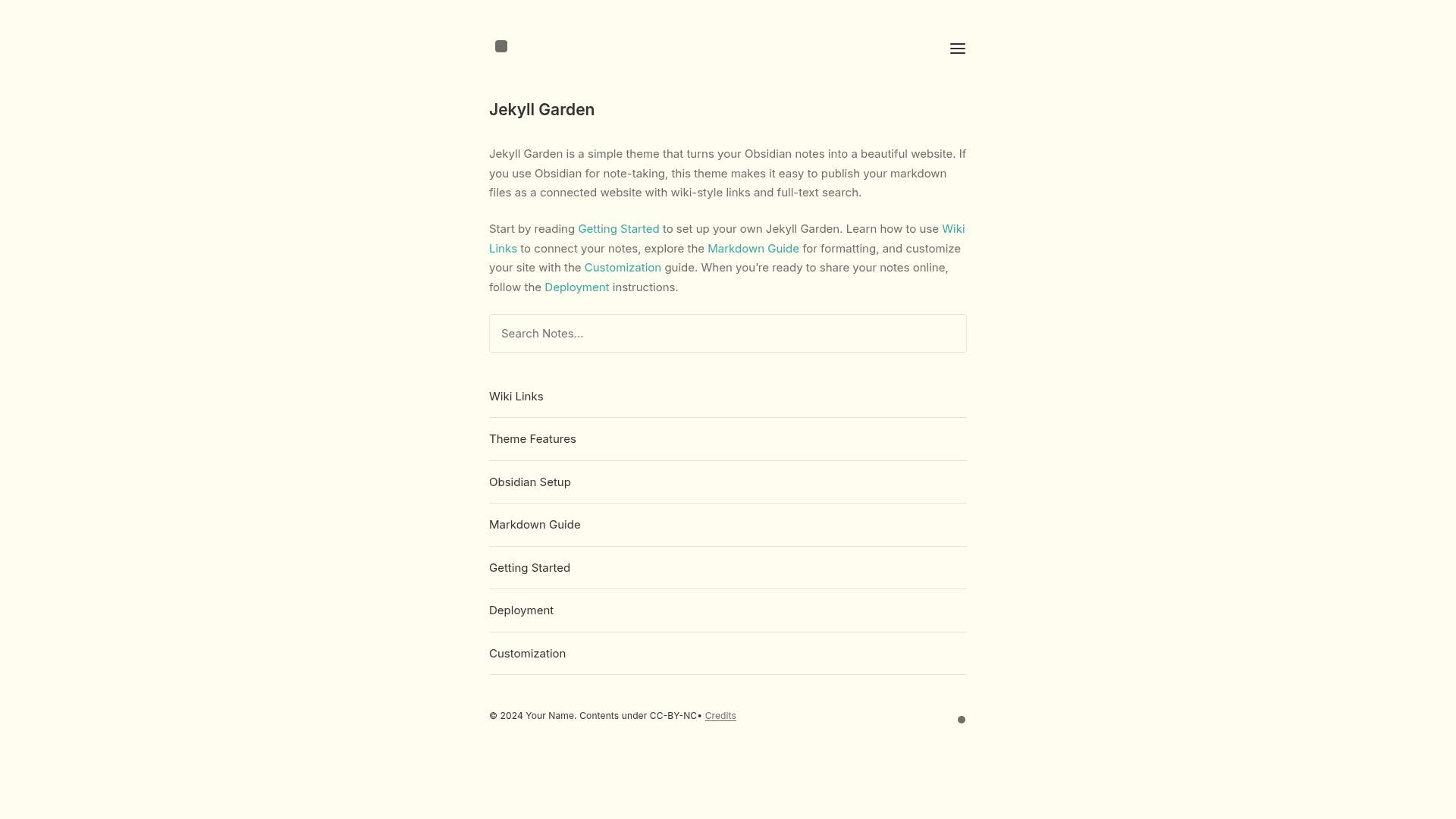
A simple Jekyll theme that turns your Obsidian notes into a beautiful website.
About this template
Jekyll Garden is a free Jekyll theme that converts a folder of Obsidian markdown notes into a static website with wiki-style links, full-text search, backlinks, and math rendering.
What is Jekyll Garden?
Jekyll Garden is a simple Jekyll theme designed specifically for Obsidian users who want to publish their notes online. It takes markdown files written with Obsidian's [[note title]] wiki links and outputs a clean, responsive static site that can be hosted on GitHub Pages, Netlify, or any static web server. The project is open source under the MIT License and is available as a GitHub repository.
Key Features
- Wiki-style linking — Use
[[note title]]in your markdown files and the theme automatically generates clickable internal links, with a hover preview of the linked note, matching Obsidian's behavior. - Full-text search — A built-in search box filters all note titles and contents as you type, requiring no external search service or JavaScript libraries beyond the theme itself.
- Backlinks — Every note page displays a list of other notes that link to it, helping readers navigate the connections between your ideas.
- Math support — Write inline math with
$x = y$and display equations with$$...$$; the theme renders them for the web. - Dark and light themes — Users can switch between a dark and a light color scheme.
- Blog posts — In addition to the
_notesfolder, the theme supports regular blog posts, so you can mix evergreen notes with chronological articles. - Responsive design — The layout is clean and minimal, and it works on phones, tablets, and computers.
- Configurable URLs — The
_config.ymlfile supports both subdomain deployments (likenotes.yoursite.com) and subdirectory deployments (likeyoursite.com/notes).
Who is it for?
- Obsidian users who want to publish their notes as a public website without copying content manually or using Obsidian Publish.
- Digital gardeners who maintain a growing collection of interlinked notes and want a searchable, minimal online home for them.
- Researchers and technical writers who need to share notes containing mathematical equations and cross-references.
- Students and educators who want to create a personal knowledge base or course notes site with backlinks for review.
What can you do with Jekyll Garden?
- Publish a digital garden: Turn a folder of Obsidian notes into a public website with automatic internal links and search.
- Host a personal knowledge base: Create a docs-style site where every page can link to any other page via
[[note title]]. - Run a hybrid blog and notes site: Combine a traditional blog with a separate
_notesfolder for evergreen content. - Deploy for free: Host the site on GitHub Pages or Netlify, both of which offer free hosting and automatic rebuilds from your repository.
How does Jekyll Garden work?
The setup process is straightforward. First, download the theme and edit _config.yml with your site title, heading, description, URL, and either a subdomain or subdirectory base URL. Then add your notes as markdown files to the _notes folder, each with YAML front matter containing a title and date. You can test locally by running bundle install and bundle exec jekyll serve. Finally, deploy to GitHub Pages or Netlify by pushing your repository; Netlify rebuilds automatically whenever you update your files.
Pricing
The theme is free and open source under the MIT License. You can use it for personal or commercial projects without paying a license fee.
FAQ
Is Jekyll Garden free?
Yes, Jekyll Garden is released under the MIT License, so it is free to use, modify, and distribute for any purpose.
Can I deploy Jekyll Garden to GitHub Pages?
Yes, the theme includes instructions for GitHub Pages. Upload your files to a GitHub repository, enable GitHub Pages in the repository settings, and your site goes live automatically.
Does Jekyll Garden support Obsidian wiki links?
Yes, you write notes using [[note title]] syntax, and the theme converts these into clickable links with hover previews, just like in Obsidian.
Can I use math equations in Jekyll Garden?
Yes, the theme supports mathematical expressions. You can use $x = y$ for inline math and $$...$$ for display equations.
Can I write blog posts with Jekyll Garden?
Yes, in addition to the notes in the _notes folder, you can publish traditional blog posts. Both content types are supported by the theme.