Template details
Jekyll HTML Pages
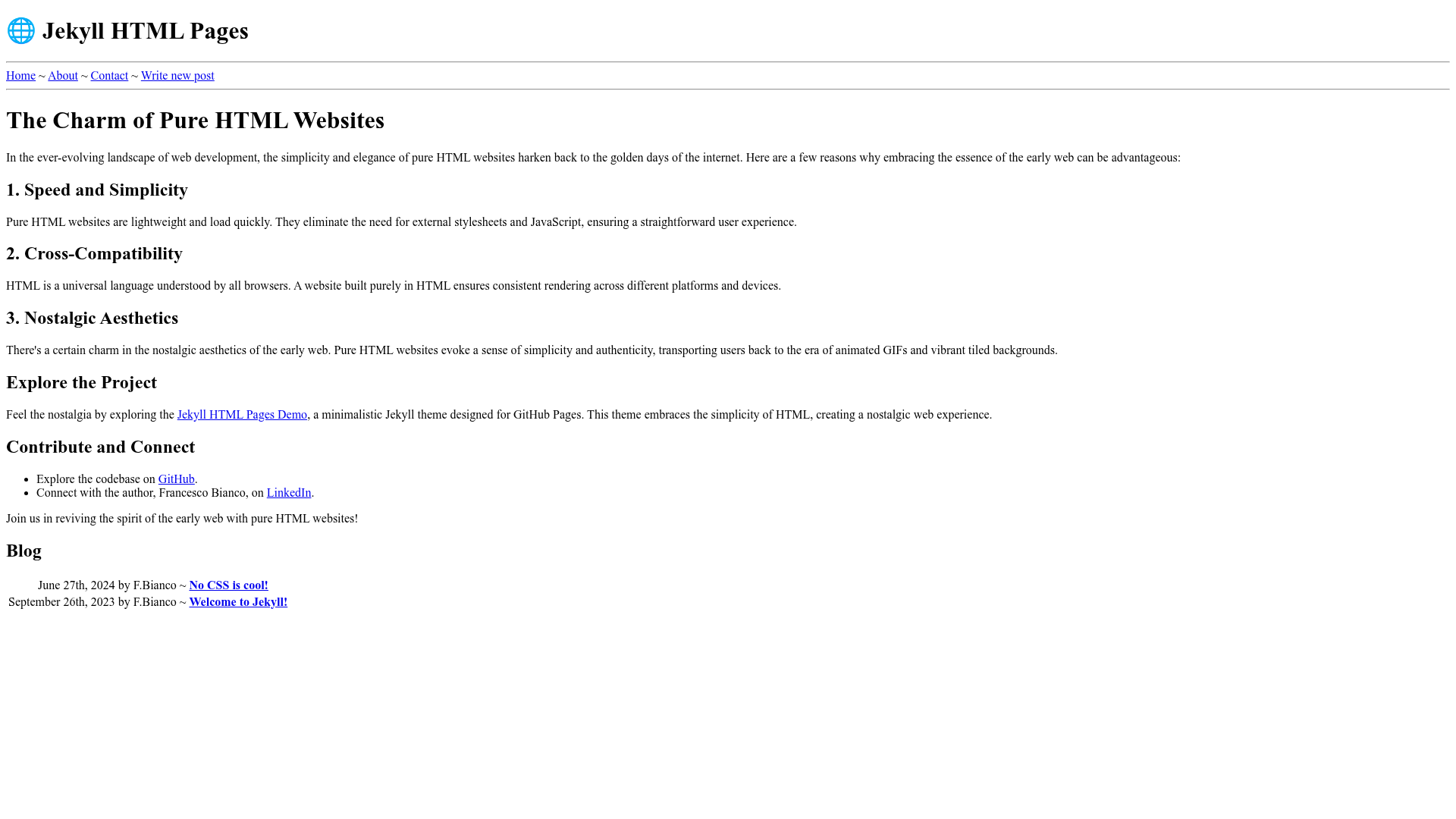
A minimalistic, CSS-free Jekyll theme for GitHub Pages that recreates the look of the early World Wide Web.
About this template
Jekyll HTML Pages is a minimalistic, CSS-free Jekyll theme built for GitHub Pages that renders content as plain HTML in the style of the early World Wide Web at CERN.
What is Jekyll HTML Pages?
Jekyll HTML Pages is a Jekyll theme created by Francesco Bianco (GitHub user francescobianco, also known as yafb). It takes Jekyll content written in the _posts directory and outputs a static HTML site with no CSS styling, reproducing the look of the first web pages. It is designed specifically for deployment on GitHub Pages and is available under the MIT License. The theme can be used either by forking the repository or by referencing it as a remote theme in _config.yml.
What makes Jekyll HTML Pages stand out?
- CSS-free rendering — The theme intentionally includes no CSS, making every page render in the browser's default HTML styling for an authentic early-web look.
- GitHub Pages ready — Works as a standard Jekyll theme on GitHub Pages; enable Pages in the repository settings after forking.
- Remote theme support — Can be used as a remote theme by adding
remote_theme: francescobianco/jekyll-html-pages@mainto_config.yml. - Post-based content — Content is managed through Markdown files in the
_postsdirectory, the standard Jekyll blogging workflow. - Minimal setup — The basic usage is: fork the repo, edit posts, enable Pages. No installation or build configuration is needed beyond the default GitHub Pages Jekyll pipeline.
- Open source license — Released under the MIT License, allowing free use and modification.
- Nostalgic aesthetic — Explicitly modeled after the early World Wide Web at CERN, appealing to retro-computing fans and historical web projects.
Who should use Jekyll HTML Pages?
- Retro-web enthusiasts — Build a personal site or blog that recreates the look of the 1990s web with zero CSS.
- Developers learning Jekyll — Use a minimal theme to understand how Jekyll converts
_postsMarkdown into static HTML without the distraction of styling. - Hobbyists with simple content — Publish plain-text articles, notes, or lists on GitHub Pages with no design effort.
- Educators — Demonstrate the history of web design by showing a live site that resembles the original CERN pages.
What can you do with Jekyll HTML Pages?
- Personal blogging: publish Markdown posts in
_postsand get a single-column, unstyled blog on GitHub Pages. - Historical web projects: create a time-capsule site that looks like the first web pages, including plain hyperlinks and default HTML text.
- Quick documentation: host a no-frills documentation page by writing pages in Jekyll format without any theming.
- Jekyll experimentation: test how Jekyll structures site output while isolating the default HTML rendering.
How does Jekyll HTML Pages work?
The theme works through the standard Jekyll build process. You either fork the theme repository or set the remote theme in _config.yml. Then you add your content as Markdown files in the _posts directory (for blog posts) or modify the existing pages. Once you enable GitHub Pages in the repository settings, GitHub builds the site with Jekyll and serves it at your Pages URL. The demo is available at yafb.net and shows the theme in action.
FAQ
Is Jekyll HTML Pages free?
Yes, the theme is open source under the MIT License, so you can use, modify, and distribute it freely, including for commercial projects.
Does Jekyll HTML Pages use CSS or JavaScript?
No CSS is included by design. The theme deliberately avoids CSS to recreate the appearance of the early World Wide Web, so pages render with the browser's default HTML styles.
How do I install Jekyll HTML Pages on GitHub Pages?
You can either fork the repository and enable GitHub Pages in the repository settings, or add remote_theme: francescobianco/jekyll-html-pages@main to your _config.yml file and push to GitHub.
Where can I see a live demo?
The theme has a live demo hosted at yafb.net/jekyll-html-pages, which shows the unstyled HTML output in action.