Template details
Jekyll Indigo
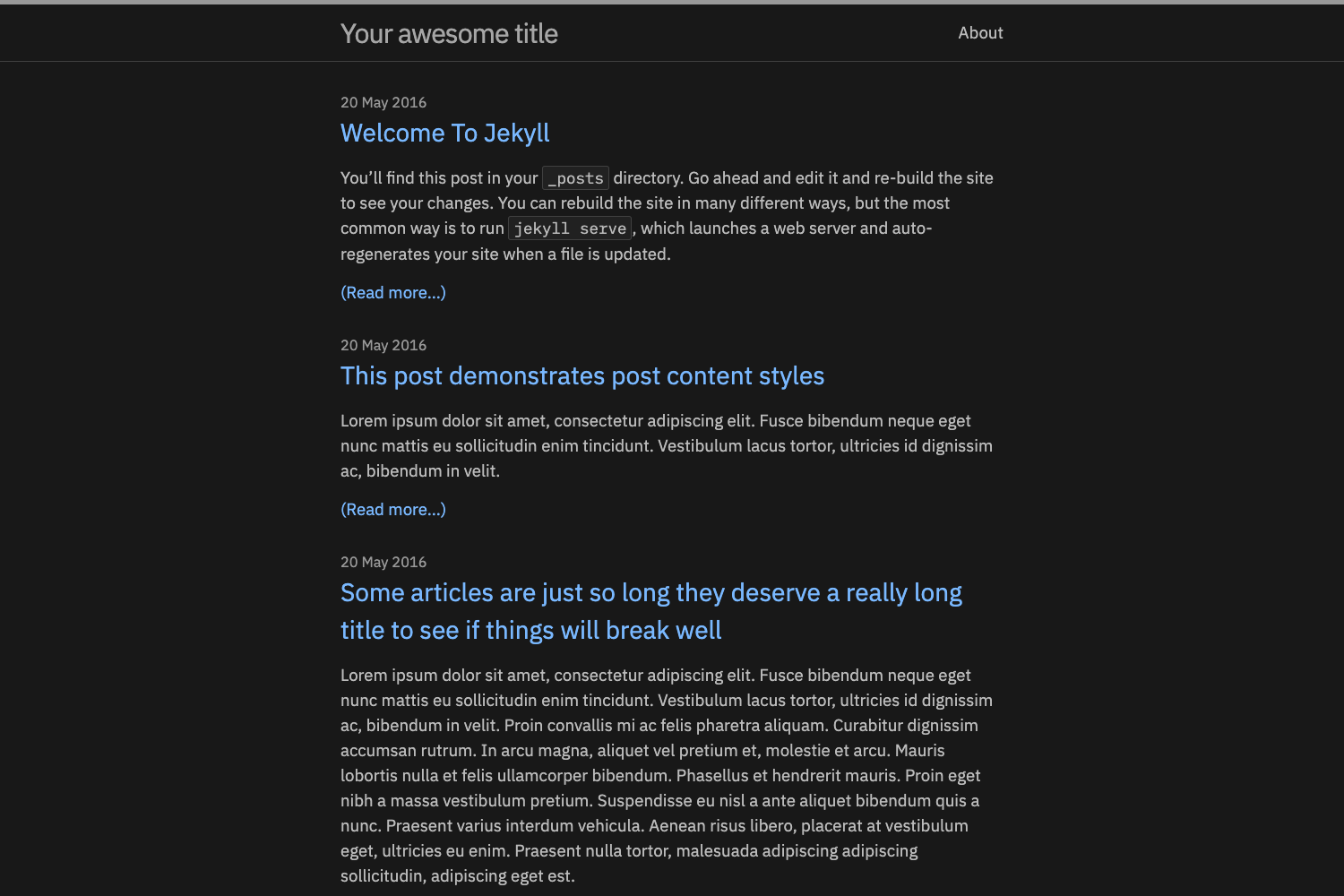
Minimalist Jekyll template with light and dark themes, built with Sass and SVG, scoring 99 on PageSpeed.
About this template
Jekyll Indigo is a minimalist Jekyll template for personal blogs that ships with light and dark themes and a 99/100 desktop Page Speed score.
What is Jekyll Indigo?
Jekyll Indigo is a free, MIT-licensed template for Jekyll, the Ruby-based static site generator. It takes Markdown posts and a _config.yml file as input and produces a static HTML site as output, running on any Jekyll-compatible hosting such as GitHub Pages. It was created by Sérgio Kopplin and has a public demo at sergiokopplin.github.io/indigo.
Key Features
- Light and dark themes — two built-in color schemes are available, and the demo lets you switch between them.
- Jekyll + Sass + SVG stack — site generation is handled by Jekyll, styles are written in Sass, and graphics use SVG; no JavaScript framework is required.
- High Page Speed score — the README reports a 99 out of 100 desktop score from Google PageSpeed Insights.
- Simple configuration and posting — edit
_config.ymlfor site settings and add posts in Markdown to publish. - Local preview command — after installing Jekyll and Bundler, run
bundle installandbundle exec jekyll serveto view the site at http://localhost:4000. - Docker support — the template can be run using the BretFisher/jekyll-serve Docker image.
- MIT licensed — you can freely reuse and modify it with attribution.
Who is it for?
- Writers and bloggers who want a clean, minimal online home for their posts without managing a CMS.
- Developers who are comfortable with the command line and want a customizable Jekyll theme they can deploy to GitHub Pages.
- Design-focused users who appreciate a simple, typography-first layout and the choice between light and dark appearances.
Use cases
- Personal blogging: write posts in Markdown and have them served as a fast static blog with your choice of theme.
- Developer portfolios: showcase projects and writing with a minimal layout, though the template is built primarily around blog posts.
- Learning Jekyll: use the template as a starting point to understand how Jekyll projects, Sass pipelines, and config-based customization work.
How does it work?
The README describes a three-step setup: fork the repository, edit _config.yml with your own data, and write some posts. For local development, you install Jekyll and Bundler, clone the forked repo, run bundle install, and then bundle exec jekyll serve to preview at http://localhost:4000.
FAQ
Is Jekyll Indigo free?
Yes, it is released under the MIT License, so you can use, modify, and distribute it for free as long as you include the original license notice.
How fast is the resulting site?
The README lists a 99 out of 100 Page Speed score on desktop, which contributes to a fast user experience.
Does Jekyll Indigo support dark mode?
Yes, the template includes both light and dark themes, selectable in the demo and configurable in your own copy.
Can I run it with Docker?
Yes, the README points to the BretFisher/jekyll-serve Docker image as a way to run the template in a containerized environment.