Template details
minima-plex
Fork of Jekyll Minima theme using IBM Plex family of fonts
About this template
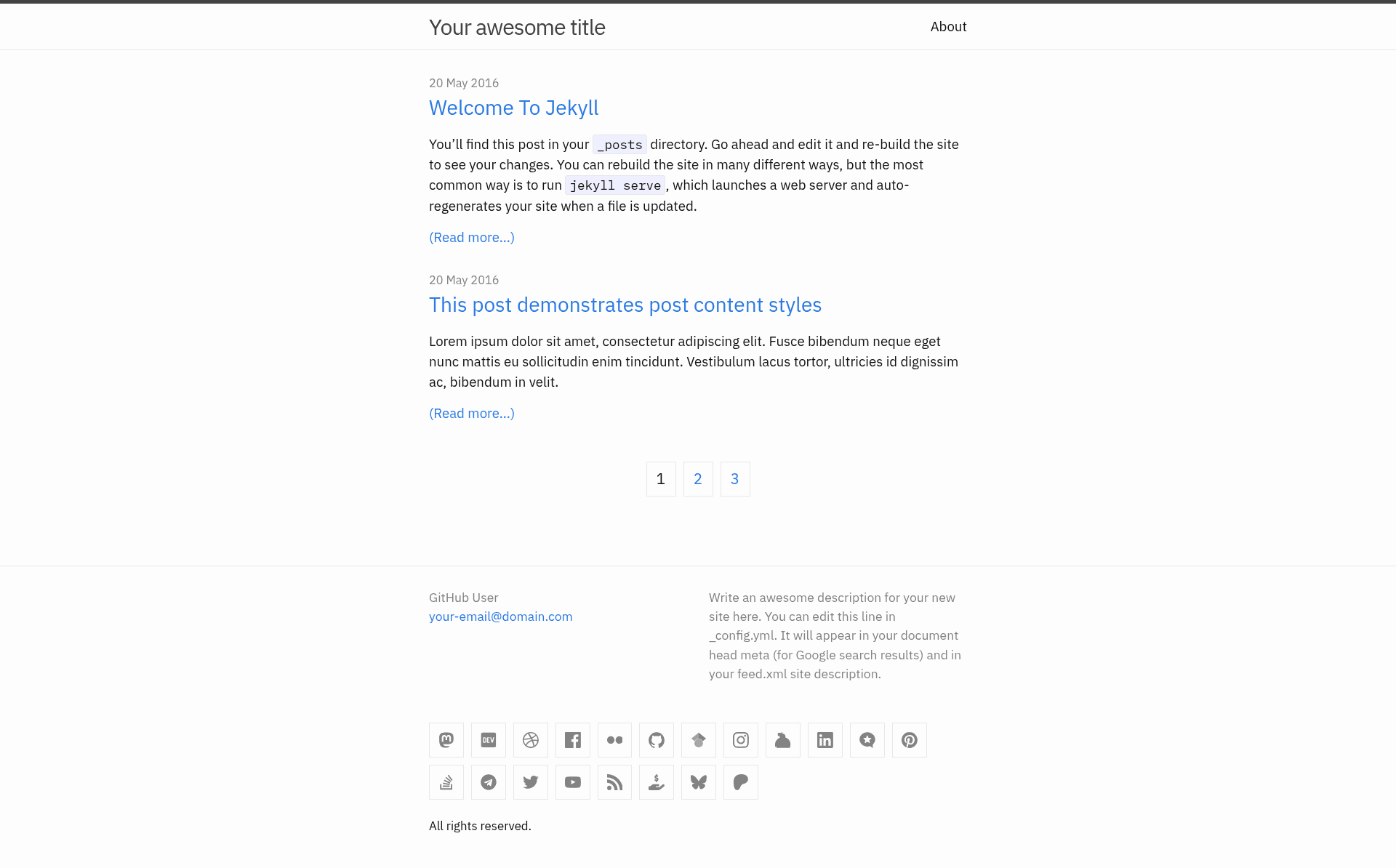
minima-plex is a Jekyll theme that forks the popular Minima theme (v2.5.1) to swap in the IBM Plex font family and add category and tag archive pages. It's installed as a gem from the questionlp/minima-plex GitHub repository and configured with theme: minima-plex.
What is minima-plex?
minima-plex is a fork of the Jekyll theme Minima at version 2.5.1, created by questionlp, that changes the default font families to use the IBM Plex family (including serif variants) and extends Minima with category and tag listing pages. As a Jekyll theme, it runs on any standard Jekyll site by adding the gem to your Gemfile, executing bundle, and setting theme: minima-plex in your _config.yml. The theme is available under the MIT License.
Key Features
- IBM Plex typography — The core fork applies IBM Plex Sans and Mono site-wide; serif variants are available through skins like
classic-serifanddark-serif. - Category and tag pages — Adds
category-pageandtag-pagelayouts; you create Markdown files for each category/tag, and tags are listed at the end of every post. - Multiple color skins — Includes
classic,dark,auto,solarizedand lighter/darker variants; adaptive skins use theprefers-color-schememedia query to switch based on the visitor's OS or browser setting. - Sass override hooks — You can put variable/mixin overrides in
_sass/minima-plex/custom-variables.scssand style overrides incustom-styles.scss, keeping customizations in sync with upstream updates. - Social links — Config-driven footer icons for 17 platforms (GitHub, Mastodon, Twitter, LinkedIn, etc.), with support for custom SVG icons stored in
_includes/social-icons. - Jekyll template overrides — Any theme file (e.g.
_includes/head.html) can be copied into your site's directories and edited without touching the gem. - Sass-based styling — The theme's styles are written in SCSS and compiled through
assets/css/style.scss, which imports a skin and initialize partial.
Who is it for?
- Jekyll bloggers who want IBM Plex typography and automatic category/tag archive pages without building them from scratch.
- Developers and site owners who use the Minima theme but need dark mode or solarized color schemes that respond to system settings.
- Theme maintainers who want a minimal base with clean override points for custom variables and styles, so they can keep upstream changes.
What can you do with minima-plex?
- Set up a blog quickly: Add the gem to your Gemfile, create category and tag directories with the theme's
index.htmlfiles, and define category/tag Markdown files with the proper front matter to get archive pages. - Adapt the look to your brand: Switch between skins in the config (
minima-plex.skin: dark), or override Sass variables and styles in the provided hook files. - Add social links to the footer: Edit the list under
minima-plex.social_linksin your config with platform names and profile URLs; the theme renders icons as SVGs. - Add new social icons: Drop a platform-specific SVG without the top-level
<svg></svg>into_includes/social-iconsand register it in the config.
How does it work?
Installation is via Gemfile: gem "minima-plex", git: ..., then bundle. After setting theme: minima-plex, copy the index.html files from the theme's category and tag directories into matching directories at your site root, and create one Markdown file per category/tag using the front matter templates for category-page or tag-page. The theme's Sass pipeline imports a skin from _sass/minima-plex/skins and then initializes base, layout, and custom styles.
FAQ
Is minima-plex free to use?
Yes, the theme is open source under the MIT License, so it can be used, modified, and redistributed freely.
Do I have to use IBM Plex fonts?
The IBM Plex font family is the core change of this fork. If you want the original Minima fonts, you can override the font variables in _sass/minima-plex/custom-variables.scss, or use the original Minima theme instead.
How do I enable category and tag pages?
You must create category and tag directories in your site root and copy the index.html files from the themed directories. Then create Markdown files for each category/tag with layout: category-page or layout: tag-page and the corresponding category or tag front matter field.
Which social platforms are supported?
The theme ships with SVG icons for Mastodon, dev.to, Dribbble, Facebook, Flickr, GitHub, Google Scholar, Instagram, Keybase, LinkedIn, Micro.blog, Pinterest, Stack Overflow, Telegram, Twitter, YouTube, and RSS. Custom platforms require adding your own SVG file.
Does the theme support dark mode?
Yes, the auto and auto-serif skins adapt between light and dark variants based on the visitor's prefers-color-scheme setting. There are also fixed dark and dark-serif skins.