Template details
Jekyll Material Design
Jekyll Bootstrap 3 with the material design flavour. Publish your materialized blog using GitHub Pages easily.
About this template
Jekyll Material Design is a Jekyll theme that combines Bootstrap 3 with the Paper theme from Bootswatch to publish a materialized static blog on GitHub Pages.
What is Jekyll Material Design?
Jekyll Material Design is an open-source Jekyll theme built on Jekyll-Bootstrap-3. It takes Jekyll Markdown and HTML content as input and produces a static website, styled with Bootstrap 3 and Bootswatch's Paper theme for a Material Design look. The theme runs on GitHub Pages and can be fully tested locally with the Jekyll command-line tools. It is developed by sentenza and released under the MIT license.
Key Features
- Bootstrap 3 with Paper theme — The theme loads Bootstrap 3 plus the Paper theme from Bootswatch, providing a materialized visual style with cards, buttons, and typography out of the box.
- GitHub Pages ready — To deploy, create a repository named USERNAME.github.io, clone this project into it, and push to master; GitHub serves the site after approximately 10 minutes.
- Local preview and auto-reload — Run
jekyll buildto generate a_site/directory, thenjekyll serve --watchto preview the site athttp://localhost:4000with automatic rebuilds whenever files change. - Jekyll-Bootstrap-3 structure — Inherits the directory layout from Jekyll-Bootstrap-3, including
_includes/themes/bootstrap/for theme customization andpages/*.mdfor additional pages. - Syntax highlighting — A demo lesson at
lessons/2014/02/13/syntax-highlight-exampleshows how to render highlighted code blocks in your posts. - Sample content included — The repo ships with
index.mdand several Markdown pages underpages/that are converted to HTML during the build, giving you a starting point. - MIT license — The theme is free to use and modify under the MIT open-source license.
Who is it for?
- Bloggers new to Jekyll — People who want a ready-made theme to publish a blog on GitHub Pages without writing HTML or CSS from scratch.
- Developers who like Material Design — Developers who prefer a materialized look and want a Bootstrap-3-based Jekyll theme they can customize by editing the
_includes/themes/bootstrap/files. - Technical writers — Writers who want to publish Markdown-based content with code snippets, using the included syntax highlighting demo as a reference.
What can you do with Jekyll Material Design?
- Publish a blog on GitHub Pages: Create a repository named USERNAME.github.io, clone this theme, write Markdown posts, and push to master to go live.
- Test locally before publishing: Use
jekyll buildandjekyll serve --watchto preview and iterate on your content at localhost:4000. - Customize the look and feel: Edit the theme's default layout at
_includes/themes/bootstrap/default.htmlto remove the GitHub ribbon (line 26) or change site information.
How does Jekyll Material Design work?
The README outlines a four-step workflow: create a GitHub repository named USERNAME.github.io, clone the theme into it, edit the configuration in _includes/themes/bootstrap/, and then test locally with jekyll build and jekyll serve --watch before pushing to GitHub. After the push, GitHub Pages builds and serves the static site automatically.
Pros and cons
- Pros: Free and MIT licensed; uses Bootstrap 3; integrates with GitHub Pages; includes syntax highlighting and sample content; supports local development with watch mode.
- Cons: Bootstrap 3 is an older major release of the framework; the repository has 63 stars, indicating a small community.
Pricing
Jekyll Material Design is free to download and use under the MIT license.
Alternatives
- Minima — The default Jekyll theme that ships with Jekyll, featuring a minimal and unstyled layout without Bootstrap.
FAQ
What is the demo site for Jekyll Material Design?
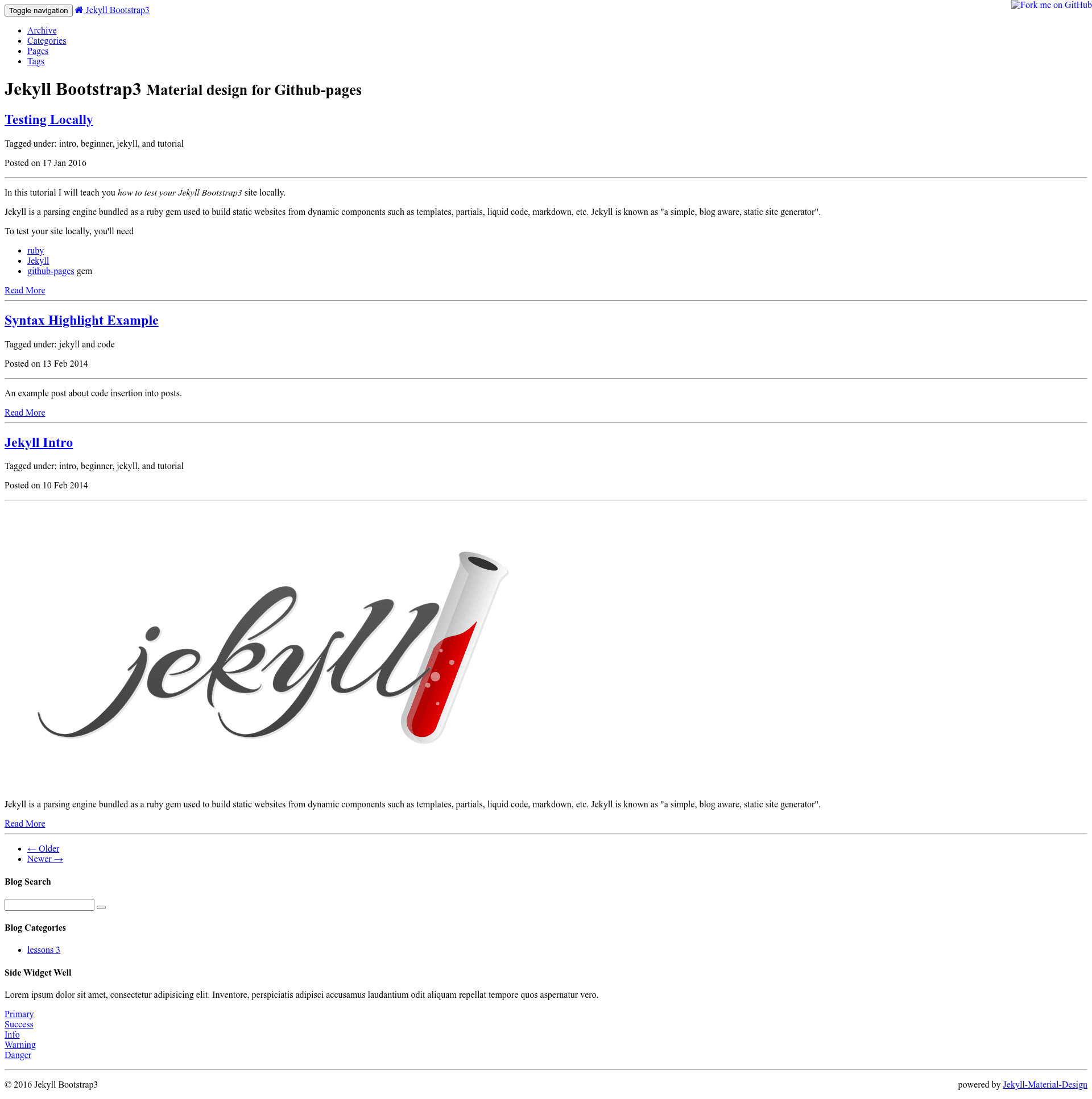
A live demo of the default theme is hosted on GitHub Pages at sentenza.github.io/jekyll-material-design. You can browse the site to see how the Bootstrap 3 and Bootswatch Paper combination renders with sample content, including a syntax highlighting example and standard blog layout.
How do I remove the GitHub ribbon from the site?
The GitHub ribbon is included in the theme's default layout. Open _includes/themes/bootstrap/default.html in your editor and locate line 26, which contains the ribbon markup. Delete or comment out that line, then rebuild or serve the site to see the change.
Is Jekyll Material Design free?
Yes, Jekyll Material Design is released under the MIT open-source license. You are free to use, modify, and distribute the theme, including in commercial projects, without paying any licensing fees. The only requirement is that you keep the original copyright notice in your copies.
How long does it take for GitHub Pages to serve the site after pushing?
According to the README, you should wait roughly 10 minutes after pushing to the master branch for GitHub to build and publish the site. The build time can vary depending on GitHub's queue, but 10 minutes is the wait time the author suggests before checking your site.