Template details
smallworld
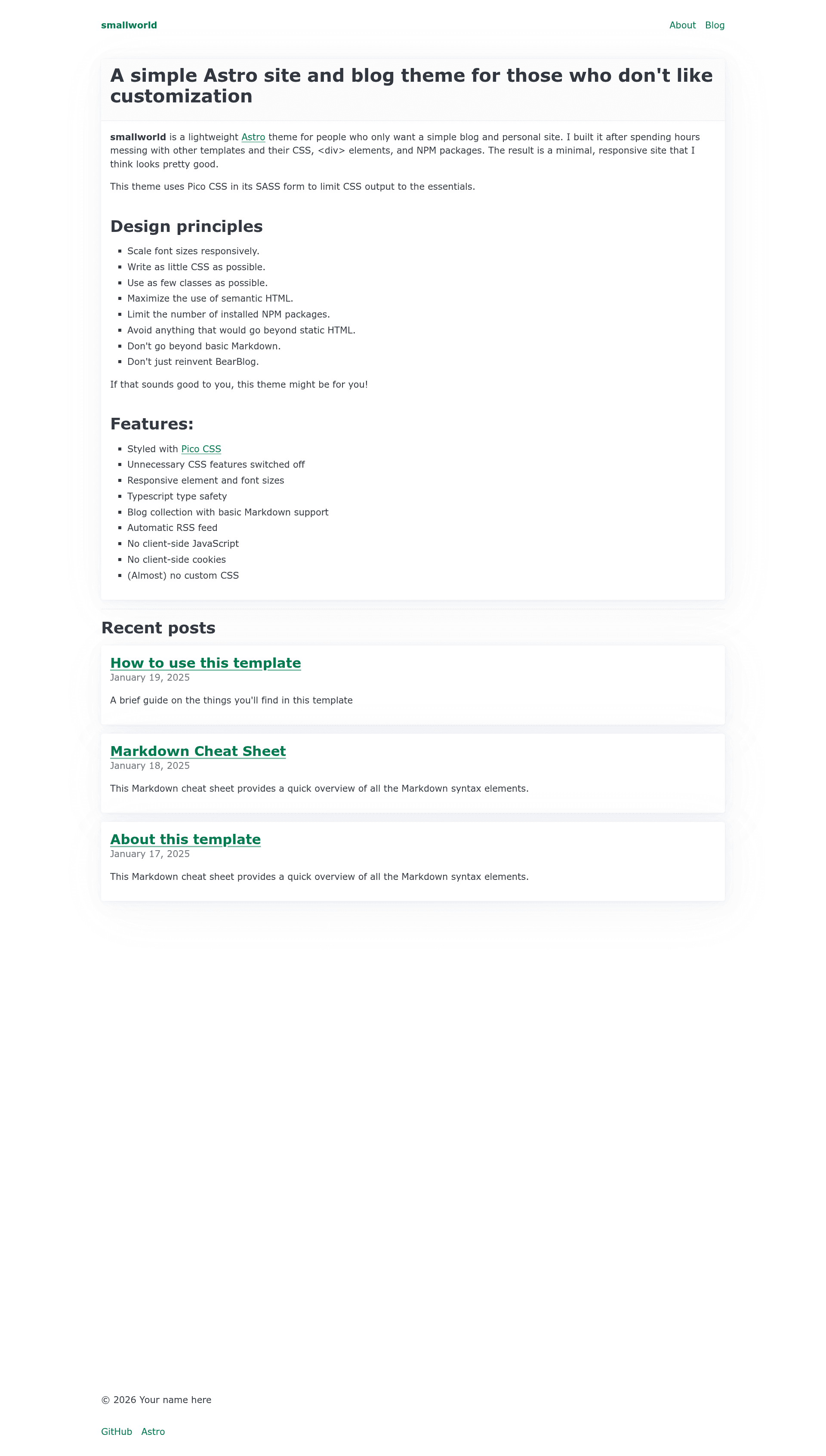
A minimal, low-class Astro template for a simple website with a single-author blog, built on semantic HTML and Pico CSS.
About this template
smallworld is a minimal, low-class template for the static site generator Astro, built to produce a simple website with a single-author blog while barely using CSS classes.
What is smallworld?
smallworld is an Astro template maintained in the anaxite/astro-smallworld repository, now updated for Astro 7. It takes Markdown blog posts, .astro pages, and a settings file as input, and outputs a fully static HTML site through Astro's build process. The template focuses on accessible and usable elements, easy-to-understand output, and avoids complex systems.
Key Features
- Semantic HTML first — The template deliberately uses few CSS classes and relies on HTML5 elements such as
<main>,<article>, and<header>for structure, with Pico CSS providing styling. - Pico CSS styling — Styles are controlled through
src/styles/main.scss, which determines which Pico CSS components are included in the final build; the README notes that non-fatal Pico CSS warnings may appear during builds. - Built-in blog collection — Blog posts are added as Markdown files in
src/content/blogor subdirectories; the file path becomes the post URL, and each post requirestitle,description, andpubDatein frontmatter, withtagsoptional. - Static pages included — The template ships with an index page showing the most recent blog posts, an About page, and a 404 page, all under
src/pagesas.astrofiles. - Base layout wrapper — The Base layout wraps content in semantically correct
<main>tags and acceptstitleanddescriptionproperties that supplement the site-wide values. - Central site settings — Site-wide configuration lives in
src/settings.ts, including the favicon file name and Open Graph image settings. - Navigation via component — Adding a page to the site navigation requires editing the
PageHeader.astrocomponent directly. - Developer tooling included — The project includes PNPM configuration, a
mise-en-placeconfiguration file, and a Prettier formatting script (npm run format).
Who is it for?
- Single-author bloggers who want a no-fuss static blog without configuring a heavy theme.
- Astro beginners who want a small, readable codebase to learn how Astro pages, layouts, and content collections work.
- Developers who dislike CSS customization — the template minimizes classes and leans on Pico CSS defaults, so you can get a clean site quickly.
- Hobbyist website owners needing a personal site with an About page and recent posts list.
What can you do with smallworld?
- Publish blog posts: Drop a Markdown file into
src/content/blogwith the required frontmatter, and it becomes a post at the matching URL. - Add static pages: Create
.astrofiles insrc/pagesand optionally wrap them in<article>tags to get Pico CSS styling. - Customize the look: Edit
src/styles/main.scssto pick which Pico CSS components ship in the final CSS. - Set site metadata: Modify
src/settings.tsto change the site title, description, favicon, and Open Graph settings.
How does smallworld work?
Install with npm create astro@latest -- --template anaxite/astro-smallworld, then run npm install, npm run dev for local development, and npm run build to generate the static site. Source files live in src/pages for static pages and src/content/blog for Markdown posts; the build processes both into a static HTML output.
FAQ
How do I install smallworld?
Run npm create astro@latest -- --template anaxite/astro-smallworld in your terminal, then change into the new directory, run npm install, and start with npm run dev. The same command works with any Node.js package manager supported by Astro, though a PNPM configuration is included by default.
What frontmatter does a blog post need?
Each Markdown post in src/content/blog must include title, description, and pubDate in its frontmatter. The tags frontmatter is optional. The file path and name become the post's URL.
Can I use smallworld with other package managers?
The README states that any Node.js package manager supported by Astro should work. The repository includes a bit of PNPM configuration by default, but npm and Yarn should also function normally.
How do I add a page to the navigation?
Edit the PageHeader.astro component directly. The template does not provide a menu configuration file; navigation is managed through that component.