Template details
JS Benchmark
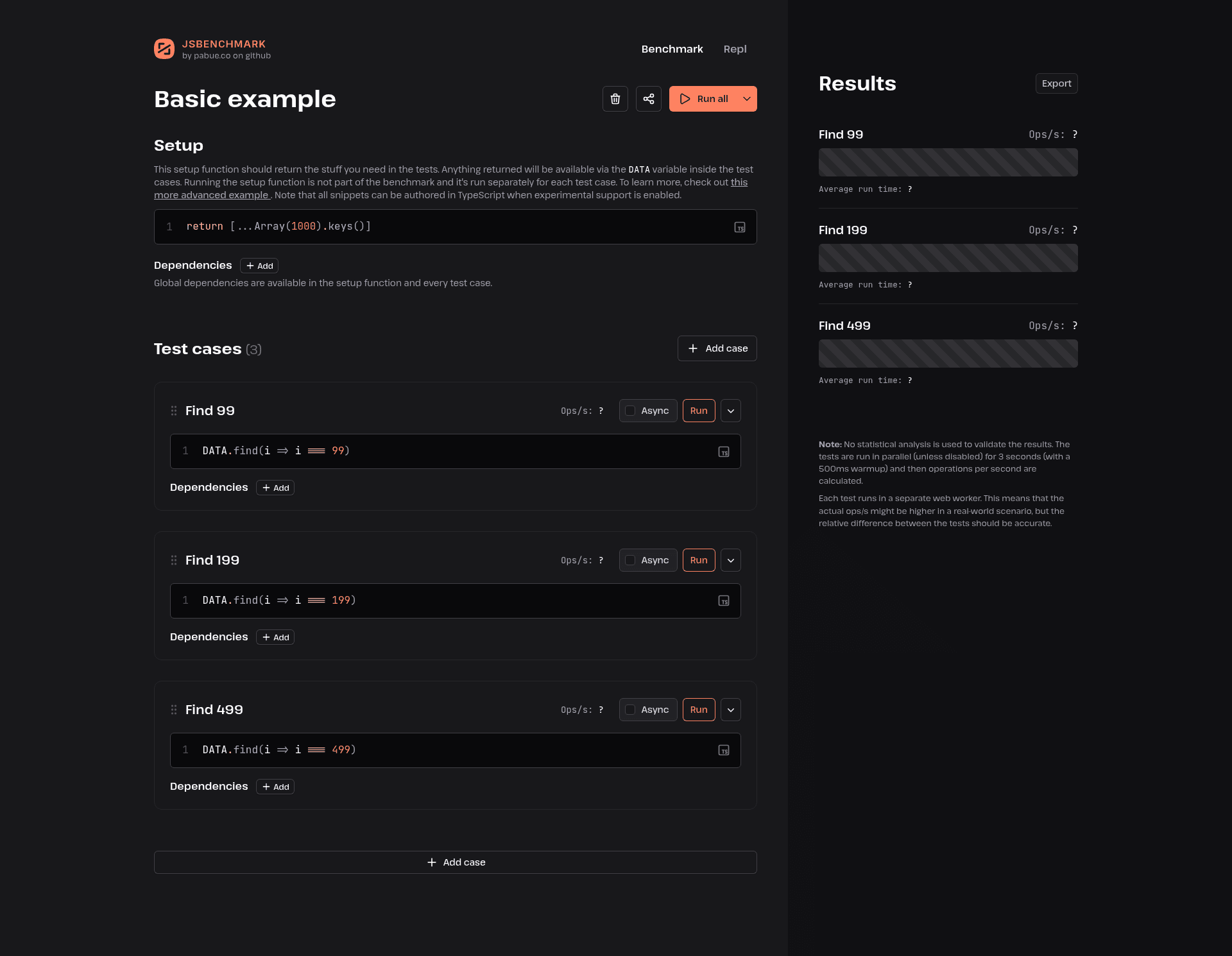
A straightforward JavaScript benchmarking tool and REPL with support for ES modules and libraries.
About this template
JS Benchmark is a Nuxt 3-based web application that functions as a JavaScript benchmarking tool and REPL, letting you run performance comparisons against ES modules and libraries directly in the browser.
What is JS Benchmark?
JS Benchmark is a straightforward JavaScript benchmarking tool built with Nuxt 3 and TypeScript. It provides an interactive REPL where you can evaluate JavaScript code, and it supports ES modules and external libraries so you can benchmark modern JavaScript packages. The repository is minimal, containing the standard Nuxt 3 project structure with a single README describing installation and development commands. Its core input is JavaScript source code; its output is benchmark results showing execution performance.
Key Features
- Benchmarking engine — Measure and compare the execution time of different JavaScript functions or implementations, producing performance results you can inspect.
- REPL interface — Interactively evaluate JavaScript expressions and see results immediately, making it easy to prototype before writing formal benchmarks.
- ES module support — Import and run code written as ES modules, so you can benchmark packages that use
importandexportsyntax. - Library integration — Load external JavaScript libraries and include them in your benchmark scenarios to test real-world dependencies.
- Nuxt 3 framework — Built on Nuxt 3 and TypeScript, giving you hot module replacement during development and the ability to build a production version for deployment.
- pnpm workspace — Uses pnpm as the package manager; the documented workflow is
pnpm install,pnpm run dev,pnpm run build, andpnpm run preview.
Who is it for?
- JavaScript developers who need to compare the performance of alternative implementations of the same logic and see which runs faster.
- Library maintainers who want to benchmark their own library against competitors or test performance across different use cases.
- Students and learners who are exploring JavaScript performance characteristics and want a hands-on REPL to experiment with code.
- Nuxt developers looking for a minimal Nuxt 3 starter that is pre-configured with a benchmarking tool and TypeScript.
What can you do with JS Benchmark?
- Speed-test function implementations: Write two versions of a function and run a benchmark to see which one executes faster.
- Benchmark imported libraries: Use ES imports to load libraries and measure their API performance under a set of test scenarios.
- Prototype algorithms: Use the REPL to quickly try out algorithm ideas and get immediate feedback before committing to a full benchmark suite.
- Extend the Nuxt app: Use this project as a starting point to build a custom benchmarking dashboard or integrate additional Nuxt modules.
How does JS Benchmark work?
The README documents the standard Nuxt 3 workflow. First, install dependencies with pnpm install. Then start the development server with pnpm run dev, which launches the app at http://localhost:3000. For production, run pnpm run build to generate a deployable version, and use pnpm run preview to locally preview the production build.
Pros and cons
- Pro: Minimal and focused codebase that demonstrates a working Nuxt 3 + TypeScript setup.
- Pro: Supports modern JavaScript features like ES modules and external libraries, which is useful for realistic benchmarking.
- Con: The README contains only setup commands; there are no usage examples or documentation of the benchmark API.
- Con: pnpm is required for the documented install and run commands; npm or yarn are not mentioned.
FAQ
What is JS Benchmark?
JS Benchmark is a web-based tool built with Nuxt 3 that lets you benchmark JavaScript code snippets, evaluate expressions in a REPL, and work with ES modules and libraries. It is a minimal project whose README focuses on installation and development commands.
How do I run JS Benchmark?
After cloning the repository, run pnpm install to install dependencies, then pnpm run dev to start the development server at http://localhost:3000. Use pnpm run build for a production build and pnpm run preview to preview it locally.
Does JS Benchmark support ES modules?
Yes. According to the project description, JS Benchmark supports ES modules and libraries, so you can write benchmark code that uses import statements and include external packages in your tests.
What package manager does JS Benchmark use?
The README specifies pnpm for all commands, including pnpm install, pnpm run dev, pnpm run build, and pnpm run preview. No alternative package managers are mentioned in the documentation.