Template details
Resume Revise
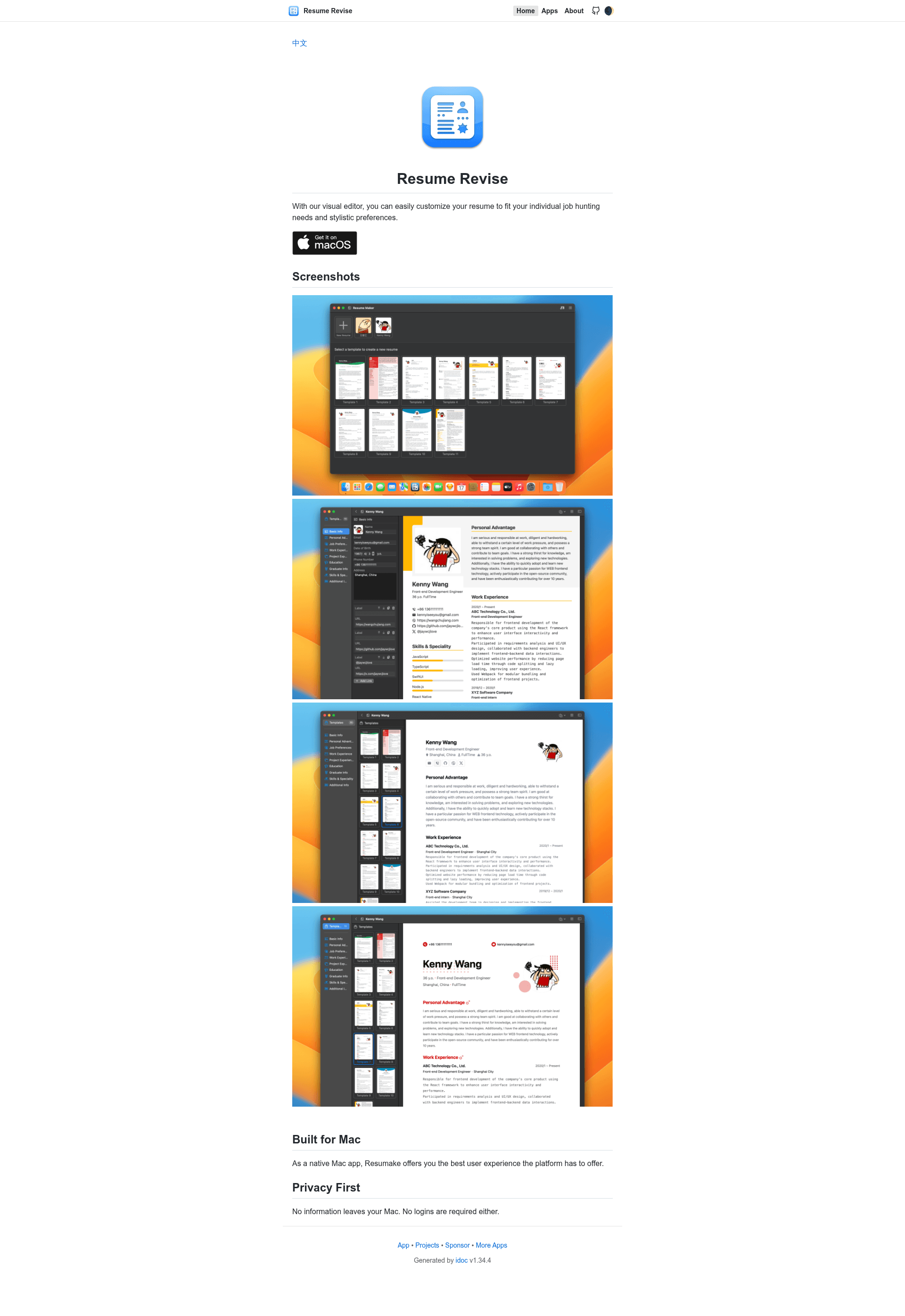
With our visual editor, you can easily customize your resume to fit your individual job hunting needs and stylistic preferences.
About this template
Resume Revise is a native macOS resume builder that provides a visual editor for customizing resumes to match individual job-hunting needs, built with SwiftUI and distributed through the Mac App Store.
What is Resume Revise?
Resume Revise is a native macOS application — not a web template — that turns your resume content into a customized, styled document through a visual editing interface. It accepts resume text and layout choices as input and outputs a redesigned resume without requiring you to touch code or markup. The app is built with SwiftUI, is published under the developer handle jaywcjlove, and its GitHub repository currently has 54 stars.
Key Features
- Visual editor — Edit resume content and styling through a graphical interface instead of working with templates or markup directly.
- Native macOS experience — Runs as a standalone desktop app with the platform's native windowing, menus, and file handling, rather than inside a browser.
- Privacy first — The project states that no information leaves your Mac; all resume editing happens locally on your device.
- No login required — You can start customizing a resume without creating an account or signing in.
- SwiftUI implementation — The interface is built with Apple's SwiftUI framework, confirmed by the repository's swiftui-app and swiftui topics.
- Mac App Store distribution — An official download link points to the Mac App Store listing with app ID 6476400184.
Who is it for?
- Job seekers who want to tailor an existing resume to specific applications without starting from scratch.
- Privacy-conscious users who prefer editing resumes offline rather than uploading personal details to a web service.
- Mac users who want a native desktop tool instead of a browser-based resume builder.
What can you do with Resume Revise?
- Job hunters: Adjust wording, section order, and visual styling to align a resume with the requirements of a particular job posting.
- Career changers: Reorganize a resume to emphasize transferable skills relevant to a new industry.
- Students: Produce a styled resume for internship or entry-level applications without any design background.
FAQ
Does Resume Revise require creating an account?
No. The project explicitly states that no logins are required, so you can open the app and begin editing without signing up.
Does my personal information leave my Mac?
No. According to the project's privacy statement, no information leaves your Mac, meaning the resume you edit stays on your local device and is never uploaded.
What platform does Resume Revise support?
Resume Revise is built for macOS as a native application. The repository topics list it as a macos-app, swift-application, and swiftui-application.
Where can I download Resume Revise?
The project links to a Mac App Store page via the app ID 6476400184, so the app is downloaded from Apple's official store.