Template details
Just me!
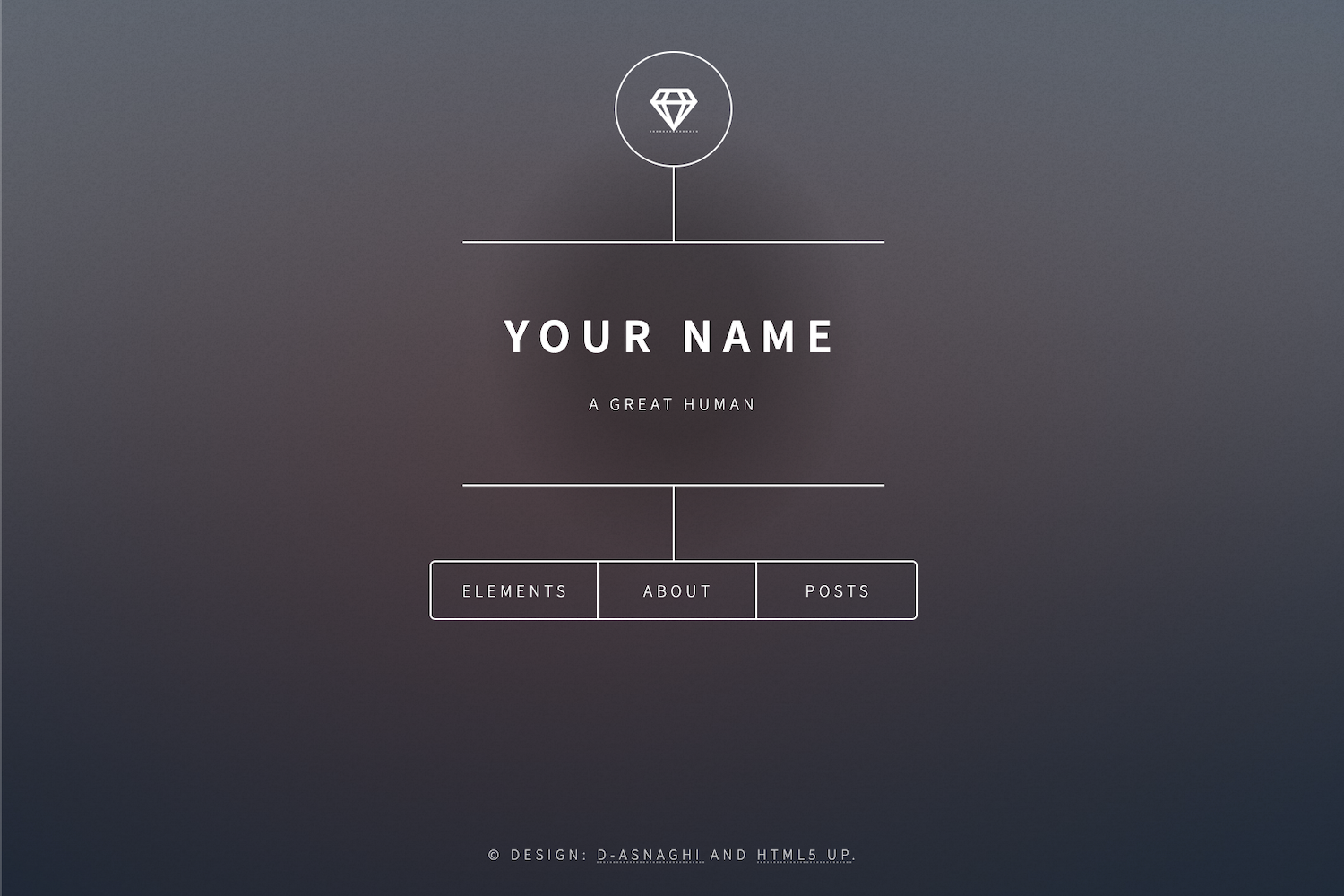
A minimal Hugo theme for personal pages with rotating fullscreen backgrounds and social profiles.
About this template
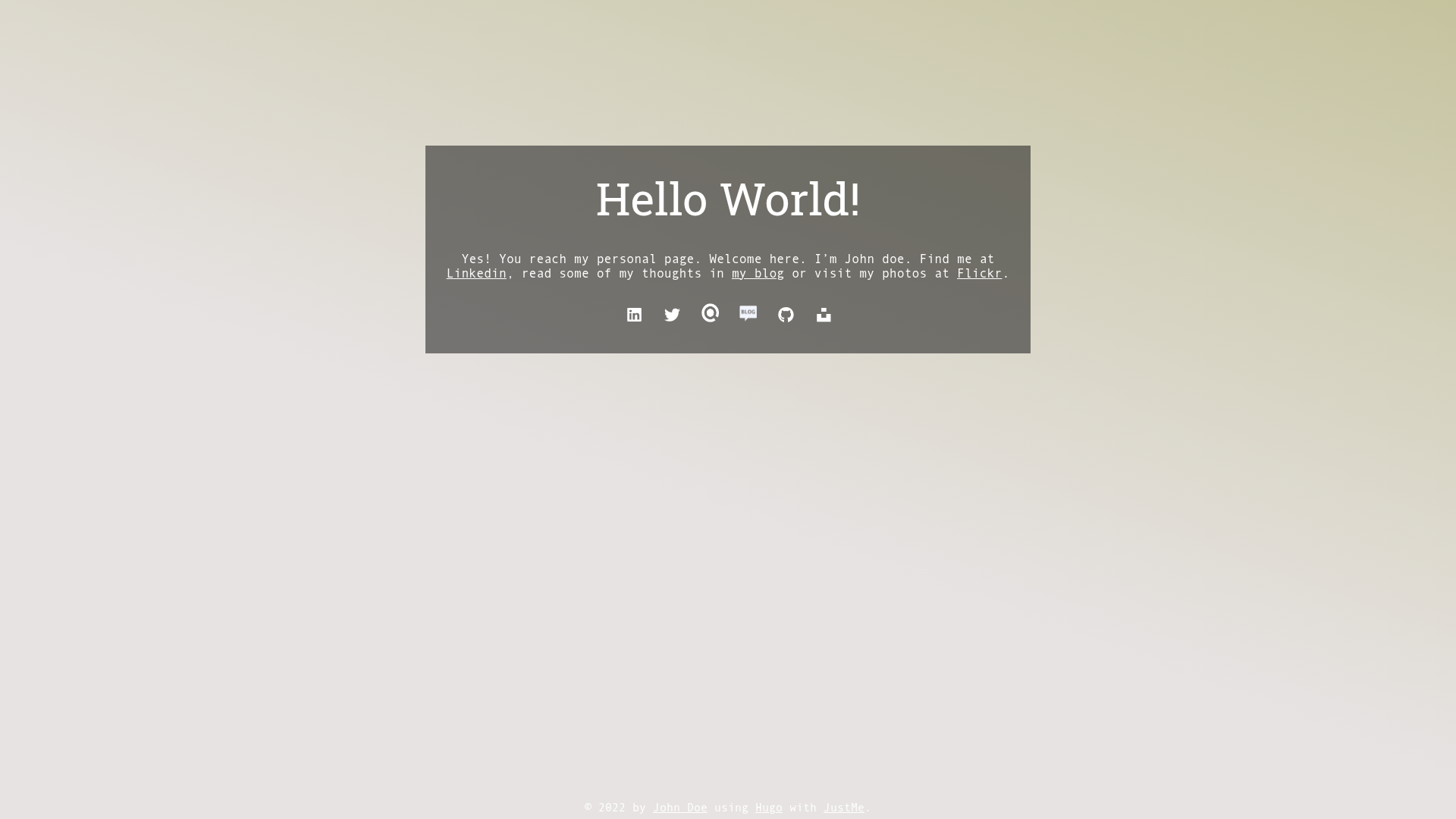
Just me! is a minimal Hugo theme for creating a single-page personal site with rotating fullscreen backgrounds and social profile links, built by José Luis Núñez and released under the MIT license.
What is Just me!?
Just me! is a Hugo theme that renders only a home page, with no blog archive, taxonomy pages, or other content sections. It takes your Hugo site's content files for backgrounds and social profiles and produces a fullscreen, responsive personal landing page with a rotating background gallery and clickable social icons. The theme runs on Hugo version 0.81.0, is available on GitHub under the MIT license, and has a live demo at https://jota-ele-ene.github.io/just-me-starter.
Key Features
- Single-page design — the theme outputs only the homepage, so visitors see one fullscreen view with your name, a short text, and social icons.
- Rotating fullscreen backgrounds — background images are defined as content files in
content/backgrounds; the theme's scripts pick images that match the window's landscape or portrait orientation and re-evaluate on resize. - Content-driven social profiles — each social link is a markdown file in
content/profiles; set theprofilevariable to a Font Awesome icon name (without thefa-prefix) or supply a customimage. - Google Analytics support — add a
ga_tracking_idparameter inconfig.tomlto enable tracking on the page. - Image credit attribution — background front-matter data is shown in an overlay when visitors click the
iicon at the bottom-right. - Forestry CMS one-click import — the theme provides a single-click import link that sets it up in Forestry CMS, and the example site includes the needed
config.tomland content files.
Who is it for?
- Individuals who want a personal landing page — set up a one-page site that shows who you are and links to your Twitter, GitHub, LinkedIn, or any other profile.
- Developers familiar with Hugo — manage every part of the page (backgrounds, profiles, text) as editable markdown content, with no hard-coded configuration for social links.
- Portfolio users who want a one-page showcase — use rotating photos as a visual display while keeping a short introduction and contact links.
What can you do with Just me!?
- Professionals: display your name, a short welcome message, and links to your resume, Linkedin, or a blog — all on one fullscreen page with a rotating backdrop.
- Photographers: use your own high-resolution images as backgrounds (managed in
content/backgrounds) and get credit attributes shown to visitors. - Content creators: quickly import the theme into Forestry CMS and edit front-matter fields visually without touching code.
How does Just me! work?
- Install the theme either by importing the
just-me-starterrepo into Forestry CMS with one click or by adding the repository as a git submodule:git submodule add https://github.com/jota-ele-ene/just-me.git themes/just-me. - Configure
config.tomlwith standard Hugo variables plusparams.author,params.author_link, and optionallyparams.ga_tracking_id. SetdisableKinds = ["taxonomy", "term", "RSS", "sitemap"]. - Copy the example content folders (
_index.md,backgrounds,profiles) to your site'scontentfolder, edit the markdown front-matter, and runhugo server -Dto see the page locally.
Pros and cons
- Pros: Very minimal footprint; all content is managed as Hugo markdown; includes Font Awesome icons and a favicon template; MIT-licensed and free to use.
- Cons: Renders only the home page, so it is not suited for blogs or multi-page sites; the contact form feature is listed as "in progress" and not yet complete; no built-in styling system beyond the theme's own CSS.
Pricing
The theme is free and open-source under the MIT license.
FAQ
Is Just me! free?
Yes, the theme is released under the MIT license, so you can use, modify, and redistribute it freely. The author also accepts optional donations through a Ko-fi page.
Does Just me! support Google Analytics?
Yes. Add a ga_tracking_id parameter in the params section of your Hugo config.toml file, and the theme will include the Google Analytics tracking code.
How do I add a new social profile?
Create a new markdown file in content/profiles — either manually or by running hugo new profiles/new-profile.md. In the front-matter, set profile to a Font Awesome icon name (such as github for the GitHub icon) or set image to a custom image path. Only profiles with draft: false appear on the homepage.
Can I use my own background images?
Yes. Add a markdown file in content/backgrounds with an imageURL pointing to your image and a size value indicating orientation. The theme only displays backgrounds marked draft: false and matches images to the window orientation.
Does the theme include a blog?
No. The theme intentionally renders only the homepage. To use a blog, you would need to extend the theme with your own templates or choose a different Hugo theme.