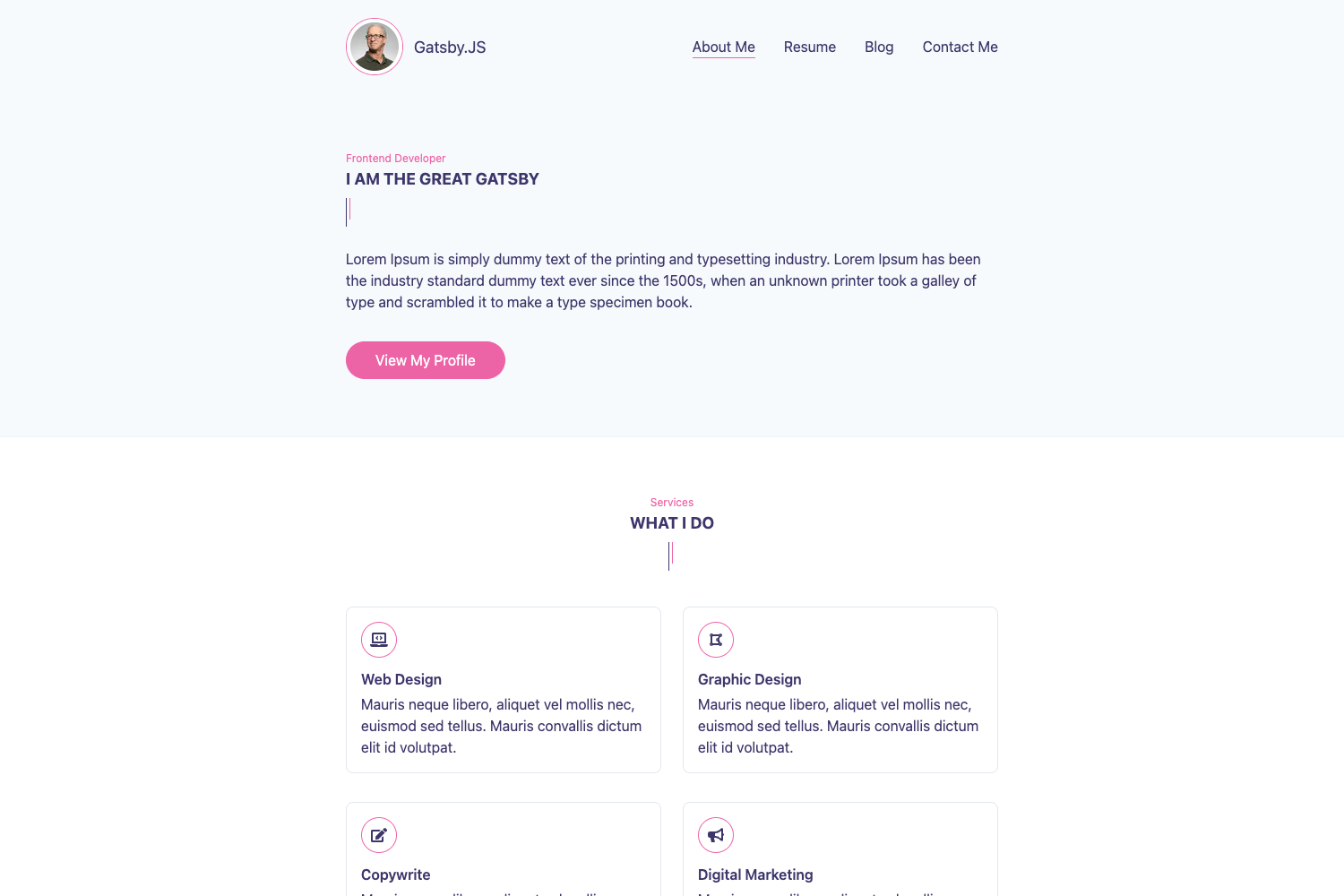
Template details
Solo
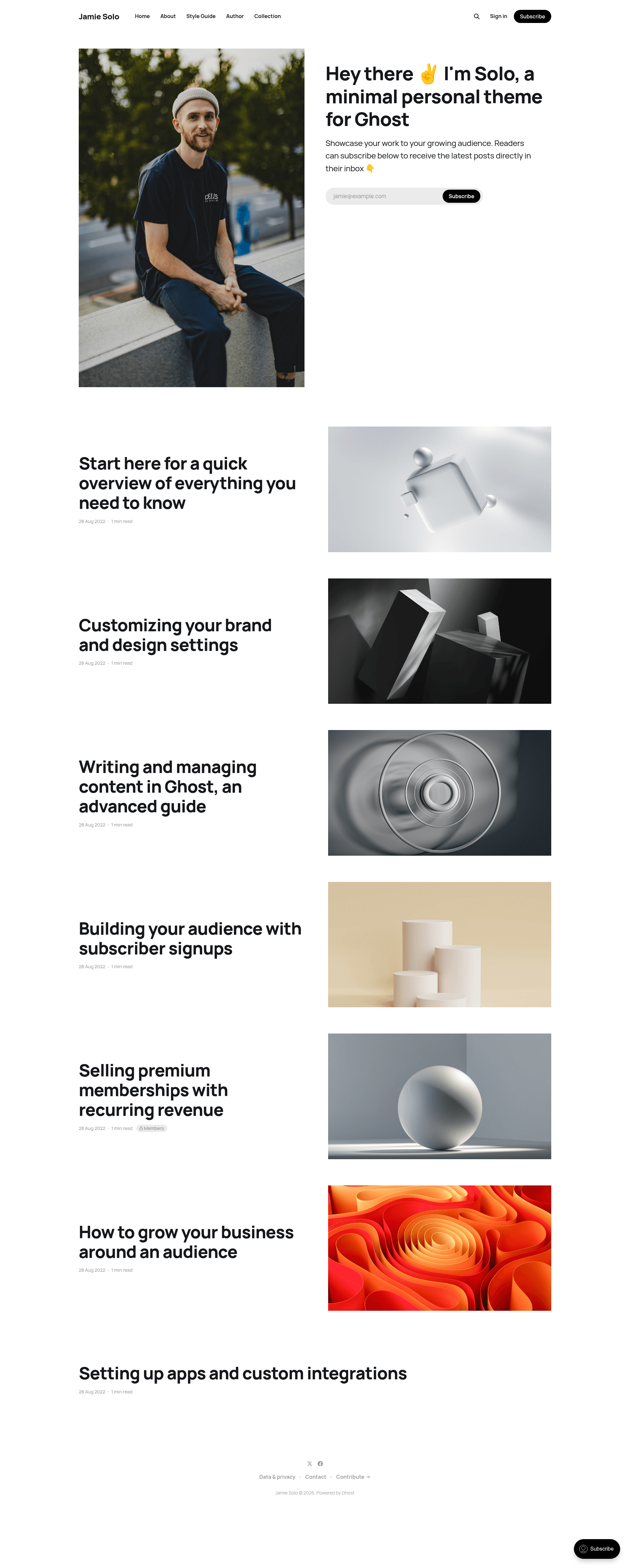
A minimal Ghost theme for showcasing the work of an individual writer or creator.
About this template
Solo is a minimal theme for the Ghost publishing platform, designed to showcase the work of an individual writer or creator through a clean, personal site. It is maintained by the Ghost Foundation, released under the MIT license, and a live demo is available at https://solo.ghost.io.
What is Solo?
Solo is a minimal theme for Ghost, the open-source publishing platform. Its core function is to present a single author's articles, pages, and other content in a simple, readable layout. You install it by downloading the zip and uploading it to Ghost's Design settings area. The theme is part of the TryGhost/Themes monorepo, and its repository topics include blog, ghost, ghost-theme, newsletter, and personal.
Key Features
- Minimal layout — Focused on showcasing a single writer or creator's work without distraction.
- Customizable appearance — A few simple settings in Ghost's Design panel let you apply your own personal style quickly.
- PostCSS and Gulp build — Styles are written in modern CSS and compiled with Gulp and PostCSS to polyfill future CSS specifications, outputting to
/assets/built/. - Translation ready — Theme translations are managed through the TryGhost/Themes monorepo, so the theme can be localized.
- MIT licensed — Free to use, modify, and redistribute under the MIT license (Copyright 2013-2026 Ghost Foundation).
- Ghost platform integration — As a Ghost theme, it inherits Ghost's publishing and membership features, including support for newsletters.
- Simple installation — Download the theme zip and upload it via Ghost's Design settings; no coding required.
Who should use Solo?
Solo is for individual writers and creators who want a straightforward personal blog without extra visual clutter. It also suits developers who need a clean base Ghost theme to customize for a client or personal project. Because it runs on Ghost, it's also useful for newsletter authors who publish through Ghost's subscription features.
What can you do with Solo?
- Individual writers: publish essays and articles on a clean, content-focused Ghost site with minimal setup.
- Creators: present a portfolio or creative writing project with a simple layout that keeps the work front and center.
- Newsletter authors: pair Solo with Ghost's membership features to grow an email list and send newsletters from the same platform.
How do you install Solo?
- Download the theme zip from the GitHub repository.
- Log into your Ghost admin panel.
- Go to the Design settings area and upload the zip file.
How do you develop Solo?
The theme's styles are compiled with Gulp and PostCSS. You need Node, pnpm, and Gulp installed globally. From the theme root, run pnpm install to set up dependencies, then pnpm dev to build and watch for changes. The pnpm zip command packages the theme into dist/solo.zip for upload. Source files live in /assets/css/ and are compiled to /assets/built/.
FAQ
Is Solo free?
Yes, Solo is released under the MIT license. You can download, modify, and use it without charge.
What platform does Solo run on?
Solo is a theme for Ghost, so it requires a Ghost site (self-hosted or via Ghost(Pro)). It does not work on WordPress or other CMSs.
Does Solo support newsletters?
Because it's a Ghost theme, Solo works with Ghost's built-in membership and newsletter features. You can enable subscriptions and send newsletters through Ghost's member management.
How do I customize Solo?
You can adjust a few simple settings in Ghost's Design panel to apply your personal style. For deeper changes, edit the CSS files in /assets/css/, which are compiled by Gulp/PostCSS.