Template details
Universal Résumé Template
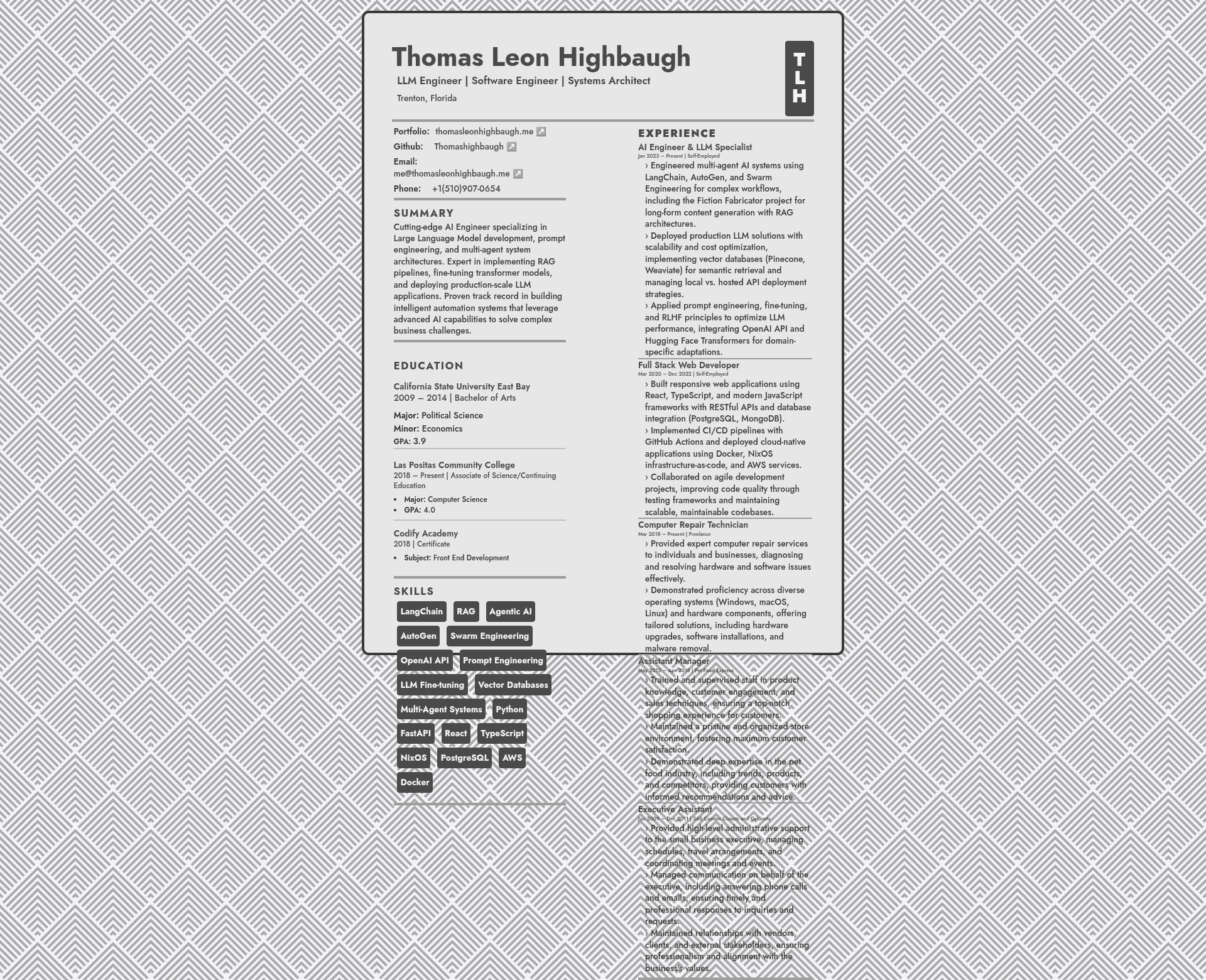
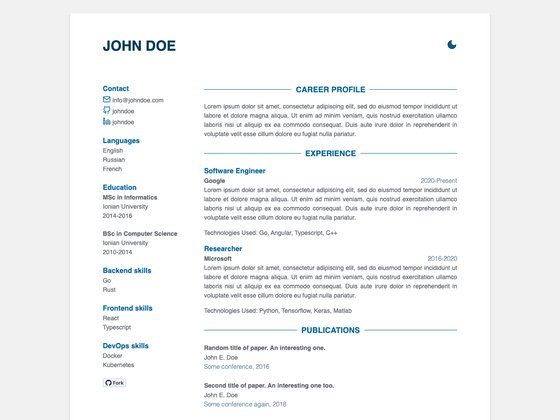
An HTML resume styled with Tailwind CSS, based on WebPraktikos' Universal Resume, with 2K/4K responsive support and print-optimized layouts.
About this template
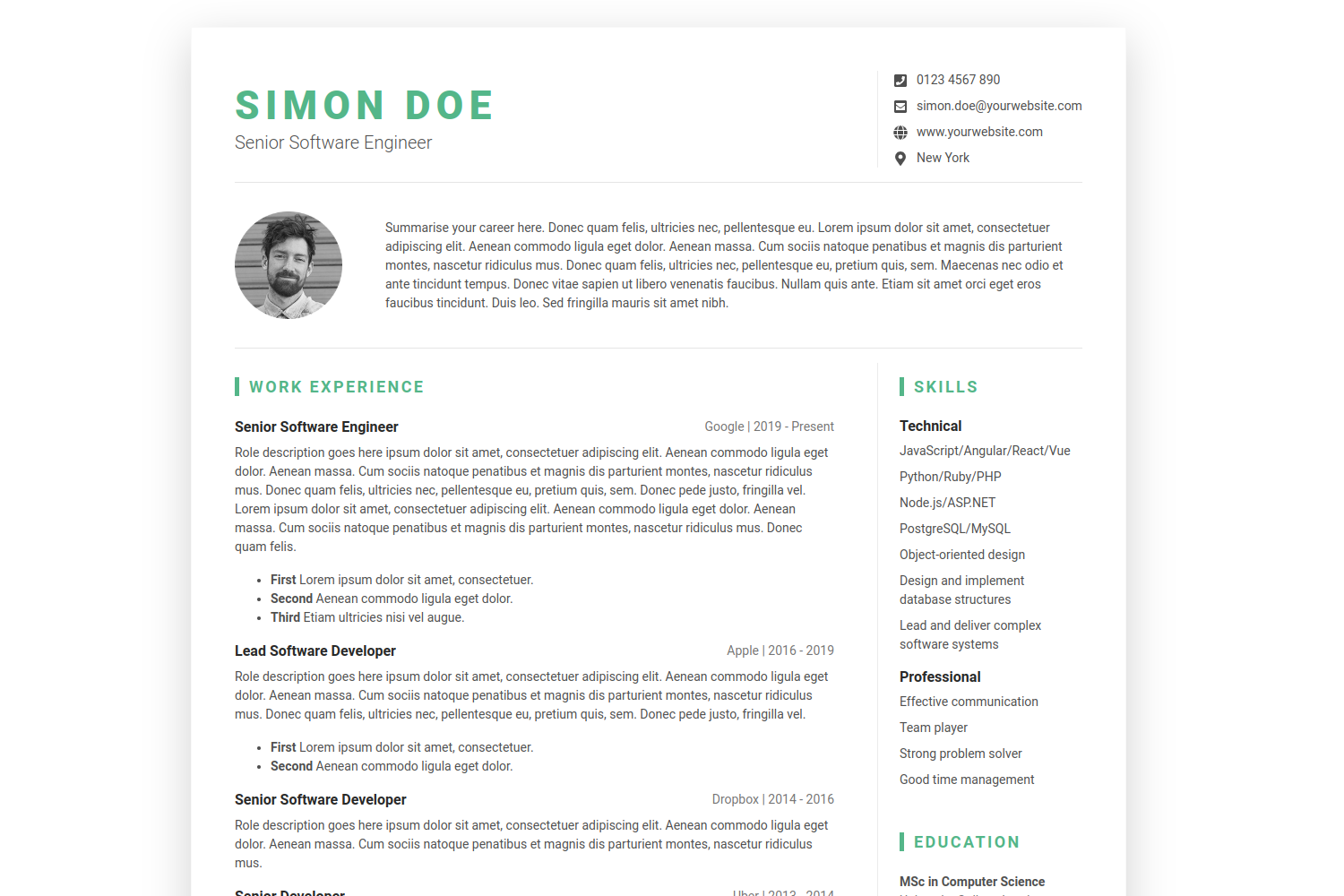
Universal Résumé Template is a free, open-source HTML résumé template that turns a single HTML file into a responsive, print-ready resume site using Tailwind CSS v3.4.19.
What is the Universal Résumé Template?
The Universal Résumé Template is an HTML-based resume layout that the author chose over Word, LibreOffice, and LaTeX to keep full control over design while hosting the result as a website. It takes docs/index.html as the main content file and, through a Tailwind CSS build, produces a static page with an SVG heropatterns background, responsive typography, and print stylesheets. The project lives at github.com/Thomashighbaugh/resume and was inspired by, and partly adapted from, WebPraktikos' universal resume template.
Key Features
- Tailwind CSS v3.4.19 — Upgraded from v3.3.5; the production build shrinks from 24.5KB to 13.1KB via content-aware PurgeCSS.
- 2K and 4K display support — Custom breakpoints at 1440px (
2xl) and 2160px (4xl) scale typography, padding, and container widths for high-resolution monitors. - Seven responsive breakpoints — From
xsm(500px) for large phones up to4xl(2160px) for 4K displays, covering phones, tablets, laptops, and desktops. - Typography scaling — The name heading grows from
5xlto6xlat 2K and7xlat 4K; job titles and body text scale proportionally. - Custom height utilities —
screen-75,screen-80,screen-90, andscreen-95classes with matching min-height/max-height variants help build viewport-responsive sections. - Balanced column control — Removing the
col-fill-autoclass makes both resume columns equal height; removingmd:h-letterandmd:h-letter-coldrops the fixed A4/Letter proportions. - Print-optimized output — Works with Chrome, Firefox, and Adobe Acrobat Reader; the Page Setup dialog offers A4 and Letter options for PDF export.
- SVG background pattern — Includes free patterns from heropatterns.com, which the author describes as easy to integrate because SVG uses HTML-like path tags.
Who is it for?
- Linux users who avoid Word and find LibreOffice or LaTeX cumbersome can edit a plain HTML file with any code editor and run a one-command build.
- Job seekers who want a distinctive look can replace the author's name and contact details and host the result as a personal website to stand out from typical Word resumes.
- Front-end developers can use the project to practice Tailwind CSS configuration, custom breakpoints, and print stylesheets while producing a real artifact.
- Static-site enthusiasts can drag-and-drop the
docsdirectory onto GitHub Pages or any static host because the build emits a purely static result.
What can you do with the Universal Résumé Template?
- Job applicants: publish a responsive resume online that scales to 4K monitors, then print or save as PDF with A4/Letter page setup from the browser.
- Developers: customize the
tailwind.config.jsandtailwind.cssfiles, which transpile todocs/style.css, to change colors, spacing, and breakpoints. - Hobbyists: learn from the author's workflow — write the resume in HTML, automate CSS generation with Yarn, and use Heropatterns for free SVG backgrounds.
How does the template work?
Clone the repository, run yarn install to install dependencies, then yarn build && yarn serve to start a local development server. Running just yarn build generates only the CSS classes actually used on the page, resulting in a smaller output file. The main content lives in docs/index.html, and the Tailwind configuration plus tailwind.css compile into docs/style.css.
Pricing
The Universal Résumé Template is free and open source. The repository contains no license file in the visible content, but the author explicitly grants permission to copy or adapt it, recommending that users change the name and contact information before publishing.
Alternatives
WebPraktikos' universal resume template — the project that inspired this one and aims for broader cross-use compatibility, including A4 sizing options.
FAQ
Is the Universal Résumé Template free?
Yes, the repository is public on GitHub and the author states that anyone may copy or adapt the resume. The main caveat is that the file contains the author's personal name and contact details by default, so replace them before using it for your own job search.
Do I need Word or LaTeX to edit it?
No, the resume is written entirely in HTML and styled with Tailwind CSS. Any code editor with HTML syntax highlighting can edit docs/index.html, and the build process only requires Node.js with Yarn.
What screens does the template support?
The template adds custom breakpoints for 2K (1440px) and 4K (2160px) displays, in addition to standard breakpoints for phones, tablets, laptops, and desktops. Typography, padding, and container widths scale automatically on larger monitors.
Can I print or export it as a PDF?
Yes, the page is print-optimized. In Chrome, right-click and choose Print or save as PDF; Firefox and Adobe Acrobat Reader also support printing. The Page Setup button in Acrobat Reader gives A4 and Letter options.
How do I change the colors or layout?
Edit tailwind.config.js and tailwind.css, which are transpiled into docs/style.css by the build command. Removing the col-fill-auto class makes columns equal height, and removing md:h-letter classes removes the fixed letter/A4 page proportions.