Template details
Just The Docs Template
one-click template to use just-the-docs on GitHub Pages
About this template
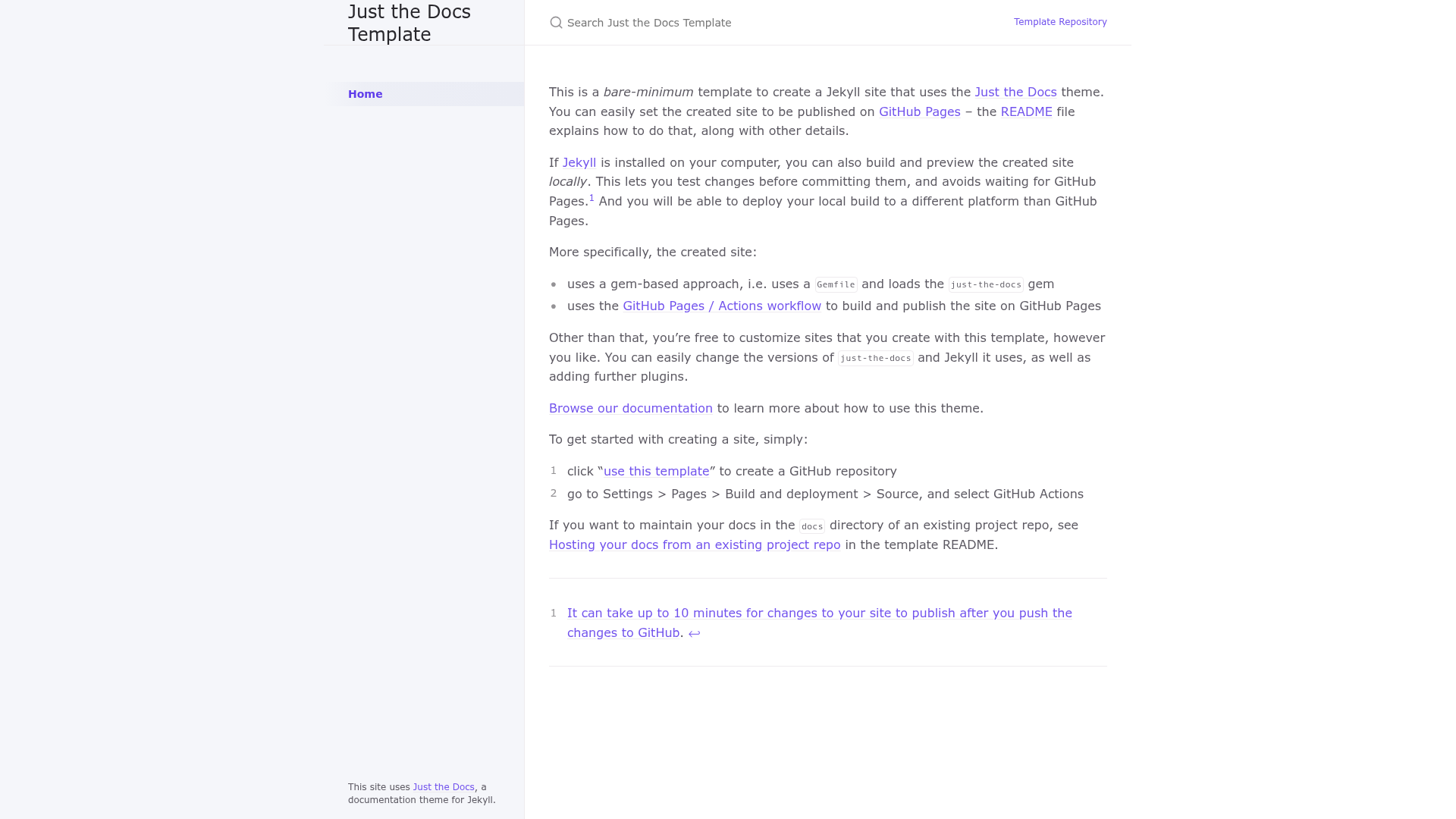
Just The Docs Template is a bare-minimum Jekyll starter repo that creates a documentation site using the Just the Docs theme and publishes it to GitHub Pages through a GitHub Actions workflow.
What is Just The Docs Template?
Just The Docs Template is a GitHub repository template that gives you a minimal Jekyll site configured with the Just the Docs theme, a Gemfile, and a GitHub Pages / Actions deployment workflow. You use it by clicking "use this template" on GitHub to generate a new repository; the output is a working documentation site that you edit by replacing the contents of index.md and README.md. It is maintained by the Just the Docs community and licensed under the MIT License.
Key Features
- Gem-based Jekyll setup — The site uses a
Gemfilethat loads thejust-the-docsgem, so theme version is managed through standard Bundler commands. - GitHub Pages / Actions workflow — A preconfigured
pages.ymlworkflow builds the Jekyll site and publishes it to GitHub Pages; you only need to select GitHub Actions as the build source in repository Settings. - One-click template creation — Clicking "use this template" on GitHub creates a new repo with all files in place, eliminating manual Jekyll configuration.
- Local preview support — Run
bundle installandbundle exec jekyll serveto build and preview the site locally atlocalhost:4000. - Plugin integration — Automatically includes the
jekyll-seo-tagplugin; additional plugins likejekyll-default-layoutare added by editing both theGemfileand_config.yml. - Docs in existing project repos — You can copy the template files into a
docsdirectory of an existing project and modifypages.ymlto build from that subdirectory. - Portable output — The built site is stored in
_siteand can be uploaded to any static hosting platform, not just GitHub Pages. - Easy customization — Site title, description, URL, and auxiliary links are set in
_config.yml, and the theme provides the standard Just the Docs navigation and layout system.
Who is it for?
- Open-source maintainers — Publish project documentation on GitHub Pages without setting up a separate docs pipeline, using the Actions workflow included in the template.
- Technical writers — Write docs in Markdown files (
index.mdand others) and have them automatically built and deployed with every push to the main branch. - Developers starting a new docs site — Quickly scaffold a Just the Docs site by clicking "use this template", then edit the content files and
_config.ymlto match their project. - Teams hosting docs in an existing repo — Maintain documentation in a
docsdirectory of a project repo, using the modified workflow that triggers builds only when files underdocs/**change.
What can you do with Just The Docs Template?
- Launch a documentation site in minutes: Generate a new repository from the template, change the title and description in
_config.yml, and publish via GitHub Pages by selecting GitHub Actions as the build source. - Customize the theme and plugins: Edit the
Gemfileto change the Just the Docs theme version, and add Jekyll plugins by listing them in theGemfileand thepluginskey of_config.yml. - Build and preview locally: Install Jekyll and Bundler, run
bundle installandbundle exec jekyll serve, and view the site atlocalhost:4000before pushing changes. - Deploy to non-GitHub platforms: Upload the static files in the
_sitedirectory to any web host or content delivery network after building the site locally.
How does Just The Docs Template work?
The template works through GitHub's template repository system. First, you click "use this template" to create a new repository; then you enable publishing by going to Settings > Pages > Build and deployment and selecting GitHub Actions as the source. After that, a GitHub Actions workflow installs Ruby, sets up the Jekyll environment, builds the site, and deploys the output to GitHub Pages. The workflow is triggered on pushes to the main branch, and changes can take up to 10 minutes to appear on the published site.
FAQ
How do I publish my Just The Docs site on GitHub Pages?
After creating a repository from the template, go to Settings > Pages > Build and deployment, choose GitHub Actions as the Source, and push any changes to the main branch. The included Actions workflow handles building the Jekyll site and deploying it automatically; updates can take up to 10 minutes to go live.
Do I need to install Jekyll locally to use this template?
No. The template is designed to build and publish on GitHub Pages through Actions, so you can edit files directly on GitHub and let the workflow build the site. Local installation of Jekyll and Bundler is only required if you want to preview the site with bundle exec jekyll serve.
How do I add a plugin to my Just The Docs site?
Add the gem to your Gemfile, then add the plugin name to a plugins list in _config.yml. For example, adding jekyll-default-layout requires both gem "jekyll-default-layout" in the Gemfile and plugins: [jekyll-default-layout] in the config. The jekyll-seo-tag plugin is already included automatically.
Can I keep my docs in a subdirectory of an existing project repo?
Yes. Copy the template files into a docs directory, move pages.yml to .github/workflows, and edit the workflow to set working-directory: docs, use the path docs/_site/ for the upload artifact, and restrict the trigger to paths under docs/**.
What license does the template use?
The repository is licensed under the MIT License, so you are free to reuse and extend the code as long as you keep the original license notice. The deployment workflow is based on GitHub's starter workflows, which also use the MIT License.