Template details
git-wiki
A full-featured wiki template for GitHub/GitLab Pages powered by Jekyll, Git and pull requests.
About this template
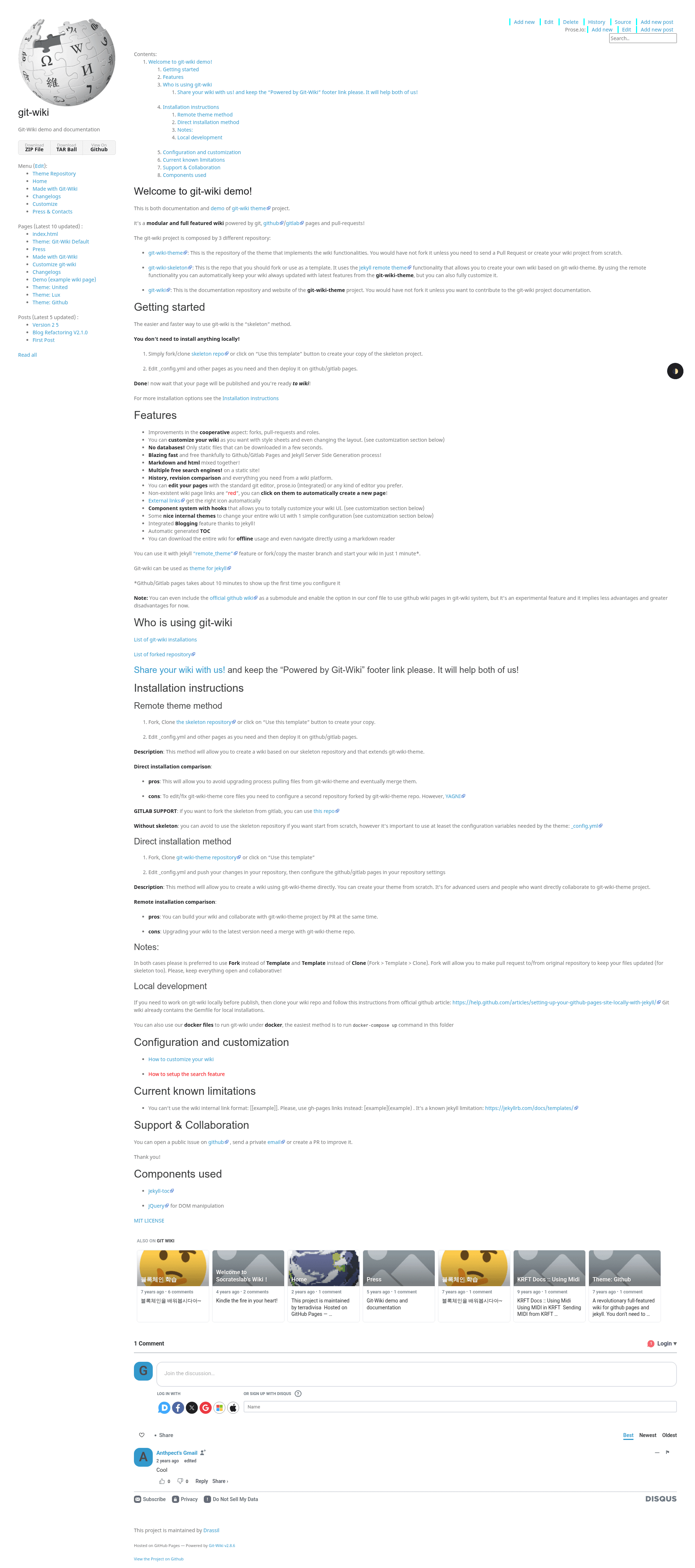
git-wiki is a modular, full-featured wiki template built on Jekyll that turns GitHub Pages or GitLab Pages into a collaborative wiki with Git-based editing, pull requests, and zero database. It runs on the Jekyll static site generator and is distributed through three repositories: the theme (git-wiki-theme), a starter skeleton (git-wiki-skeleton) that uses the Jekyll remote_theme feature, and the documentation site (git-wiki).
What is git-wiki?
git-wiki is a Jekyll theme that implements wiki functionality on top of GitHub Pages or GitLab Pages. You give it a Jekyll project with markdown files, and it produces a static wiki site with history, revision comparison, TOC, search, and pull-request-based cooperative editing. The project is maintained by Drassil (as the repositories are under that GitHub account) and currently has 235 stars on the git-wiki repository.
Key Features
- Cooperative editing — Forks, pull requests, and user roles improve the collaborative wiki experience, so anyone can propose changes through the standard GitHub/GitLab pull-request flow.
- Customizable UI — Stylesheets, layout changes, a component system with hooks, and several built-in internal themes let you completely change the look without touching the core theme.
- No database — Everything is static files, downloadable in seconds and hostable for free on GitHub/GitLab Pages.
- Markdown and HTML — Pages can mix Markdown and HTML content in the same file.
- Multiple free search engines — Static-site search is supported through multiple free options.
- History and revision comparison — Full version control powered by Git, with page history and diff views.
- Flexible editing — Edit with any Git editor, the integrated prose.io editor, or any other tool you prefer.
- Red-link auto-creation — Links to non-existent pages appear in red; clicking them automatically creates a new page.
- Automatic external link icons — External links get the right icon automatically.
- Jekyll blogging — The wiki includes an integrated blog feature because it runs on Jekyll.
- Auto-generated TOC — A table of contents is generated automatically for each page.
- Offline usage — The entire wiki can be downloaded and navigated locally with a Markdown reader.
Who is it for?
- Documentation teams — Maintain project documentation as a wiki where team members and external contributors can propose edits via pull requests.
- Open-source project maintainers — Use the skeleton repository as a quick start to publish a free wiki on GitHub or GitLab Pages without building a site from scratch.
- Personal knowledge managers — Keep a personal wiki with Git-based version history and work offline with any Markdown reader.
- Educators and students — Run a collaborative class wiki where each student forks the skeleton, adds content, and submits pull requests.
How does git-wiki work?
The quickest start is the skeleton method. Fork or use the git-wiki-skeleton repository as a template, edit the _config.yml file and any pages, then deploy the repository on GitHub Pages or GitLab Pages. Because the skeleton references the theme via the Jekyll remote_theme feature, your wiki automatically receives updates from git-wiki-theme, and you can override everything locally if you need full customization.
What can you do with git-wiki?
- Project documentation — Publish and maintain a public-facing wiki for a software project, with contributors editing through pull requests.
- Team knowledge base — Keep internal team wikis updated via Git workflows, with revision history for every page.
- Blog and wiki hybrid — Use the integrated Jekyll blogging feature to post updates alongside wiki content on the same static site.
- Offline reference — Download the entire wiki and browse it locally with a Markdown reader for offline access.
FAQ
Does git-wiki require a database?
No. git-wiki generates static files with Jekyll, so there is no database, no backend server, and no runtime dependencies. All content lives in markdown files stored in Git.
Is git-wiki free?
Yes. The theme and skeleton are open source on GitHub, and hosting a wiki on GitHub Pages or GitLab Pages is free for public repositories. You do not need to pay for a server or database.
How do I get started?
The fastest way is to fork the git-wiki-skeleton repository or use the "Use this template" button, edit _config.yml, and deploy to GitHub/GitLab Pages. No local installation is required—everything can be done in the browser.
Can I customize git-wiki?
Yes. You can change stylesheets, modify layouts, switch among the built-in internal themes with one configuration change, and use the component system with hooks to alter the UI in depth. If you edit the theme directly, you can still stay updated by basing your work on the master branch of git-wiki-theme.
What file formats are supported?
Wiki pages support Markdown and HTML, mixed together in the same file. This gives you flexibility to write simple markdown content or embed custom HTML.