Template details
MkDocs Windmill
MkDocs documentation theme with persistent navigation state, highlighted search, and quick dropdown search.
About this template
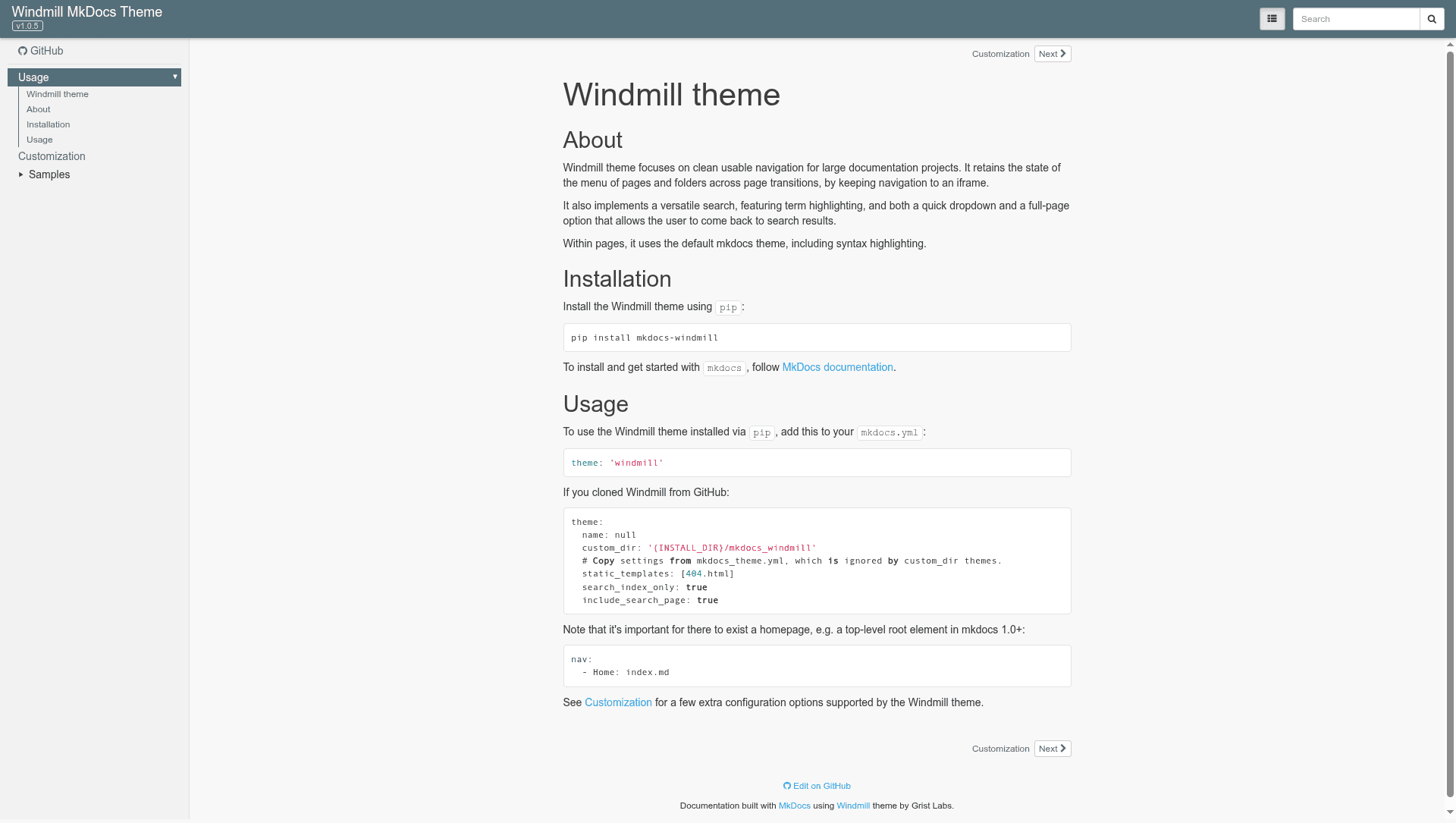
MkDocs Windmill is a documentation theme for the MkDocs static site generator from Grist Labs, built to make navigation and search usable for larger documentation projects. It turns a MkDocs project into a static documentation site with persistent navigation state, highlighted search results, and a quick-search dropdown.
What is MkDocs Windmill?
MkDocs Windmill is a theme for MkDocs, the Python-based static site generator for project documentation. It takes a MkDocs project configured with the theme: windmill directive and produces a static HTML documentation site. The theme is developed and maintained by Grist Labs and distributed as a Python package on PyPI under the name mkdocs-windmill.
Key Features
- Convenient navigation for large documentation sets — The theme structures navigation to handle projects with many pages without overwhelming the user.
- Stateful navigation menu — The navigation menu retains its open/closed state across page transitions, so users do not have to re-expand sections.
- Search with term highlighting — Search results highlight the matching terms in the page, making it easier to find the relevant portion.
- Quick dropdown and full-page search — Users can either type in a dropdown for immediate results or load a full results page for deeper searching.
- Standard MkDocs page rendering — Within pages, MkDocs Windmill uses the default MkDocs theme styling, including syntax highlighting for code blocks.
- Simple installation — Install with
pip install mkdocs-windmill, then settheme: windmillinmkdocs.yml. - Homepage requirement — The theme requires a homepage defined as a top-level root element in the nav, e.g.
nav: - Home: index.md.
Who is it for?
- Documentation maintainers — For projects with a large number of pages, the stateful navigation and quick search help users find content.
- Technical writers — Writers who need a theme that emphasizes navigation structure and supports term-highlighted search results.
- Open-source project maintainers — Projects using MkDocs to publish docs can adopt this theme to give their users a better browsing experience.
What can you do with MkDocs Windmill?
- Structure large docs — Create a documentation site where the navigation menu remembers where users have been, reducing friction in multi-page reference material.
- Improve searchability — Offer both dropdown and full-page search with term highlighting, helping users locate specific sections quickly.
- Customize further — Use the customization options described on the project's documentation site to tweak the theme beyond its defaults.