Template details
BUI Docs
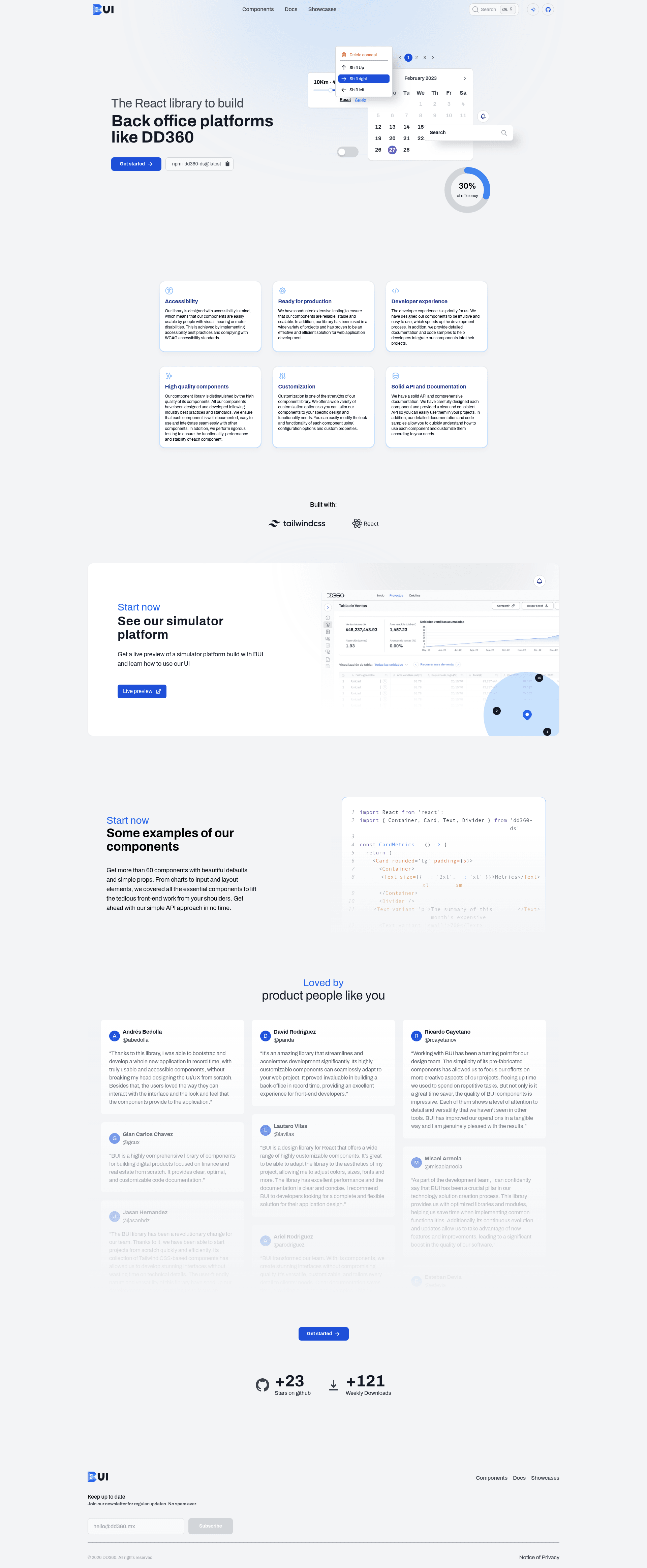
BUI official website: documentation for DD360 Components, a React UI kit and design system built with Next.js.
About this template
BUI Docs is the official Next.js documentation website for DD360 Components, a React UI library and design system developed by DD3Tech. It turns the component library's Markdown documentation into a browsable reference site that developers can run locally with a few npm commands.
What is BUI Docs?
BUI Docs is a documentation website for the DD360 Components library, also known as BUI, published by DD3Tech on GitHub. The site's input is the component documentation and usage guides stored in the repository, and its output is a navigable web interface where developers can read about each UI component. The project runs on the Next.js framework and uses Tailwind CSS with PostCSS for styling, with content authored in Markdown.
Key Features
- Official documentation hub — Serves as the primary reference site for DD360 Components, covering the design system's UI kit, components, and documentation.
- Next.js framework — Built on Next.js, which provides static generation, routing, and a React-based development environment for the docs site.
- Tailwind CSS and PostCSS — The styling system pairs Tailwind utility classes with PostCSS processing, making the site's look consistent with modern frontend workflows.
- Markdown content — Documentation pages are written in Markdown, allowing component maintainers to edit docs without touching layout code.
- Standard npm workflow — The project uses familiar scripts:
npm installfor dependencies,npm run devfor development mode,npm run buildfor a production build, andnpm run previewto serve the compiled output. - GitHub-based source — The documentation source is hosted in the dd3tech/dd360-components repository, so contributions and updates flow through the normal GitHub workflow.
Who is it for?
BUI Docs is aimed at three main groups. Component library maintainers use it to publish and organize documentation for their React UI kit. Frontend developers building with DD360 Components consult it to learn each component's props, usage, and design-system rules. Design system teams within DD3Tech or partner organizations use the site as the canonical reference for BUI's components and documentation.
What can you do with BUI Docs?
- Developers using BUI: browse component pages to find usage examples, props, and guidelines before integrating the UI kit into a project.
- Documentation contributors: clone the repository, run
npm installandnpm run dev, then edit Markdown files to update or add component docs with live reload. - Release managers: run
npm run buildfollowed bynpm run previewto verify the production site locally before deploying updates to the public documentation.
How does BUI Docs work?
The workflow is a standard four-step process. First, install dependencies with npm install. Second, start development mode with npm run dev to preview changes locally. Third, run npm run build to compile the production bundle. Fourth, run npm run preview to serve the production compilation and check the final output before deployment.
FAQ
Is BUI Docs free?
Yes. The documentation website is open source and hosted in the public dd3tech/dd360-components repository on GitHub, so there is no license fee to use or modify it.
What tech stack does BUI Docs use?
It is built with Next.js, React, Tailwind CSS, PostCSS, and Markdown. The repository metadata lists topics such as nextjs, react, ui-kit, design-system, docs, and documentation, and the source hints confirm Tailwind and PostCSS for styling.
How do I run BUI Docs locally?
Run npm install in the project root to install dependencies, then npm run dev to start development mode. For a production build, run npm run build and then npm run preview to serve the compiled site.
What is the relation between BUI Docs and DD360 Components?
BUI Docs is the documentation website for DD360 Components, which is the React UI library and design system created by DD3Tech. The docs site is part of the same GitHub repository and exists solely to document that component library.