Template details
Lanyon
A content-first Jekyll theme with a hidden sliding sidebar drawer, built on Poole.
About this template
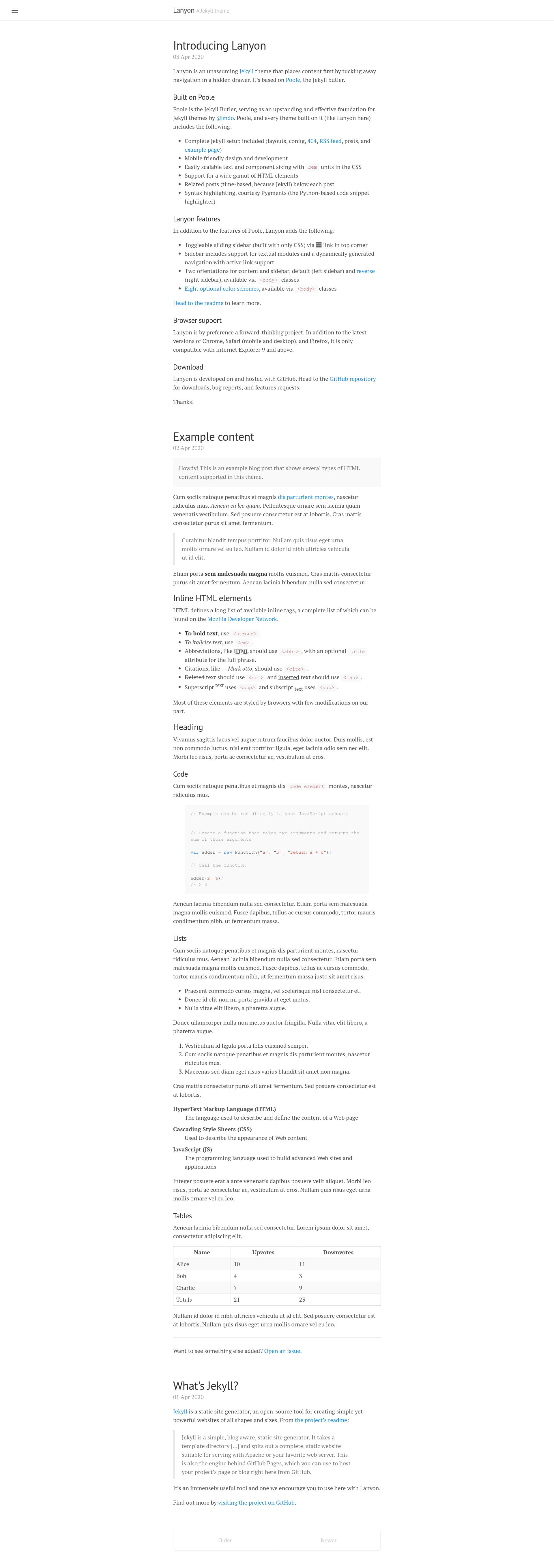
Lanyon is a content-first Jekyll theme that tucks navigation into a hidden sliding drawer, built as a wrapper around Poole, the Jekyll butler. The theme focuses on displaying content prominently while keeping navigation accessible but out of the way.
What is Lanyon?
Lanyon is a Jekyll theme that prioritizes content by hiding navigation in a drawer that slides in from the side. It takes a standard Jekyll site and adds a toggleable sidebar, producing a blog or documentation site with a clean reading view. The theme is built on Poole, which provides a fully furnished Jekyll setup, and is authored by Mark Otto, the creator of Bootstrap.
Key Features
- Hidden drawer navigation — Navigation links are tucked into a sidebar that opens via a checkbox toggle, keeping the main content area clean.
- Eight base16 themes — Lanyon ships with eight optional color themes based on the base16 color scheme, applied by adding a class to the body element.
- Reverse layout — Add the class "layout-reverse" to flip the page orientation, moving the sidebar to the opposite side.
- Sidebar overlay mode — Instead of pushing content, the sidebar can overlay the viewport with a single class, which also adds box-shadow for depth.
- Sidebar open on load — The sidebar can be set to open by default by adding the "checked" attribute to the checkbox input, and can be conditionally shown per-page using Liquid.
- Customizable via body classes — Options like themes and layout are applied through classes on the body element in the default.html layout.
- Easy to create custom themes — Existing themes are only a few lines of CSS; users can copy, rename, and change colors.
Who is it for?
- Jekyll bloggers — Write and publish content in Markdown while presenting it in a clean, distraction-free layout with navigation tucked away.
- Documentation site maintainers — Use the sidebar to organize pages and the ability to have a persistent or overlay sidebar for easy navigation.
- Developers who like minimal themes — The default white background and content-first design suit personal sites, portfolios, and project pages.
- Theme developers — Use Lanyon as a starting point to build custom Jekyll themes, leveraging the eight base16 themes and simple CSS structure.
What can you do with Lanyon?
- Launch a personal blog — Set up Jekyll, write posts, and use the drawer for about, archive, and RSS links.
- Build a documentation site — Use the page layout to list pages in the sidebar, and overlay mode to keep docs readable.
- Customize colors and layout — Apply one of the eight base16 themes or define your own theme class in the included CSS file.
- Control sidebar behavior per page — Use Liquid conditionals to show the sidebar open on specific pages, like the home page.
How does Lanyon work?
Lanyon is installed by downloading the theme and starting the Jekyll server, following Poole's usage guidelines. Navigation is built by assigning each Jekyll page the "page" layout in its front-matter; the theme then lists those pages in the sidebar. Customization happens by adding classes to the body element of the default layout, and open/close behavior is controlled by a hidden checkbox input.
Pricing
Lanyon is open source under the MIT license, so it is free to use, modify, and distribute.
FAQ
Is Lanyon free?
Yes, Lanyon is released under the MIT license, meaning you can use it for personal or commercial projects without payment.
What is the difference between Lanyon and Poole?
Poole is the base Jekyll setup that provides the foundation; Lanyon adds the hidden drawer sidebar, themes, and layout options on top of Poole.
How do I add pages to the sidebar?
Create a page with the "page" layout in its front-matter. Jekyll will list all pages with that layout in the sidebar, with the first link being Home.
Can I use Lanyon with GitHub Pages?
Yes, since it's a standard Jekyll theme, it can be used with GitHub Pages by uploading the files to a repository and enabling Jekyll.