Template details
Litefolio
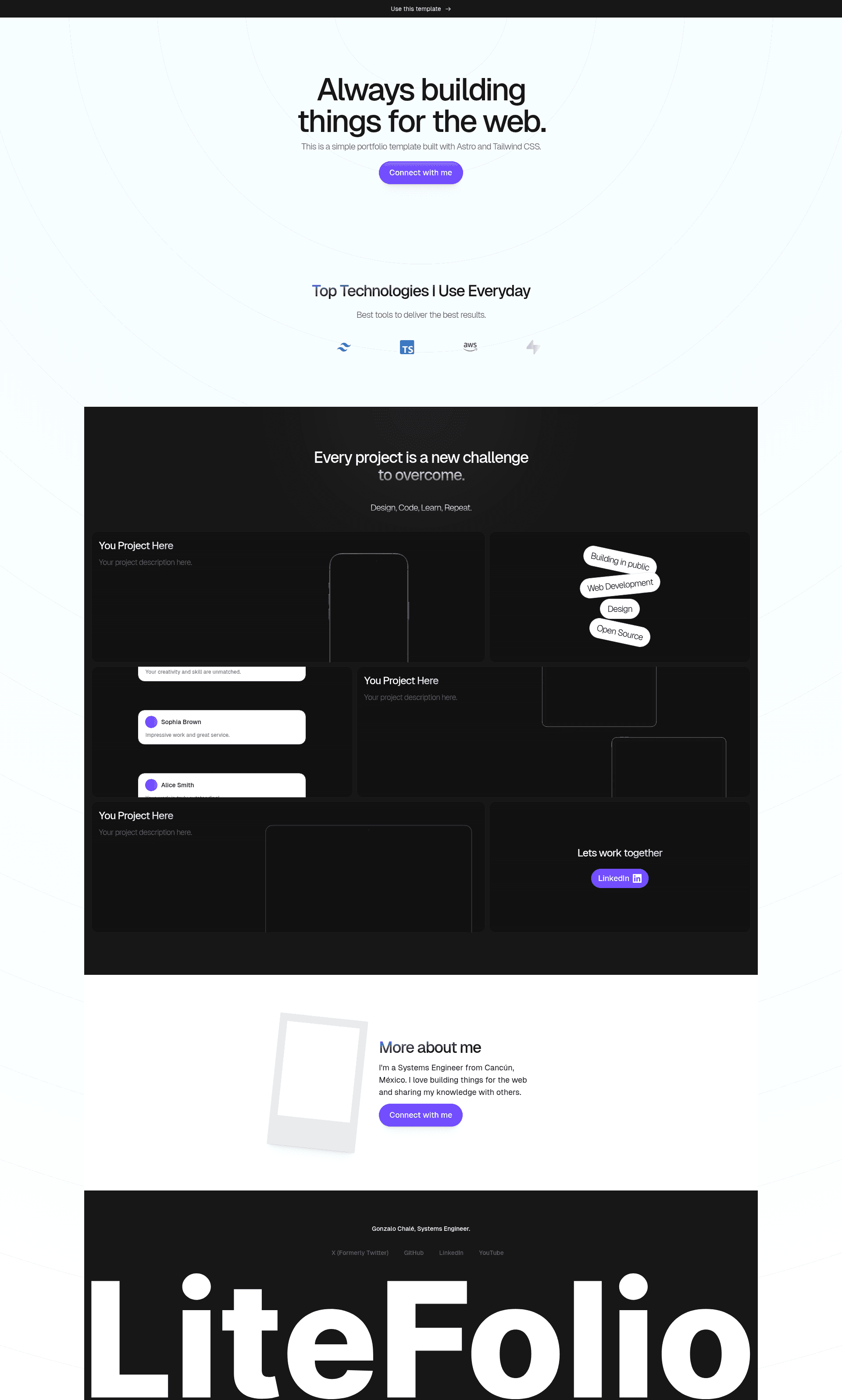
Free portfolio starter template built with Astro and Tailwind CSS.
About this template
Litefolio is a free portfolio starter template built with the Astro framework and Tailwind CSS, designed to get a personal portfolio site live without starting from scratch.
What is Litefolio?
Litefolio is an open-source portfolio template created by Gonzalo Chalé. It uses Astro's file-based routing: .astro or .md files placed in src/pages/ become the site's pages, and static assets like images live in public/. The repository already has Tailwind CSS configured, so you can write utility classes immediately, and a one-click Vercel deploy button is included in the README. The template is free and contributions are welcome.
Key Features
The template's features center on the Astro project structure and the included TailwindCSS configuration, with Vercel deployment and icon assets provided as extras.
- Astro file-based routing — Each .astro or .md file in src/pages/ becomes a route based on its file name, which defines the portfolio's page structure.
- Preconfigured Tailwind CSS — TailwindCSS is already set up in the repo; no separate CSS installation is required before you start styling.
- One-click Vercel deployment — The README's deploy button clones the repository to your GitHub account and creates a new deployment on your Vercel dashboard.
- Multiple package managers — Installation, development, preview, and build commands are provided for npm, yarn, and pnpm, with pnpm recommended to save disk space.
- SVG icon sets — The project credits SVGL and Radix Icons for the SVG icons it uses.
- Live demo — A working example is available at litefolio.gonzalochale.com.
- TypeScript topic — Repository metadata lists TypeScript as one of its GitHub topics, alongside Astro and Tailwind CSS.
Who is it for?
Litefolio is for developers who want a portfolio site but prefer to start from a working Astro project instead of an empty folder. It also suits freelancers who want a simple page to show recent work, and for anyone learning Astro who wants a small, real project to read and modify. Because it deploys to Vercel in one click, it also fits makers who want a live URL quickly.
What can you do with Litefolio?
Litefolio supports several practical workflows for getting a portfolio online.
- Developers: clone the repo, run pnpm install and pnpm dev, and start editing src/pages/ to shape the portfolio.
- Designers: use the preconfigured Tailwind CSS classes to change colors, spacing, and layout without setting up a separate CSS pipeline.
- Makers: click the Deploy with Vercel button to get the portfolio running on Vercel from a fresh GitHub copy.
- Contributors: open issues or pull requests to fix bugs or add features; the README explicitly welcomes contributions.
How does Litefolio work?
Litefolio follows the standard Astro workflow. After cloning the repository, install dependencies with npm, yarn, or pnpm, then run pnpm dev to start the local development server. Content files in src/pages/ are rendered as routes, assets in public/ are served as-is, and pnpm build produces a static build you can preview with pnpm preview.
FAQ
Is Litefolio free?
Yes, Litefolio is a free portfolio starter template. The source is public on GitHub under the gonzalochale/litefolio repository, and the project explicitly invites open-source contributions.
What tech stack does Litefolio use?
Litefolio uses Astro as the static site framework and Tailwind CSS for styling. It includes SVG icons from SVGL and Radix Icons, and the repository metadata lists TypeScript as one of its topics.
How do I deploy Litefolio to Vercel?
The README includes a Deploy with Vercel button that clones the repository to your GitHub account and creates a new deployment on your Vercel dashboard. You can also clone the repo locally and push it to your own Vercel project.
Can I use npm instead of pnpm?
Yes, the installation instructions cover npm, yarn, and pnpm. Pnpm is recommended by the author to save disk space, but npm and yarn work with the same scripts.